Mastering ActiveCampaign for E-commerce Marketing
Account Setup
Creating Your Account
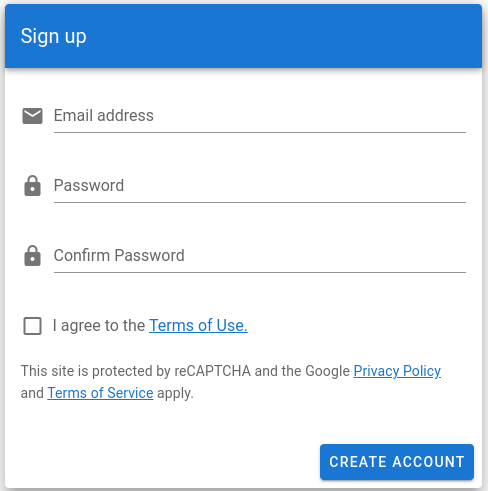
First, you'll need to create an ActiveCampaign account. Head to their website and choose a plan that fits your business needs. The signup process is straightforward. You'll enter your name, email address, and company information. This initial step gives you access to the platform where all the marketing magic happens.
Once your account is created, it's important to configure your settings. This isn't the most exciting part, but it's crucial for everything to work correctly.
Start by adding your physical business address. This is a legal requirement for sending marketing emails in many countries, including the United States (CAN-SPAM Act). You'll find this in the 'Settings' area, usually under 'Addresses'.
You can also add other users from your team. If you have colleagues who will help manage campaigns or view reports, you can invite them by going to 'Settings' and then 'Users and Groups'. Assign them the appropriate permission levels to control what they can see and do.
Connect to Shopify
Now, let's connect ActiveCampaign to your Shopify store. This integration is the key to unlocking powerful automation. It allows ActiveCampaign to see your customer data, track their purchases, and even monitor who abandons their shopping cart.
Think of it as building a bridge between your storefront and your marketing brain. When a customer buys a product on Shopify, that information instantly flows across the bridge to ActiveCampaign. This allows you to send targeted follow-up emails, like a thank you note or a request for a review, automatically.
Setting up the integration only takes a few clicks. Follow these steps:
- In your ActiveCampaign account, navigate to Settings > Integrations.
- Find Shopify in the list of available integrations and click on it.
- Click the Connect button.
- A new window will open asking for your Shopify store URL (e.g.,
your-store-name.myshopify.com). Enter it and click Connect again. - You'll be redirected to Shopify to authorize the connection. Review the permissions and approve them.
Once authorized, ActiveCampaign will begin syncing your historical customer and order data from Shopify. This can take some time depending on how much data you have.
With your account set up and connected to Shopify, you now have a solid foundation. All your customer and purchase data will continuously flow into ActiveCampaign, ready for you to build personalized marketing experiences.
According to the CAN-SPAM Act, what piece of information is legally required to be included in your ActiveCampaign account settings before sending marketing emails?
What is the primary purpose of integrating ActiveCampaign with Shopify?
You're now ready to explore the next steps in your marketing automation journey.