Master Your PC File Organization
Understanding File Systems
What is a File System?
Think of a huge library with no shelves, no sections, and no card catalog. Books are just piled on the floor in a massive, disorganized heap. Finding a specific book would be impossible. A storage drive, like a hard drive or an SSD, would be like that library without a file system.
A file system is the method your operating system, like Windows, uses to organize and keep track of files. It’s the set of rules for how data is stored, named, and retrieved from a storage drive. It turns that chaotic pile of data into a structured, searchable library, allowing you to find, open, and save your documents, photos, and applications with ease.
A Digital Filing Cabinet
Most file systems, including the one used by Windows, use a hierarchical or tree-like structure. Imagine a physical filing cabinet. The cabinet itself is the storage drive. Inside, you have drawers for broad categories. Inside each drawer are folders, and inside those folders are your individual documents.
This is exactly how your computer organizes information. The main storage location, usually called the C: drive, is the “root” of the tree. From there, everything is stored inside folders, which can contain both files and other folders. This system lets you group related files together in a logical way.
This structure is what you see when you open File Explorer, the program you use to browse the files and folders on your computer.
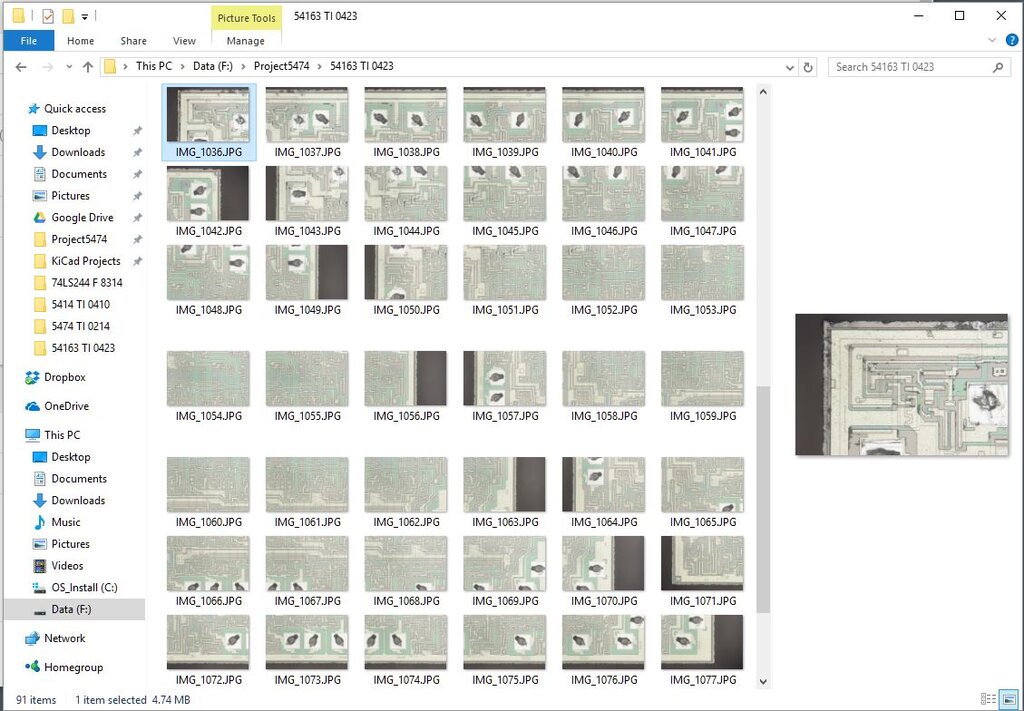
Finding Your Way
Every file and folder on your computer has a unique address, called a path. A path is like a set of directions that tells the computer exactly where to find an item, starting from the root directory. It lists each folder it has to go through to get to the destination.
For example, a path might look like this:
C:\Users\YourName\Documents\Annual Report.docx
Let's break that down:
C:is the root directory, or the drive letter.Users,YourName, andDocumentsare the folders, each nested inside the previous one.Annual Report.docxis the actual file name.
Notice the last part of the file name, .docx. This is called a file extension. It tells Windows what kind of file it is, which helps the operating system know which application to use to open it. For example, .docx files are typically opened with Microsoft Word, while .jpg files are opened with an image viewer.
| Extension | File Type | Common Program |
|---|---|---|
| .txt | Plain Text File | Notepad |
| .jpg | Image File | Photos |
| .mp3 | Audio File | Media Player |
| Document | Adobe Acrobat Reader | |
| .exe | Executable File | An application |
Understanding this simple structure of drives, folders, files, and paths is the first step to mastering your computer and keeping your digital life organized.
What is the primary purpose of a file system?
In a hierarchical file system, the main storage location, like the C: drive, is also known as the ________.