Master Your Passwords
Understanding Password Security
Your First Line of Defense
Think of all the online accounts you have: email, banking, social media, shopping. Each one is a door to your personal information, and the password is the key. Using a simple, easy-to-guess password is like leaving your front door unlocked. A strong password, on the other hand, is like a complex lock that’s much harder to pick.
What makes a password strong? Two things: length and complexity. A longer password with a mix of uppercase and lowercase letters, numbers, and symbols is exponentially harder for a computer to guess. While "password123" might be easy to remember, it's also one of the first things an attacker will try.
A strong and unique password is your first line of defense against unauthorized access to your accounts and sensitive information.
How Passwords Get Stolen
Even with a good password, it's important to understand the common ways criminals try to steal them. Knowing the threats helps you avoid them.
Phishing
noun
An attack where a scammer sends a fraudulent message, often an email, designed to trick you into revealing sensitive information like your password or credit card number.
Phishing attacks often create a sense of urgency. You might get an email saying your account has been compromised and you need to log in immediately through a link they provide. That link leads to a fake website that looks real, but its only purpose is to capture your login details.
Brute Force Attack
noun
A trial-and-error method used to guess login information by systematically trying all possible combinations of letters, numbers, and symbols until the correct one is found.
Imagine a thief with a machine that can try thousands of keys on your door every second. That's essentially a brute force attack. Computers can run through millions of common passwords and dictionary words in a very short time. This is why passwords like "123456" or "qwerty" are so dangerous; they're at the top of the list for these automated attacks.
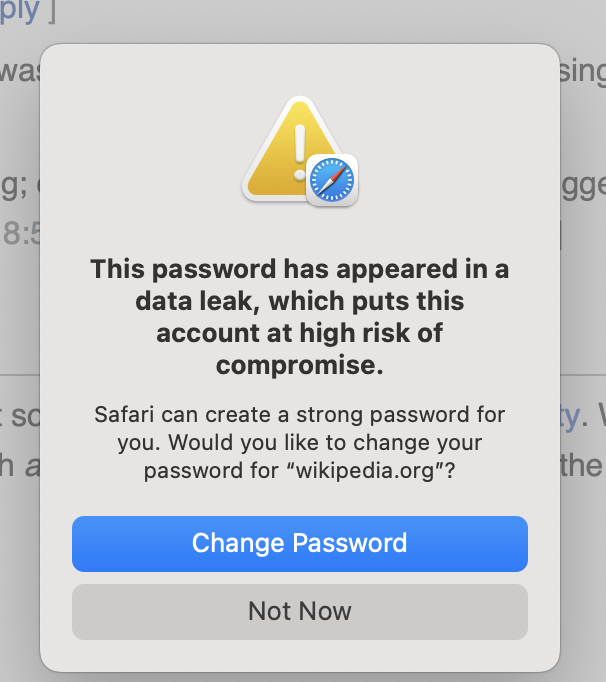
Finally, there are data breaches. This is when a company you have an account with gets hacked, and its user data, including usernames and passwords, is stolen. If you use the same password for multiple services, a breach at one company can give attackers the key to all your other accounts. It creates a domino effect, putting your entire digital life at risk.
A Smarter Way to Be Secure
Remembering a dozen long, complex, and unique passwords seems impossible, and it is for most people. That's where a password manager comes in. It's a secure digital vault that creates and stores strong, unique passwords for all of your accounts.
A password manager simplifies password use across different sites, helping users create and manage strong and unique passwords to keep them more secure.
Instead of juggling dozens of weak passwords or reusing the same one everywhere, you only need to remember one strong master password to access your vault. The password manager then handles the rest, automatically filling in your login details on websites and apps. This solves the password reuse problem completely. If one site has a data breach, the damage is contained because that stolen password won't unlock any of your other accounts.
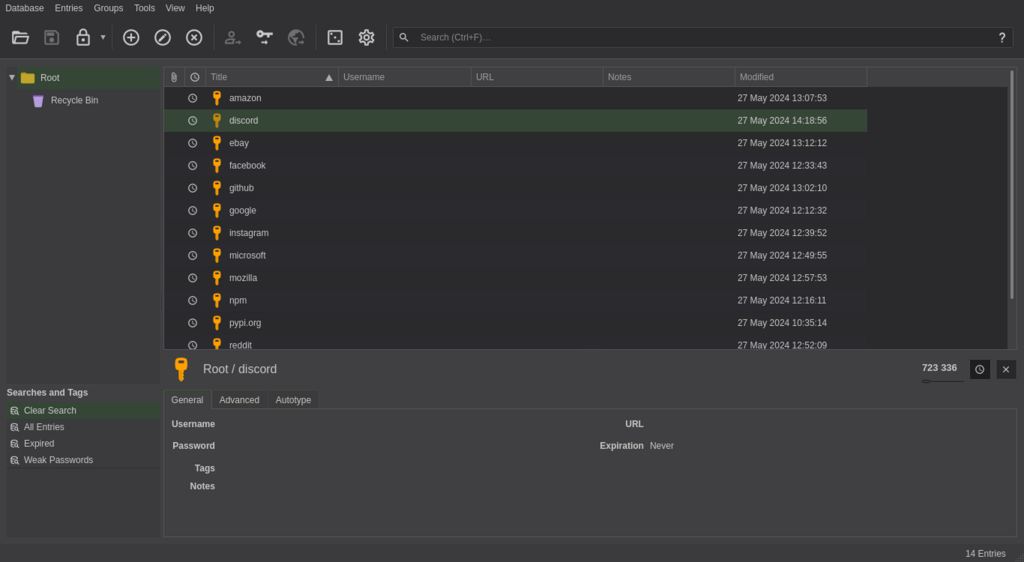
Using a password manager is one of the most effective steps you can take to protect yourself online. It automates good security habits, making it easy to use the kind of passwords that keep attackers out.
According to security best practices, what are the two most important factors for creating a strong password?
You receive an urgent email from your bank stating your account is locked and you must click a link immediately to verify your identity. This is a classic example of what type of attack?