Master Your Passwords
Understanding Password Security
Your First Line of Defense
Your passwords are the keys to your digital life. They protect your emails, bank accounts, social media, and more. A weak or stolen password is like leaving your front door unlocked. Attackers can gain access to your personal information, leading to identity theft, financial loss, or other serious problems.
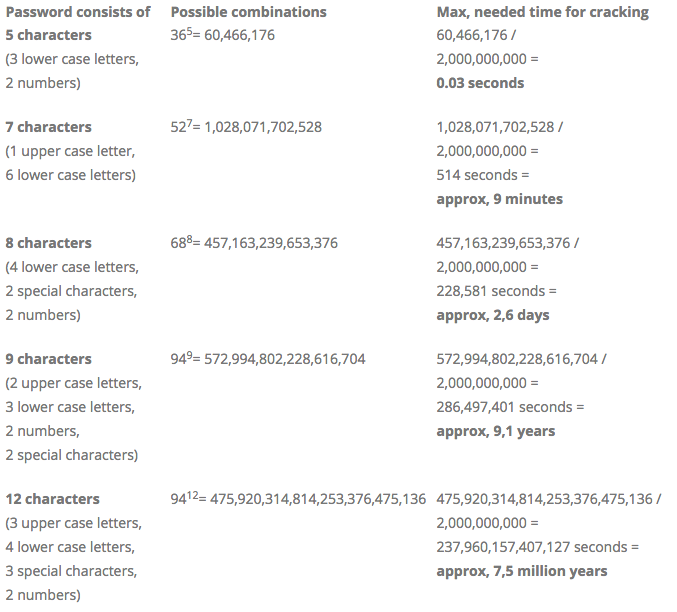
So, what makes a password strong? Two things: length and complexity. A longer password with a mix of uppercase letters, lowercase letters, numbers, and symbols is exponentially harder for a computer to guess. A short, simple password like "password123" can be cracked in an instant. A long, complex one could take centuries.
The Risk of Reusing Passwords
It's tempting to use the same password for multiple websites. It's easier to remember. But this is one of the biggest security mistakes you can make. Think of it like using the same key for your house, your car, and your office safe. If a thief gets that one key, they have access to everything.
Large companies experience data breaches all the time, where user data, including passwords, is stolen. Hackers then take these stolen lists of emails and passwords and try them on other popular sites like banking or social media apps. This is called "credential stuffing." If you've reused your password, a breach on one site means all your accounts using that password are now vulnerable.
One breach can compromise all your accounts if you reuse passwords. A different, strong password for every account is the only way to contain the damage.
A Secure Vault for Your Keys
Remembering dozens of long, complex, and unique passwords is practically impossible for most people. That's where password managers come in. A password manager is a secure, encrypted application that stores all of your login information in one place.
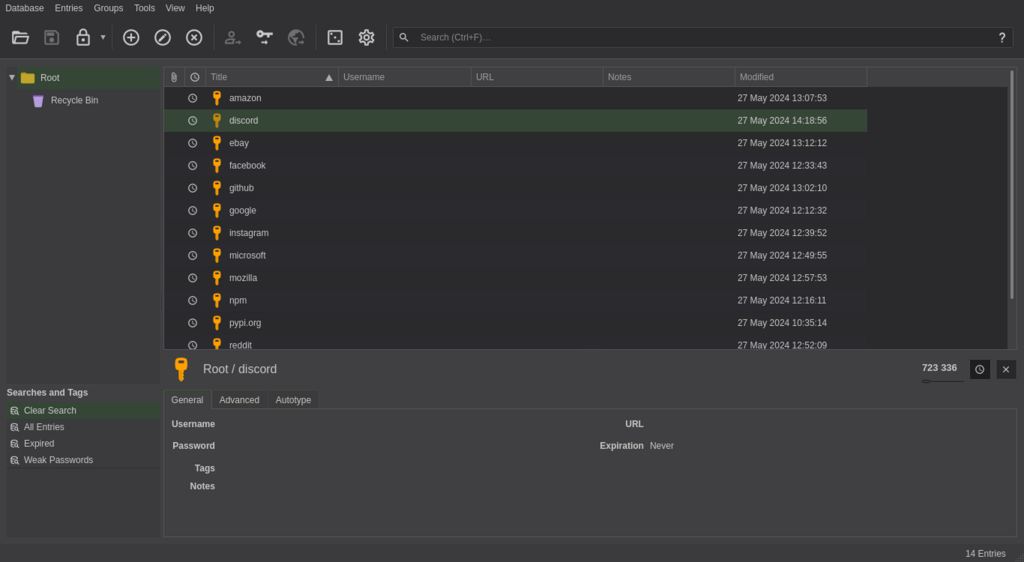
You only need to remember one strong "master password" to unlock the manager. Inside, it not only saves your existing passwords but can also generate new, incredibly strong ones for you whenever you sign up for a new service. When you visit a website, the password manager can automatically fill in your username and password, making logging in both secure and convenient.
A password manager simplifies password use across different sites, helping users create and manage strong and unique passwords to keep them more secure.
Now let's check your understanding of these core security concepts.
According to security best practices, what are the two most important factors for creating a strong password?
What is the primary risk of using the same password for multiple online accounts?
By adopting these simple habits—using strong, unique passwords and a password manager—you significantly boost your protection against the most common online threats.