Master Your Inbox Zero
Understanding Inbox Zero
The Idea of Inbox Zero
Your email inbox can feel like a never-ending to-do list, created by other people. Every new message is another demand on your time and attention. This constant stream can lead to stress and a feeling of being overwhelmed. The Inbox Zero method offers a way to regain control.
Inbox zero is a concept introduced in 2006 by a productivity specialist, Merlin Mann, who seeded this idea of achieving an empty inbox.
At its core, Inbox Zero isn't just about deleting emails. It's a system for processing information efficiently. Think of your inbox like a physical mailbox. You wouldn't let letters pile up for weeks, unopened. You'd bring them inside, sort them, and deal with them. The same principle applies to your digital inbox.
Core Principles
The method is built around a simple decision-making process for every email that arrives. Rather than letting messages sit, you take immediate action. Every time you open your inbox, your goal is to process each email until the inbox is empty again. This doesn't mean you've completed every task associated with those emails, but that you've decided what to do with each one.
Here's a breakdown of the actions:
- Delete/Archive: If an email requires no action and isn't needed for your records, delete it. If you might need it later, archive it. The key is to get it out of your inbox.
- Delegate: If the email can be better handled by someone else, forward it to them. You might move the original to a "waiting" folder so you can follow up later.
- Respond: If a reply takes two minutes or less, do it immediately. This prevents small tasks from piling up.
- Defer: If an email requires more than two minutes of work, move it to a separate to-do list or task management system. Schedule a time to handle it, and then archive the email.
The Benefits of Control
Adopting this system can have a significant impact. When your inbox is clear, your mind can be clearer too. You spend less mental energy remembering which emails need a reply and more time focused on your actual work. This reduces anxiety and boosts productivity.
By processing emails in batches instead of reacting to every notification, you also reclaim control over your schedule. You decide when to engage with email, rather than letting it dictate your day.
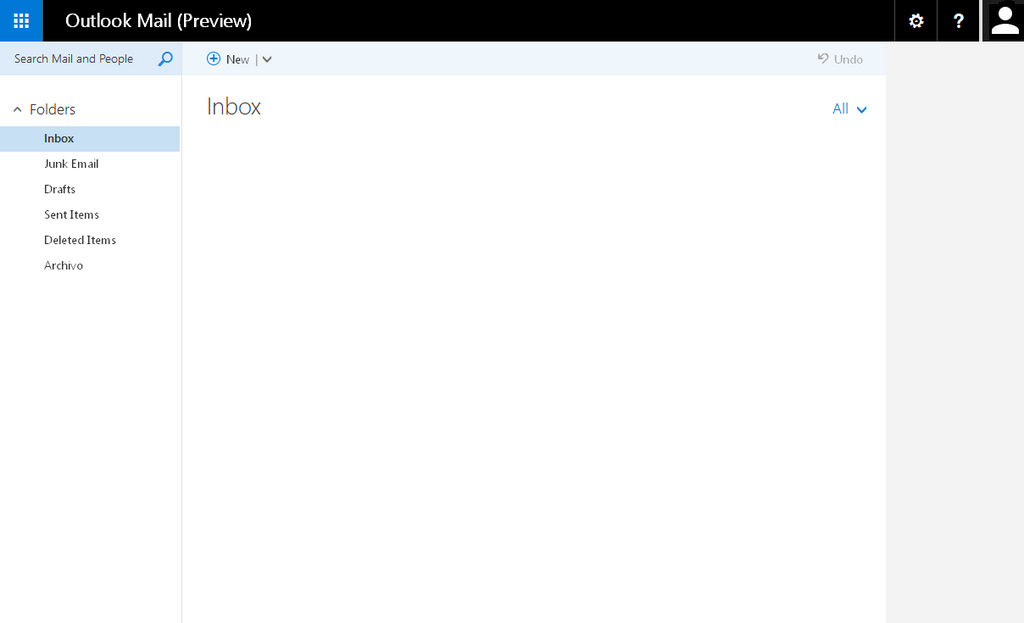
Clearing Up Misconceptions
A common misunderstanding is that Inbox Zero means your inbox must always contain exactly zero messages. This obsession can create more stress than it solves. The goal isn't the number, but the habit of processing.
The point of Inbox Zero is not to have an empty inbox; it's to have an empty mind. Your inbox is a processing station, not a storage unit.
It’s perfectly fine to have emails in your inbox while you are actively working through them. The aim is to make decisive choices about every email so that it doesn't linger indefinitely, cluttering up your digital workspace and your thoughts. The "zero" is the state you return to after each processing session.
Ready to check your understanding?
What is the primary goal of the Inbox Zero method?
According to the Inbox Zero system, what should you do with an email that requires an action that will take more than two minutes to complete?
By treating your inbox as a temporary holding area rather than a permanent home for messages, you can transform it from a source of stress into a streamlined tool for communication.