Master Your Digital Files
Understanding Digital File Organization
Taming Digital Chaos
Think about everything on your computer, phone, and in the cloud. Photos from your last vacation, the resume you sent out last month, your music library, work presentations, and even that half-finished novel. Each one of these is a digital asset.
A digital asset is simply any piece of content that exists in a digital format. If you can save it as a file, it's a digital asset.
Unlike a physical photo album or a filing cabinet, digital assets don't take up physical space. That's great, but it also makes it incredibly easy to accumulate thousands of them without a second thought. Without a plan, this digital collection can quickly turn into a messy, stressful digital attic.
The Cost of Clutter
We’ve all been there. You desperately need a specific document for a deadline, and you know you saved it... somewhere. You start searching through folders with names like “Stuff,” “Downloads,” and “Untitled Folder (3).” The panic sets in as minutes tick by. This frantic search is a direct symptom of digital disorganization.
When files are scattered without logic, finding what you need becomes a treasure hunt without a map. You waste time, energy, and your stress levels spike. You might even accidentally delete the wrong version of a file or send an outdated document to a colleague, creating confusion and extra work.
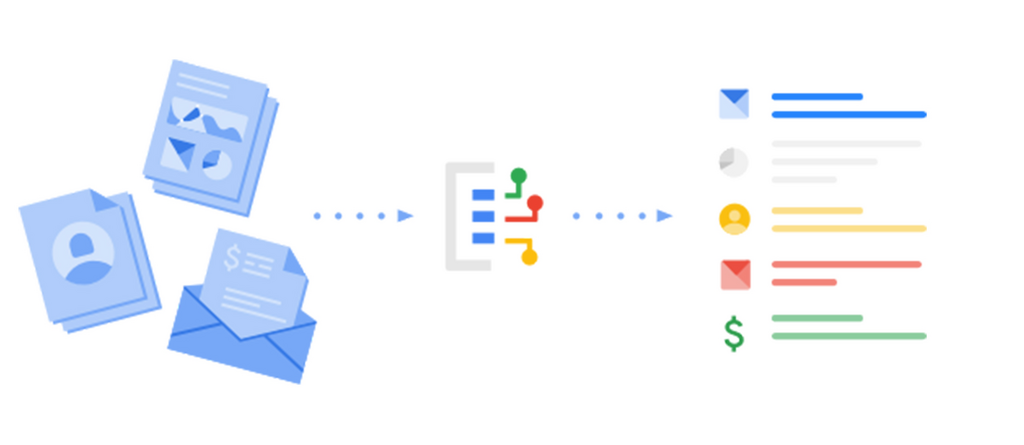
The problems go beyond just wasting time. A disorganized system makes it hard to know what information you even have. You end up with multiple copies of the same file, unsure which is the most recent. Important information gets buried and forgotten, and your digital workspace feels more like a roadblock than a tool for success.
Strategies for Sanity
Getting organized doesn’t require complex software or a complete overhaul of your life. It starts with a simple shift in mindset: being intentional about where you put things. The goal is to create a system that is logical and easy for you to maintain.
There are a few common approaches to structuring your digital world.
The best strategy is the one you’ll actually use consistently. Don't overcomplicate it.
One popular method is organizing by topic or project. You create a main folder for each major area of your life, like “Work,” “Personal,” and “Finances.” Inside each of these, you can create more specific subfolders. For example, under “Work,” you might have folders for each project you're working on.
Another approach is to organize chronologically. This works well for things like photos or financial records. You might have a main “Photos” folder, with subfolders for each year, and then further subfolders for each month or specific event like “2024-07 Vacation.”
You can also combine these strategies. Your “Work” folder might be organized by project, but your “Finances” folder could be organized by year. The key is to find a structure that mirrors how you think and work.
| Strategy | Best For... | Example Structure |
|---|---|---|
| By Project/Topic | Work files, hobbies, school | Work > Project Alpha > Designs |
| By Date | Photos, receipts, archives | Photos > 2024 > 2024_08_BeachTrip |
| By File Type | General storage, media | Documents > Resumes |
Starting is the hardest part. Begin with one area, like your computer’s desktop, and create a few logical folders. Move files into their new homes. The immediate clarity you gain will motivate you to tackle other areas. A little effort now saves a lot of headaches later.
According to the text, what is a direct symptom of digital disorganization?
The main goal of creating a digital organization system is to find a complex software solution to manage your files for you.
By understanding what digital assets are and adopting a simple organizational strategy, you can transform your digital space from a source of stress into a powerful tool for productivity.