Master AppSheet from Scratch
Introduction to AppSheet
Build Apps Without Code
AppSheet is a platform that lets you create applications for phones, tablets, and web browsers without writing a single line of code. It's part of the Google Cloud family, designed to empower anyone to build custom apps that solve specific business problems.
The core idea is simple: you already have data in spreadsheets, databases, or other cloud services. AppSheet connects to that data and turns it into a powerful, interactive application. Instead of just viewing rows and columns, you can interact with your data through forms, charts, maps, and calendars.
Connect to Your Data
An AppSheet app is essentially a smart layer on top of your existing data. The most common starting point is a simple Google Sheet, but the platform is incredibly flexible. You can connect your app to a variety of sources, including:
- Excel files (from Office 365, Dropbox, or Box)
- Cloud databases like Cloud SQL and AWS DynamoDB
- Salesforce data
- Smartsheet
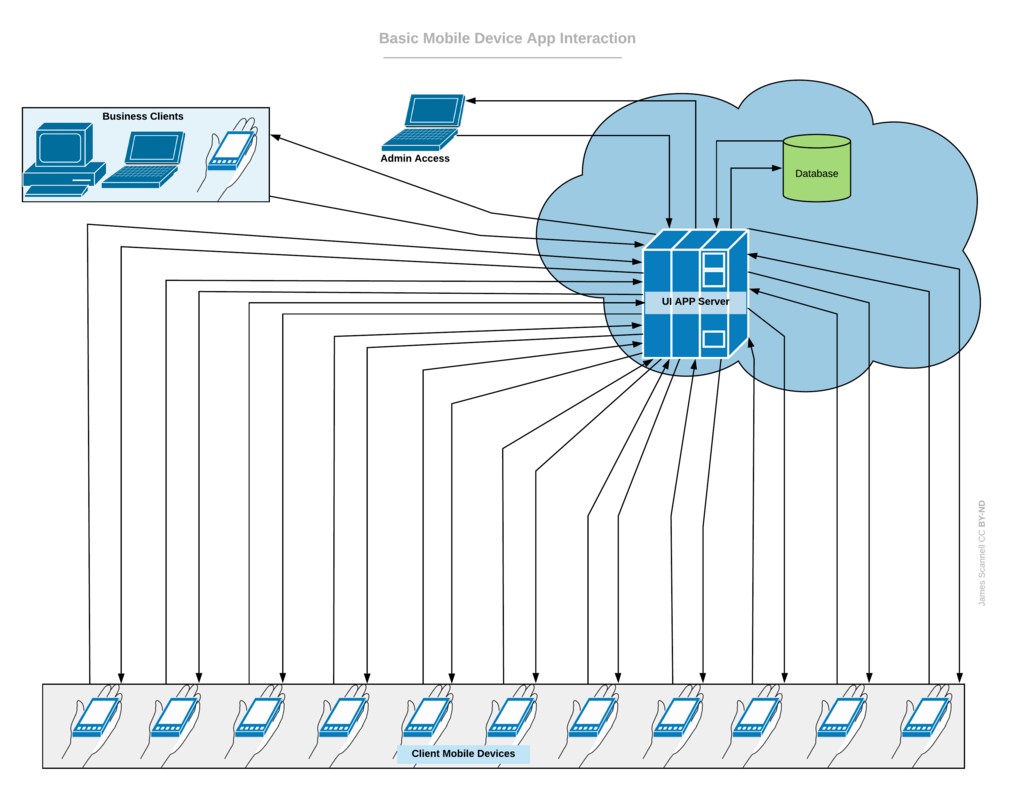
When a user updates information in the app, the changes are automatically synced back to your original data source. This two-way connection ensures your data is always up-to-date, whether you're looking at the spreadsheet or using the app.
What Can You Build?
The possibilities are vast, but most AppSheet applications are built to streamline business processes. They replace manual tasks, paper forms, and clunky spreadsheets with efficient, mobile-friendly solutions.
For example, a construction manager could build an app for site inspections. Field workers could use their phones to fill out a form, take photos of any issues, and capture a digital signature. All that information would instantly populate a Google Sheet, creating a real-time log of all inspections.
Common use cases include:
- Project Management: Assign tasks, track progress, and manage deadlines from a central app.
- Customer Relationship Management (CRM): Build a simple CRM to manage contacts, track sales leads, and log customer interactions.
- Inventory Tracking: Scan barcodes to check items in and out, monitor stock levels, and place orders.
- HR and Employee Management: Create apps for employee directories, leave requests, or expense reporting.
Choosing a Plan
AppSheet offers several pricing plans tailored to different needs, from individual creators to large enterprises. While specific features and prices can change, the plans generally follow this structure.
| Plan Tier | Best For | Key Features |
|---|---|---|
| Free | Prototyping & Learning | Build and test apps with up to 10 users. |
| Core | Small to Medium Teams | Core app features, security controls, email support. |
| Enterprise | Large Organisations | Advanced features, enhanced security, API access. |
| Enterprise Plus | Mission-Critical Use | Highest level of governance, performance, and support. |
The free plan is perfect for getting started. You can build fully functional apps to see if the platform is right for you. Once you're ready to deploy your app to a wider team, you would move to one of the paid plans.
What is the primary function of Google AppSheet?
When a user modifies data within an AppSheet application, where are the changes stored?
Now you have a solid overview of what AppSheet is and how it works. It's a tool that puts the power of app development into the hands of those who know the business problems best.