Mass Storage Deep Dive
Storage Device Basics
Where Your Data Lives
Your computer's memory, or RAM, is like its short-term memory. It's fast and holds everything you're actively working on, but when the power goes off, it forgets everything. For long-term storage, computers need a place to keep files, applications, and the operating system itself. This is the job of a storage device.
Storage devices provide persistent storage, meaning the data stays put even when the computer is turned off. The two most common types you'll encounter are Hard Disk Drives (HDDs) and Solid State Drives (SSDs). They do the same job but work in fundamentally different ways.
Hard Disk Drives (HDDs)
Think of a hard disk drive as a high-tech record player. Inside its case, it has one or more flat, circular disks called platters, which are coated with a magnetic material. These platters spin at thousands of revolutions per minute (RPM).
A tiny read/write head, attached to an actuator arm, hovers just above the surface of the spinning platter. To read data, the head detects the magnetic fields on the platter. To write data, it changes those magnetic fields. This physical movement is why you can sometimes hear a clicking or whirring sound from an older computer.
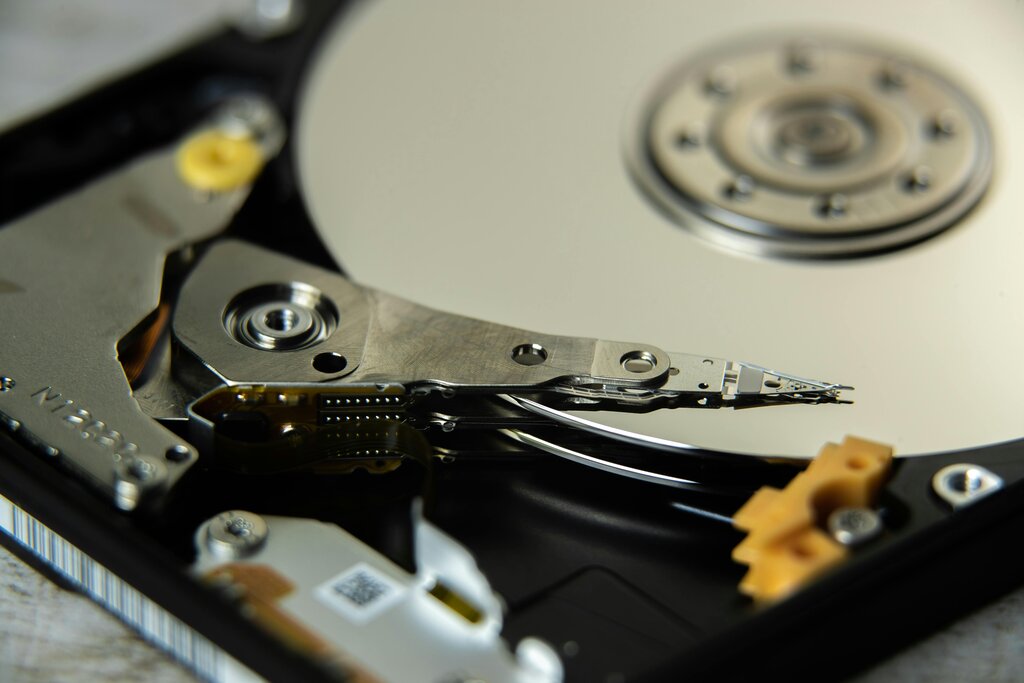
Data is stored in concentric circles called tracks, and each track is divided into smaller sections called sectors. When you want to access a file, the actuator arm has to move the head to the right track and then wait for the right sector to spin underneath it. This process of seeking and waiting takes a small but noticeable amount of time.
Solid State Drives (SSDs)
Solid state drives are a newer form of storage with no moving parts at all. The "solid state" part of the name refers to the fact that they use electronic circuits and transistors rather than mechanical arms and spinning disks.
An SSD is essentially a collection of interconnected flash memory chips, similar to the kind you'd find in a USB flash drive or a smartphone. Data is stored in a grid of electrical cells. When you save a file, the drive's controller sends an electrical charge to specific cells, changing their state to represent the 1s and 0s of your data.
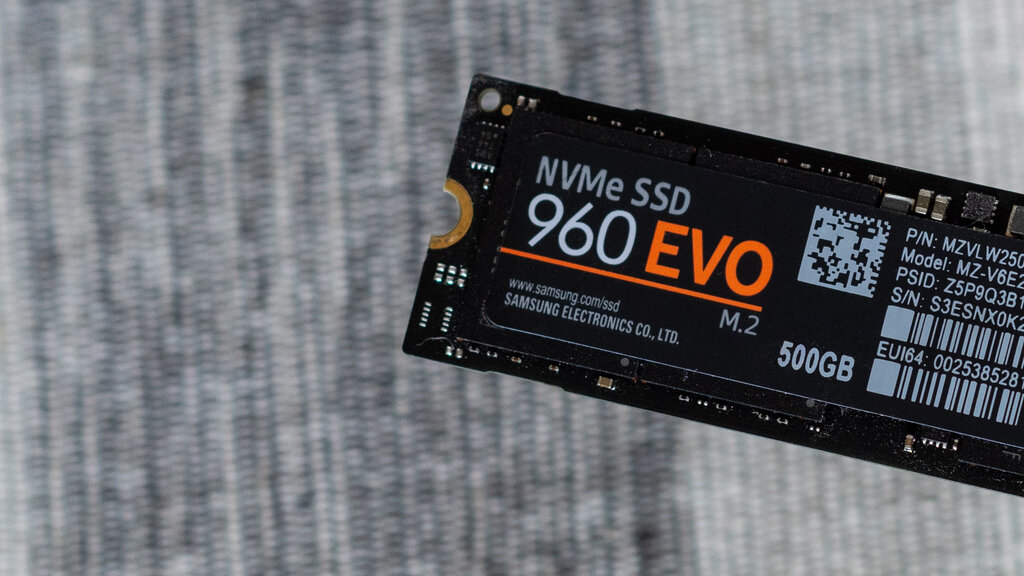
Because there's no physical movement involved, accessing data on an SSD is nearly instantaneous. The controller can go directly to the cells that hold the information it needs without waiting for a platter to spin into position. This makes SSDs dramatically faster than HDDs, which you can feel when booting up your computer or launching an application.
HDD vs. SSD at a Glance
Choosing between an HDD and an SSD often comes down to balancing cost, capacity, and speed. HDDs offer a lot of storage for a lower price, while SSDs provide a huge performance boost for a higher cost per gigabyte.
| Feature | Hard Disk Drive (HDD) | Solid State Drive (SSD) |
|---|---|---|
| Mechanism | Mechanical (spinning platters) | Electronic (flash memory) |
| Speed | Slower | Much faster |
| Durability | More fragile due to moving parts | More resistant to drops and shock |
| Cost | Less expensive per gigabyte | More expensive per gigabyte |
| Power Usage | Higher | Lower |
| Noise | Audible whirring/clicking | Silent |
Many modern computers use a combination of both: a fast SSD for the operating system and frequently used programs, and a larger HDD for storing files like photos, videos, and documents where speed is less critical.
Ready to check your understanding?
What is the primary difference between a computer's RAM and its storage device (like an HDD or SSD)?
A user reports hearing a faint clicking or whirring sound from their computer, especially when opening large files. Which component is most likely responsible for this sound?
Understanding how these devices work is the first step in learning how an operating system manages the vast amounts of data we create and use every day.