Local AI Factories and Autonomous Agent Swarms
Hardware Infrastructure Requirements
Calculating VRAM Needs
Running large language models locally starts with a simple question: how much video memory (VRAM) do you need? The answer depends on the model's size (its number of parameters) and the level of quantisation you apply. Quantisation is a technique to reduce the memory footprint of a model by using lower-precision numbers for its weights, often with a minimal impact on performance.
A good rule of thumb for calculating VRAM is to consider the model size in billions of parameters and the bits per weight after quantisation. For example, a 70-billion-parameter model with 4-bit quantisation requires roughly 4 bits for each of its 70 billion weights.
Using this, a 70B model at 4-bit precision needs about GB of VRAM just to load the model weights. You also need extra space for the context window (the text you're processing), which can add several more gigabytes. For a comfortable experience with a long context, you should aim for at least 48 GB of VRAM.
| Model | Quantisation | Estimated VRAM for Weights |
|---|---|---|
| Llama 3 70B | 4-bit (Q4) | ~35 GB |
| Mixtral 8x7B | 4-bit (Q4) | ~23 GB |
| Llama 3 70B | 5-bit (Q5) | ~44 GB |
| Mixtral 8x7B | 5-bit (Q5) | ~29 GB |
Choosing Your Hardware
With a VRAM target of 48 GB or more, a single consumer GPU won't suffice. The two main paths are a multi-GPU PC or a Mac with high-capacity unified memory. Each has distinct trade-offs in performance, cost, and complexity.
For a local AI factory, the goal is high throughput and low latency for inference. This means the hardware must be able to load and run models quickly, without bottlenecks.
A popular choice for PC builds is using two NVIDIA GeForce RTX 3090s. With 24 GB of VRAM each, they combine to meet our 48 GB target. They offer excellent value on the used market. For higher performance, two RTX 4090s can be used, though they offer the same amount of VRAM. The key to making these cards work together efficiently is the connection between them. A direct, high-speed connection like is ideal, allowing the GPUs to share memory at high speeds. Without it, the GPUs must communicate over the much slower PCIe bus, creating a significant bottleneck.
The alternative is Apple's Mac Studio with an M-series Ultra chip. These machines feature a (UMA), where the CPU, GPU, and other processors share a single, large pool of high-speed memory. You can configure a Mac Studio with up to 192 GB of unified memory. This memory pool serves as both system RAM and VRAM, completely eliminating the VRAM capacity issue for even the largest models. The memory bandwidth is also extremely high, often exceeding 800 GB/s.
The downside? The raw computational power (measured in TFLOPS) of Apple's GPUs is generally lower than a high-end NVIDIA card like the RTX 4090. So while the Mac can load enormous models with ease, an optimised multi-GPU NVIDIA setup might generate tokens faster—if you can overcome the PCIe bottleneck.
System Foundations and Costs
The GPU is the star, but the supporting cast is just as important for a system running AI tasks 24/7. Your motherboard needs enough PCIe lanes to feed multiple GPUs, especially if you lack an NVLink bridge. Modern platforms with PCIe 5.0 offer double the bandwidth of PCIe 4.0, which helps reduce the bottleneck when data must flow between the GPUs and system RAM or storage.
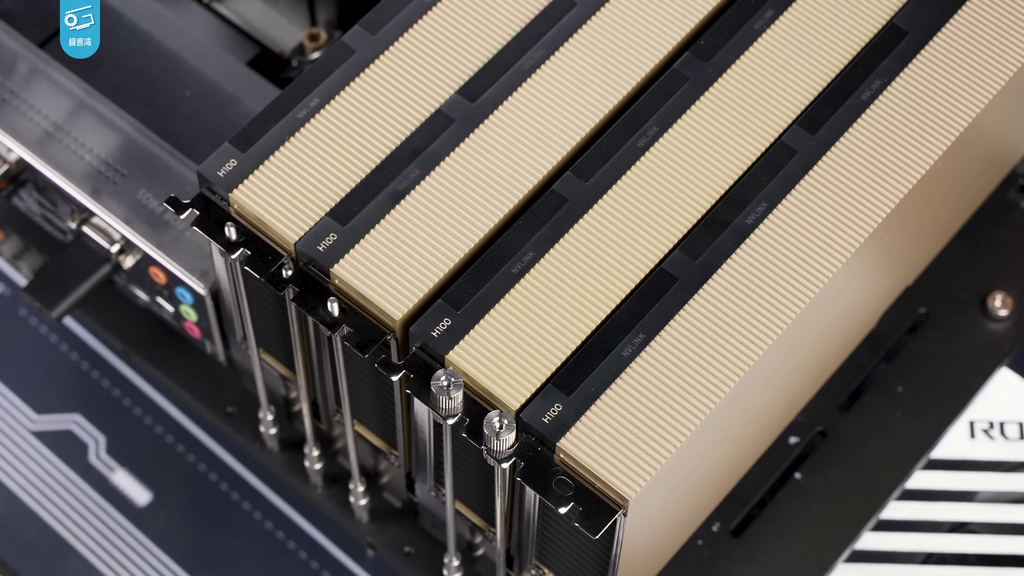
Fast system RAM (at least 64 GB of DDR5) and a high-speed NVMe SSD (Gen4 or Gen5) are also crucial. They ensure that loading new models, swapping them out, and persisting the state of complex AI agents happens in seconds, not minutes.
Finally, let's consider the cost. While the upfront investment in hardware can be several thousand pounds, it's a one-time cost. API services, on the other hand, charge per token. A local setup's cost-per-token is effectively the price of electricity. For high-volume usage, the local hardware quickly becomes more economical. A user generating millions of tokens per day for agentic workflows could break even on a $5,000 PC in just a few months compared to paying API fees.
AI infrastructure is purpose-built to handle the high-throughput, low-latency demands of training and inference workloads, using specialized hardware like GPUs, high-speed interconnects (e.g., InfiniBand or optical Ethernet), and optimized software stacks.
Building a local AI factory is a balancing act between VRAM capacity, computational speed, system bandwidth, and cost. A dual RTX 3090 setup offers a powerful, cost-effective path, while a high-memory Mac Studio provides unparalleled ease-of-use and capacity for massive models.
How much VRAM is required to load the weights of a 30-billion-parameter model using 4-bit quantisation?
What is the primary purpose of 'quantisation' in the context of large language models?
Ultimately, the right choice depends on your specific needs: raw inference speed versus the flexibility to run the largest models available.