Linux System Administration Certification
Linux Fundamentals
What is Linux?
In 1991, a Finnish student named Linus Torvalds started a personal project. He wanted to create a free and open-source operating system kernel. This kernel, which he named Linux, became the core of a family of operating systems that now power everything from smartphones and web servers to smart TVs and supercomputers.

Linux itself is just the kernel, the central part of the operating system that manages the computer's hardware. To create a full operating system, the Linux kernel is combined with software from the GNU Project, which provides essential system tools, libraries, and the command-line interface. This combination is why you'll often hear the name GNU/Linux.
The Kernel and the Shell
Think of a Linux system in layers. At the very center is the hardware: your computer's processor, memory, and storage devices. The Linux kernel sits directly on top of the hardware, acting as a translator. It takes instructions from software and turns them into actions for the hardware to perform.
You, the user, interact with the kernel through a program called the shell. The shell is a command-line interface (CLI) that interprets your commands and passes them to the kernel. It's like the dashboard of a car: you use the steering wheel and pedals (the shell) to control the engine (the kernel).
When you type a command and press Enter, the shell reads your input, finds the program you want to run, and tells the kernel to execute it. This structure is powerful and efficient, forming the basis of interaction with a Linux system.
Navigating the File System
Unlike Windows, which uses drive letters like C:, the Linux file system is a single, unified tree. Everything starts from the root directory, represented by a single forward slash (/). All other directories, files, and devices branch out from this root.
Your home directory, often found at
/home/username, is where your personal files are stored. It's abbreviated with a tilde (~).
To navigate this tree, you use the command line. The first command to learn is pwd, which stands for "print working directory." It tells you where you currently are in the file system.
pwd
/home/student
To see what's inside your current directory, use the ls command, which stands for "list."
ls
Documents  Downloads  Music  Pictures
To move between directories, use cd, for "change directory." To go into the Documents directory, you would type:
cd Documents
To go back up one level to the parent directory, use cd .. where .. is a special shortcut for the parent directory.
Your Command Toolkit
Besides navigation, a few other commands form the core of day-to-day Linux use. Let's look at some essentials for working with files.
| Command | Purpose | Example |
|---|---|---|
mkdir | Make a new directory | mkdir notes |
touch | Create a new, empty file | touch project.txt |
cp | Copy a file or directory | cp project.txt backup.txt |
mv | Move or rename a file | mv project.txt final.txt |
rm | Remove a file | rm backup.txt |
rmdir | Remove an empty directory | rmdir notes |
The command line might seem intimidating, but it gives you precise control over your system. Each command is a small, specialized tool. By combining them, you can accomplish complex tasks efficiently.
Reading the Manual
What happens when you forget how a command works or what options it accepts? Linux has a built-in instruction manual, accessible through the man command.
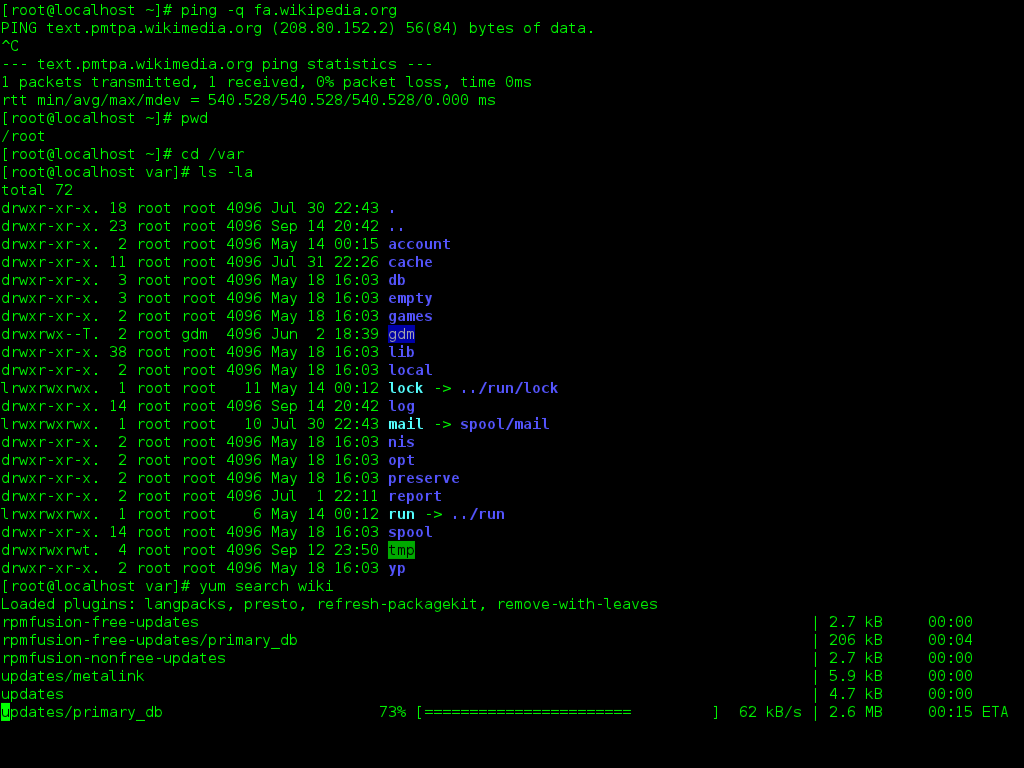
To get help for any command, just type man followed by the command name. For example, to learn more about the ls command, you would use:
man ls
This opens the "manual page" for ls, which describes what the command does, lists all its options (called flags), and provides examples. These pages are incredibly detailed and are the ultimate source of truth for how commands work. You can navigate them with the arrow keys and quit by pressing q.
Don't try to memorize every command and option. Instead, learn the basics and get comfortable using
manpages to look up the rest. This is a key skill for any Linux user.
Now that you have the basics, let's test your understanding.
What is the relationship between the Linux kernel and the GNU Project in a typical Linux operating system?
In the Linux architecture, which component acts as the interpreter between the user's commands and the kernel?
You've taken the first step into a larger world. Understanding these core concepts provides the foundation for everything that follows in Linux.