Linux Operating System Essentials
Operating Systems Basics
The Role of the OS
An operating system (OS) is the main software that runs on a computer. Think of it as the general manager of a busy hotel. The manager doesn't interact with every single guest, but they make sure the lights stay on, the rooms are clean, and everything runs smoothly behind the scenes. Without the manager, the hotel would be chaos.
Similarly, an OS manages all the computer's hardware and software. It's the essential bridge that lets you, and the applications you use, interact with the physical components of the computer without needing to know the technical details. When you click save on a document, the OS is what tells the hard drive to store the file.
Operating systems serve as the foundation of computing devices, providing essential services such as managing hardware resources, facilitating user interaction, and supporting application execution.
Core Components
While operating systems are complex, they can be broken down into a few key parts that work together. Let's look at the three most fundamental components: the kernel, the shell, and the file system.
Kernel
noun
The core component of an operating system that manages the system's resources, such as the CPU, memory, and devices. It is the bridge between software and hardware.
The kernel is the heart of the operating system. It has complete control over everything in the system. When you start your computer, the kernel is one of the first things to load, and it stays running until you shut the computer down. It handles the most basic tasks, like deciding which program gets to use the processor and for how long, managing memory, and handling input from your keyboard and output to your screen.

Next is the shell. If the kernel is the heart of the OS, the shell is its interpreter. It's the part you interact with, which takes your commands and translates them into something the kernel can understand. Whether you're clicking on an icon in a graphical user interface (GUI) or typing a command into a text-based interface, you're using a shell.
Shell
noun
A user interface that allows access to an operating system's services. It interprets user commands and passes them on to the kernel for processing.
Finally, there's the file system. A computer's hard drive would be a messy, unusable pile of data without a way to organize it. The file system provides the structure. It's like a library's cataloging system, defining how data is stored, named, and retrieved. It organizes data into files and folders (or directories), keeping track of where everything is so you can find it later.
File System
noun
The method and data structure that an operating system uses to control how data is stored and retrieved. It organizes files into a hierarchy of directories.
The Juggling Act
Beyond its core components, the OS is constantly performing a complex juggling act to keep your computer running efficiently. It manages three main resources: processes, memory, and devices.
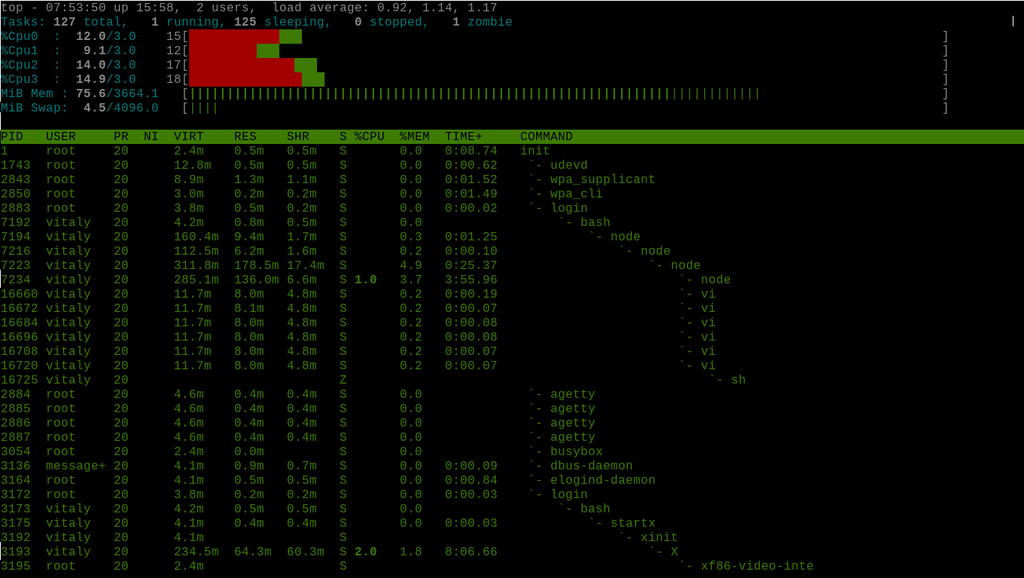
Process management is how the OS handles all the programs that are currently running. Each running application, and even parts of the OS itself, is a 'process'.
Your computer is likely running dozens of processes right now, even if you only have one or two windows open. The OS's job is to allocate processor time to each of these processes, switching between them thousands of times per second. This rapid switching creates the illusion that multiple programs are running at the same time, a concept known as multitasking.
Memory management is another critical task. Every process needs a piece of the computer's working memory (RAM) to run. The OS acts like a meticulous parking attendant, assigning each process its own memory space. It ensures that one process doesn't accidentally write into another's space, which would cause crashes and errors. It also cleans up the memory when a process is finished, making it available for the next one.
Lastly, there's device management. Your computer has many devices attached to it, like a keyboard, mouse, printer, and monitor. The OS communicates with all of them. It uses special pieces of software called drivers to translate general commands (like "print this page") into specific instructions that a particular piece of hardware can understand. This system allows you to plug in a new device and have it work seamlessly with your computer, without the application developers needing to write code for every possible printer or mouse.
Time to check your understanding of these core concepts.
Which component of an operating system acts as the interpreter, translating user commands into a format the kernel can understand?
The operating system's ability to run multiple programs at the same time by rapidly switching between them is known as:
Understanding these fundamental roles and components is the first step to mastering any operating system, including Linux.