Linux for Cybersecurity Operations
Access Control Models
Who Can Do What
In a multi-user system like Linux, not everyone should be able to read, modify, or run every file. Access control is the digital gatekeeper that enforces these rules. The most common model you'll encounter is Discretionary Access Control (DAC), where the owner of an object, like a file or directory, decides who gets access and what they can do.
Think of it like your house. You, the owner, can give a key to your friend (a user) and tell them they can only enter the living room (read access) but not open the fridge (write access). You have the discretion to set these rules. This is the foundation of standard Linux permissions.
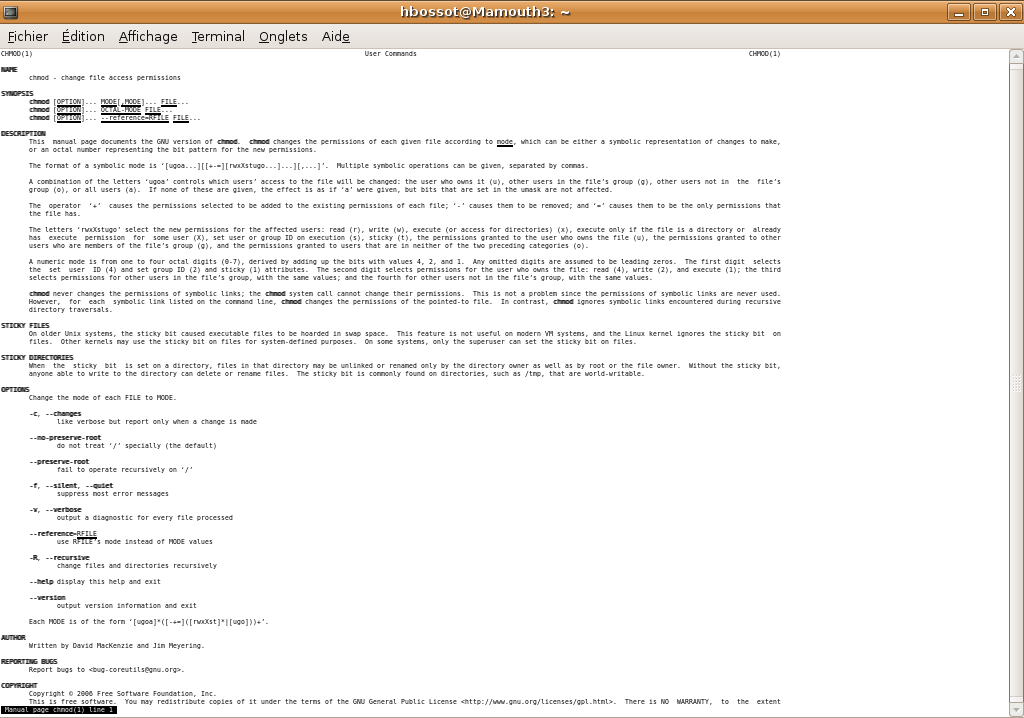
Permissions are assigned to three categories of users: the owner (u), the group (g), and others (o). For each category, you can grant three basic permissions: read (r), write (w), and execute (x). These can be represented symbolically or with numbers, a system known as octal notation.
| Permission | Symbolic | Octal Value |
|---|---|---|
| read | r | 4 |
| write | w | 2 |
| execute | x | 1 |
To set permissions, you add the values for each category. For example, to give the owner read/write/execute permissions (), the group read/execute permissions (), and others only read permission (4), you would use the octal value 755.
# Using chmod with octal notation
chmod 755 my_script.sh

# The same command using symbolic notation
chmod u=rwx,g=rx,o=r my_script.sh
Special Permissions
Beyond the basic rwx permissions, Linux has special flags that grant temporary or limited privileges. These are powerful but can be dangerous if misconfigured. The three main ones are SUID, SGID, and the Sticky Bit.
A file with the SUID (Set User ID) bit runs with the permissions of the file owner, not the user who executed it. This is commonly used for utilities that need temporary root access, like the passwd command, which must modify the protected /etc/shadow file to change a user's password.
An attacker who finds a vulnerable program with the SUID bit set can exploit it to execute commands as the root user, leading to a full system compromise.
The SGID (Set Group ID) bit is similar. When set on a file, it executes with the group permissions of the file's group. When set on a directory, any new files created inside that directory will inherit the group ownership of the directory itself, not the primary group of the user who created them. This is useful for collaborative projects where all files in a shared folder need to be accessible to a specific team.
Finally, the Sticky Bit is primarily used on directories. When it's set on a directory like /tmp, it means that only the owner of a file (or the root user) can delete or rename that file, even if others have write permissions to the directory. This prevents users from deleting each other's temporary files.
# Add the SUID bit to a file
# Note the 's' in the owner's permissions
chmod u+s /usr/local/bin/my_tool
# ls -l /usr/local/bin/my_tool
# -rwsr-xr-x 1 root root 12345 May 20 10:00 my_tool

# Add the Sticky Bit to a directory
# Note the 't' in the 'others' permissions
chmod +t /shared/project_files
# ls -ld /shared/project_files
# drwxrwxr-t 2 root project_team 4096 May 20 10:05 /shared/project_files
Beyond the Basics
The standard rwx system is a form of Discretionary Access Control (DAC). It's simple but can be a bit blunt. What if you need to grant access to a specific user who isn't the owner or in the file's group? That's where Access Control Lists (ACLs) come in. ACLs allow for more granular permissions, letting you define access rights for multiple users and groups on a single file.
# Use getfacl to view the ACL of a file
getfacl report.docx

# Use setfacl to grant read/write access to user 'bob'
setfacl -m u:bob:rw- report.docx

# After the change, getfacl shows the new entry
# user::rw-
# user:bob:rw-    #effective:rw-
# group::r--      #effective:r--
# mask::rw-
# other::r--
But what if the owner makes a mistake? In a DAC model, a user could accidentally chmod 777 a sensitive file, making it world-readable. To prevent this, high-security environments use Mandatory Access Control (MAC). In a MAC system, a central policy, enforced by the kernel, dictates all access. Not even the file owner (or root) can override it. The policy is based on security labels or contexts, not user discretion. Two popular implementations in Linux are and AppArmor.
is another MAC framework that confines programs to a limited set of resources. Unlike SELinux's label-based system, AppArmor works with file paths. It defines profiles for individual applications that specify which files they can read, write, and execute. This makes it a bit simpler to configure for specific services, like a web server or database.
Understanding these models is the difference between simply using a Linux system and professionally administering one. DAC, ACLs, and MAC frameworks are the primary tools a security analyst or system administrator uses to enforce the principle of least privilege, preventing unauthorized access and containing threats.
Understanding Linux permissions is fundamental to system security and proper file management.
Let's check what you've learned about these access control models.
In the standard Discretionary Access Control (DAC) model used by Linux, who is primarily responsible for setting the permissions for a file or directory?
You need to set permissions on a file such that the owner can read and write, the group can only read, and all other users have no access. What is the correct octal notation for this permission set?
Mastering these concepts allows you to build a secure and well-managed Linux environment, protecting data from both accidental mistakes and malicious attacks.