Linear App Power User
Advanced Features
Power Up with Sprints
Once you have a handle on individual issues, the next step is to organize them into focused blocks of time. This is where sprints come in. In Linear, sprints are called Cycles. They are short, time-boxed periods—usually one to four weeks long—during which your team commits to completing a specific amount of work.
This approach prevents the endless churn of a never-ending task list. Instead, it creates a predictable rhythm for your team. Everyone knows what they need to work on right now, and they can see a clear finish line for the current batch of work.
Setting up sprints is straightforward. Head to the Cycles section in your team's settings. Here, you can define the length of your sprints and enable them. Linear can even automate their creation, so a new sprint is ready to go as soon as the previous one ends. This keeps the momentum going without extra administrative work.
During a sprint planning meeting, your team pulls issues from the backlog into the current sprint. This is a collective agreement on what can be achieved in the upcoming cycle. Once the sprint begins, you can track its progress in the Cycles view. Linear provides a burndown chart, which is a graph that shows the amount of work remaining versus the time left in the sprint. It’s a powerful visual tool for seeing if your team is on track, falling behind, or pulling ahead.
Charting the Course with Roadmaps
While sprints organize the immediate work, Roadmaps provide the high-level, strategic view. A roadmap visualizes your project timelines and major milestones, helping everyone understand the bigger picture. It answers the question, “Where are we going?”
This isn't just for managers. A clear roadmap gives the entire team context. They can see how the issues they’re working on today contribute to a larger goal months from now. This alignment is crucial for motivation and making smart, autonomous decisions.
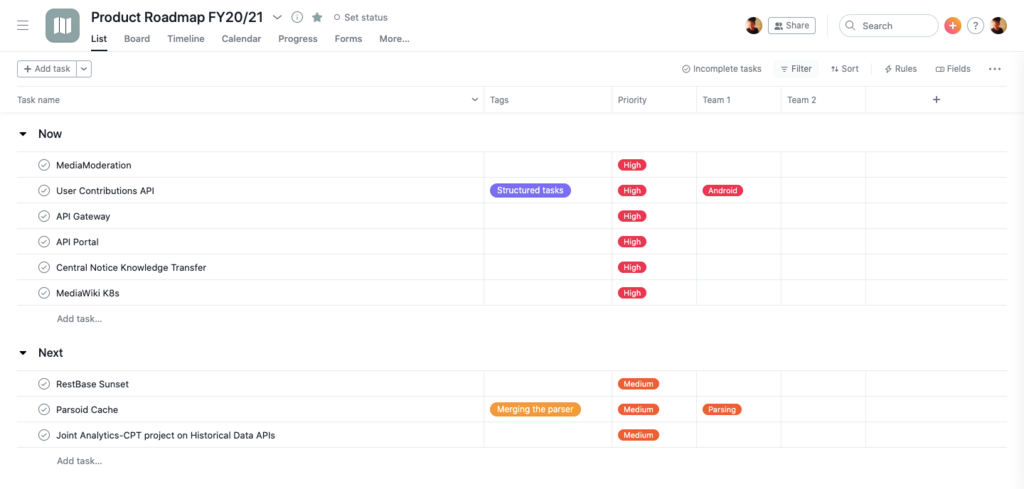
In Linear, creating a roadmap involves grouping larger initiatives, called Projects, onto a timeline. You can find the Roadmap tab in the sidebar. From there, you can create new projects, give them start and end dates, and assign them an owner. As projects are completed, the roadmap provides a clear record of progress against your strategic goals.
The magic happens when you connect the two features. The issues your team works on in each sprint should be part of a project. That project, in turn, lives on the roadmap. This creates a clear hierarchy: the roadmap sets the destination, projects are the major milestones on the journey, and sprints are the individual steps you take to get there. This ensures that every task, no matter how small, is aligned with the company's broader objectives.
Sprints manage the how and when of day-to-day work. Roadmaps clarify the what and why of your long-term goals.
Ready to test your knowledge? Let's see what you've learned about organizing and planning work.
What is the primary purpose of using Cycles (sprints)?
A team wants to see if they are on track to complete their work for the current sprint. Which tool provides the best visual for this?
By mastering Sprints and Roadmaps, you move beyond simple task management and into true strategic execution.