LEGO EV3 Programming with LabVIEW Icons
Introduction to LEGO EV3 and LabVIEW
Meet Your Robot
The LEGO MINDSTORMS EV3 kit is more than just a box of bricks. It's a complete toolkit for building and programming your own robots. Think of it as a starter pack for robotics, giving you the brain, muscles, and senses to create something that can move, react, and complete tasks on its own.
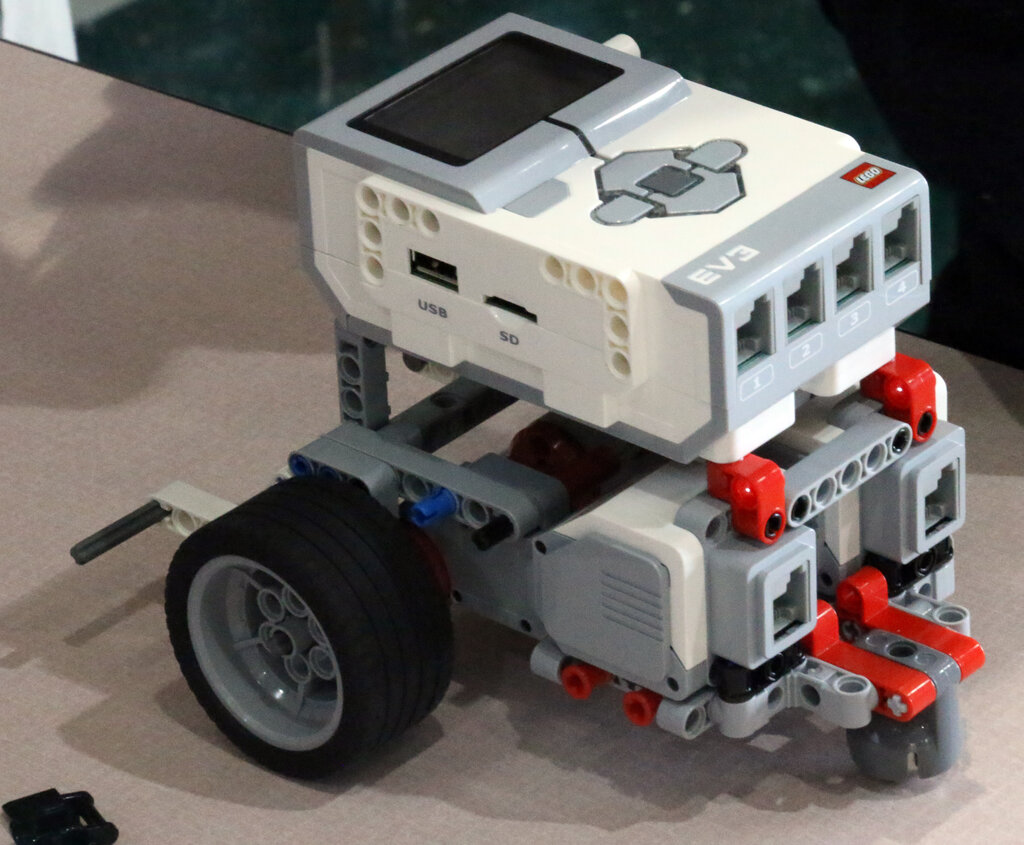
Every robot you build will have three types of key components. First, you have the motors, which act as the robot's muscles, allowing it to move its wheels or operate a claw. Then you have the sensors, which are like the robot's senses, letting it detect things like color, touch, or distance. Finally, and most importantly, you have the EV3 Brick. This is the brain.
The Brain of the Operation
The EV3 Brick is a small, programmable computer that controls everything your robot does. It has a screen to display information, buttons for navigating menus, and a speaker to make sounds. Most importantly, it has ports to connect the motors and sensors.
The ports are clearly labeled. The lettered ports (A, B, C, D) are output ports designed for motors. This is where you plug in the components that do things. The numbered ports (1, 2, 3, 4) are input ports for sensors. This is where you plug in components that detect things.
This separation is fundamental: your program will read information from the numbered ports and send commands to the lettered ports.
Speaking Your Robot's Language
To tell the EV3 Brick what to do, you need to write a program. We'll be using LabVIEW, which is a graphical programming environment. Instead of typing lines of text-based code, you'll connect virtual blocks together to create instructions. It's a bit like creating a flowchart or even building with LEGO bricks themselves. Each block represents an action, like 'turn on motor' or 'read sensor'.
You drag, drop, and connect blocks to build a program that flows from one instruction to the next.
The software is designed to be intuitive. You'll see a palette of blocks organized by function—actions, sensor readings, flow control, and more. You simply drag the blocks you need onto your programming canvas and wire them together to define the order of operations.
Making the Connection
Before you can program, you need to set up your software and connect your computer to the EV3 Brick. First, make sure you have the LEGO MINDSTORMS EV3 LabVIEW software installed on your computer. You can find this on the official LEGO website.
Once the software is running, you need to establish a link between it and your robot's brain. There are a few ways to do this:
| Connection Type | How it Works | Best For |
|---|---|---|
| USB Cable | The most direct and reliable connection. Just plug the included cable into your computer and the EV3 Brick. | First-time setup and downloading large programs. |
| Bluetooth | A wireless connection that's great for testing your robot without being tethered. | Testing and running programs when the robot needs to move freely. |
| Wi-Fi | Requires a compatible Wi-Fi dongle for the EV3 brick. It's another wireless option. | Wireless programming, especially in environments with many Bluetooth devices. |
For your first time, using the USB cable is the simplest way to go. Turn on your EV3 Brick and connect it to your computer. The LabVIEW software should automatically detect it. In the bottom-right corner of the software window, you'll see a status area that confirms the connection and shows information like battery level and firmware version.
With the software installed and the brick connected, you're ready to create your first program.
What is the primary function of the EV3 Brick in a LEGO MINDSTORMS robot?
You are building a robot and need to connect a touch sensor. Which port on the EV3 Brick should you plug it into?