Launch Your Software Engineering Career
Introduction to Programming
Giving the Computer Instructions
At its heart, programming is about giving a computer a set of instructions to follow. Think of it like a recipe. A recipe lists specific steps in a precise order to achieve a goal, like baking a cake. If you miss a step or do it out of order, you won't get a cake. Computers are the same, but they need instructions that are even more exact. They don't understand context or ambiguity; they just do what they're told.
To give these instructions, we use a programming language. Just as humans use languages like English or Spanish to communicate, programmers use languages like Python, JavaScript, or C++ to communicate with computers. These languages have their own vocabulary (keywords) and grammar (syntax) that we must follow for the computer to understand us.
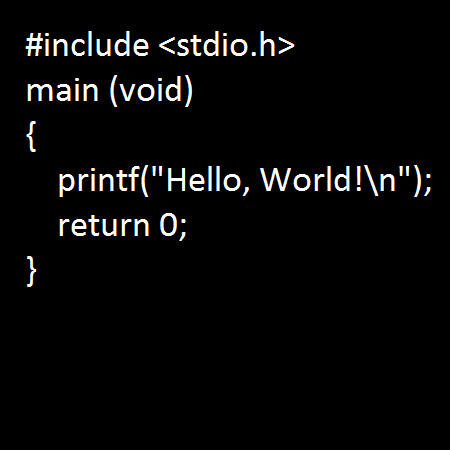
Let's start with the most basic building blocks of any program.
Storing Information
Before a program can do anything interesting, it needs a way to store and manage information. This is where variables come in. A variable is like a labeled box where you can keep a piece of information. You give the box a name, and you can put something inside it. Later, you can look inside the box, see what's there, or even replace it with something new.
But what kind of information can we store? Computers are picky about the type of data they work with. These are called data types. Here are a few of the most common ones:
| Data Type | Description | Example |
|---|---|---|
| Integer | Whole numbers, without decimals. | 42, -15 |
| Float | Numbers that have a decimal point. | 3.14, -0.5 |
| String | A sequence of characters, like text. | "Hello!" |
| Boolean | Represents one of two values: true or false. | true |
Here’s how you might create some variables in a language like Python. We're creating a variable named age to store an integer, a variable price for a float, and a variable name for a string.
# This is a comment, not code to be run.
# We are creating variables and assigning values.

age = 30           # An integer
price = 19.99      # A float
name = "Alex"      # A string
is_student = true  # A boolean
Controlling the Flow
Programs rarely execute instructions in a simple, top-to-bottom line. They need to make decisions and repeat actions. This is handled by control structures.
The most basic decision-making tool is the if statement. It checks if a certain condition is true. If it is, the program runs a specific block of code. You can also provide an else block for what to do if the condition is false.
Imagine your program is deciding what to wear based on the weather. If it's raining, wear a jacket. Otherwise (else), wear a t-shirt. This logic is a core part of programming.
weather = "raining"

if weather == "raining":
  print("Wear a jacket!")
else:
  print("Wear a t-shirt.")
What if you need to do something over and over again? That's what loops are for. A for loop is great when you want to repeat an action a specific number of times. For example, to count from 1 to 5:
for number in range(1, 6):
  print(number)

# Output:
# 1
# 2
# 3
# 4
# 5
A while loop is used when you want to repeat an action as long as a certain condition remains true. It's useful when you don't know exactly how many times you'll need to loop.
count = 0
while count < 3:
  print("Hello!")
  count = count + 1

# Output:
# Hello!
# Hello!
# Hello!
Packaging Code into Functions
As programs grow, you'll find yourself writing the same lines of code repeatedly. This is where functions become incredibly useful. A function is a named block of code that performs a specific task. You can "call" the function by its name whenever you need to perform that task, instead of rewriting the code each time.
Functions make code more organized, reusable, and easier to understand. A good function does one thing and does it well. Functions can also take inputs, called arguments or parameters, and can return a value as an output.
Let's create a function that greets a person by name. It takes a name as input and prints a greeting.
# Define the function
def greet(name):
  print("Hello, " + name + "!")

# Call the function with different inputs
greet("Alice")
greet("Bob")
The first block of code defines the greet function. The next two lines call that function, passing in "Alice" and "Bob" as arguments. This modular approach is a cornerstone of good programming.
What is the fundamental role of a programming language?
In programming, what is the best description of a variable?
These concepts—variables, data types, control structures, and functions—are the fundamental building blocks of almost every programming language. Mastering them is the first major step on your journey to becoming a programmer.