Launch Your Amazon Store
Understanding Amazon's Marketplace
What is the Amazon Marketplace?
Amazon isn't just one giant store. It's a massive digital marketplace where millions of independent sellers, from small home businesses to large brands, offer their products right alongside items sold by Amazon itself. Think of it like a huge, bustling market square. Some stalls are run by the market owner, but most are run by individual vendors who rent space. This setup gives customers a gigantic selection and sellers access to a huge audience.

When you buy something on Amazon, you might be buying from Amazon directly, or you might be buying from a third-party seller. These sellers manage their own inventory, set their own prices, and handle their own shipping, unless they use a service called Fulfillment by Amazon (FBA). We'll touch on that a bit later. This structure is what has allowed Amazon to offer such an incredible variety of goods.
The marketplace model is the form Amazon has used to grow into the giant it is now.
Choosing Your Seller Account
Before you can list a single product, you need to set up a seller account. Amazon offers two main types: Individual and Professional. The one you choose depends on how much you plan to sell and what tools you'll need.
| Feature | Individual Plan | Professional Plan |
|---|---|---|
| Subscription Fee | None | $39.99 per month |
| Per-Item Fee | $0.99 for each item sold | None |
| Listing Limit | Less than 40 items per month | Unlimited items |
| Advanced Tools | No | Yes (Advertising, reporting, etc.) |
| Restricted Categories | No | Eligible to apply |
The math is pretty simple. If you expect to sell more than 40 items a month, the Professional plan is more cost-effective. The $0.99 per-item fee on the Individual plan would add up to more than the monthly subscription cost of the Professional plan. The Professional plan also unlocks crucial features like advertising and the ability to sell in certain restricted product categories, like Automotive or Fine Jewelry.
The Rules and Costs
Selling on Amazon means playing by their rules and understanding their fee structure. These policies are in place to protect both buyers and sellers, ensuring a consistent and trustworthy experience for everyone. Ignoring them can get your account suspended.
Key policies include Amazon's Seller Code of Conduct, rules about prohibited products, and guidelines for product condition. It's essential to read these thoroughly before you start listing items.
Beyond the monthly subscription, Amazon charges several fees on each sale. The most significant is the referral fee. This is a percentage of the item's total sale price (including shipping and any gift-wrapping charges) that Amazon takes as a commission for connecting you with the customer. This percentage varies by product category, but it's typically between 8% and 15%.
For example, if you sell a $20 book (where the referral fee is 15%), Amazon will take a $3 referral fee. Certain categories, like books and other media, also have a fixed closing fee of $1.80 per item.
There are many fees associated with selling and fulfilling orders on Amazon.
If you choose to use Fulfillment by Amazon (FBA), there are additional fees for storage, packing, and shipping. While we won't dive deep into FBA here, it's important to know that using this service adds another layer to your cost calculations.
Tools of the Trade
Amazon provides a suite of tools to help you manage your business through a central dashboard called Seller Central. This is your command center for everything related to your Amazon store.
From Seller Central, you can:
- Add and manage your product listings.
- Track your inventory and update quantities.
- Manage orders and communicate with buyers.
- Monitor your sales performance and access business reports.
- Run advertising campaigns (Professional accounts only).
- Keep an eye on your account health to ensure you're meeting Amazon's performance standards.
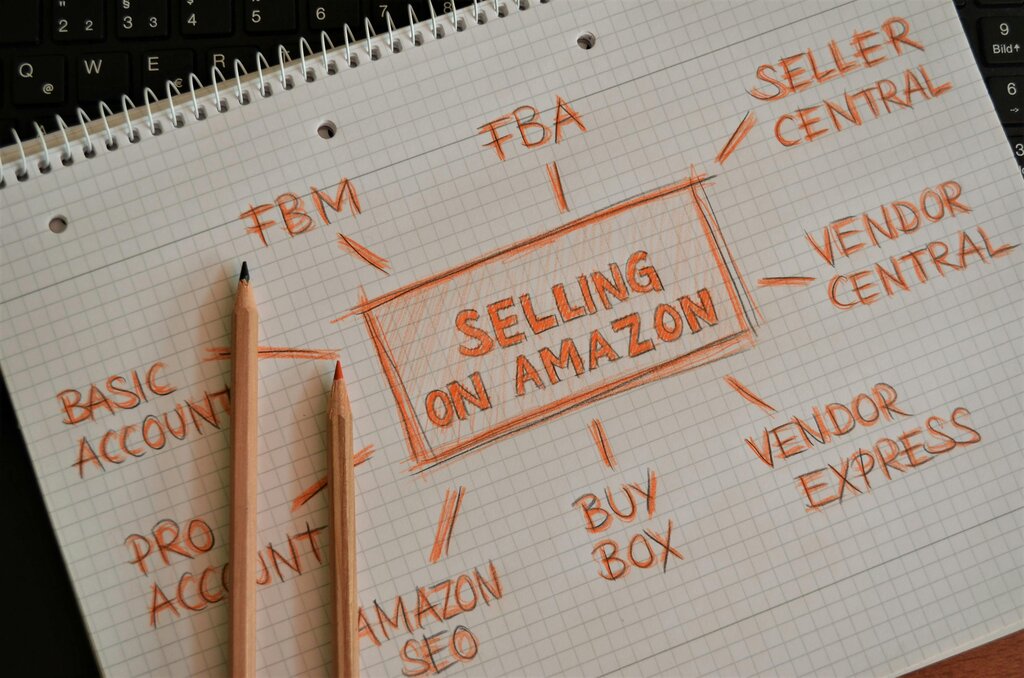
There's also a mobile app, Amazon Seller, which lets you manage your business on the go. You can respond to customer inquiries, check your sales, and even scan product barcodes with your phone's camera to see their current selling price and fees on Amazon.
Now that you have a foundational understanding of the marketplace, let's test your knowledge.
What is the best description of Amazon's e-commerce platform?
A new seller plans to sell 50 items per month. Which seller account is the most cost-effective for them?
With this overview, you're ready to start thinking about the next steps in your Amazon selling journey.