Laptop Hardware Fundamentals and Repair
Laptop Components
The Core Components
A laptop is a complex machine, but its core parts are easy to understand. Think of it as a team of specialists working together. The main circuit board that connects everyone is called the motherboard. It’s like the central nervous system, allowing all the other components to talk to each other.
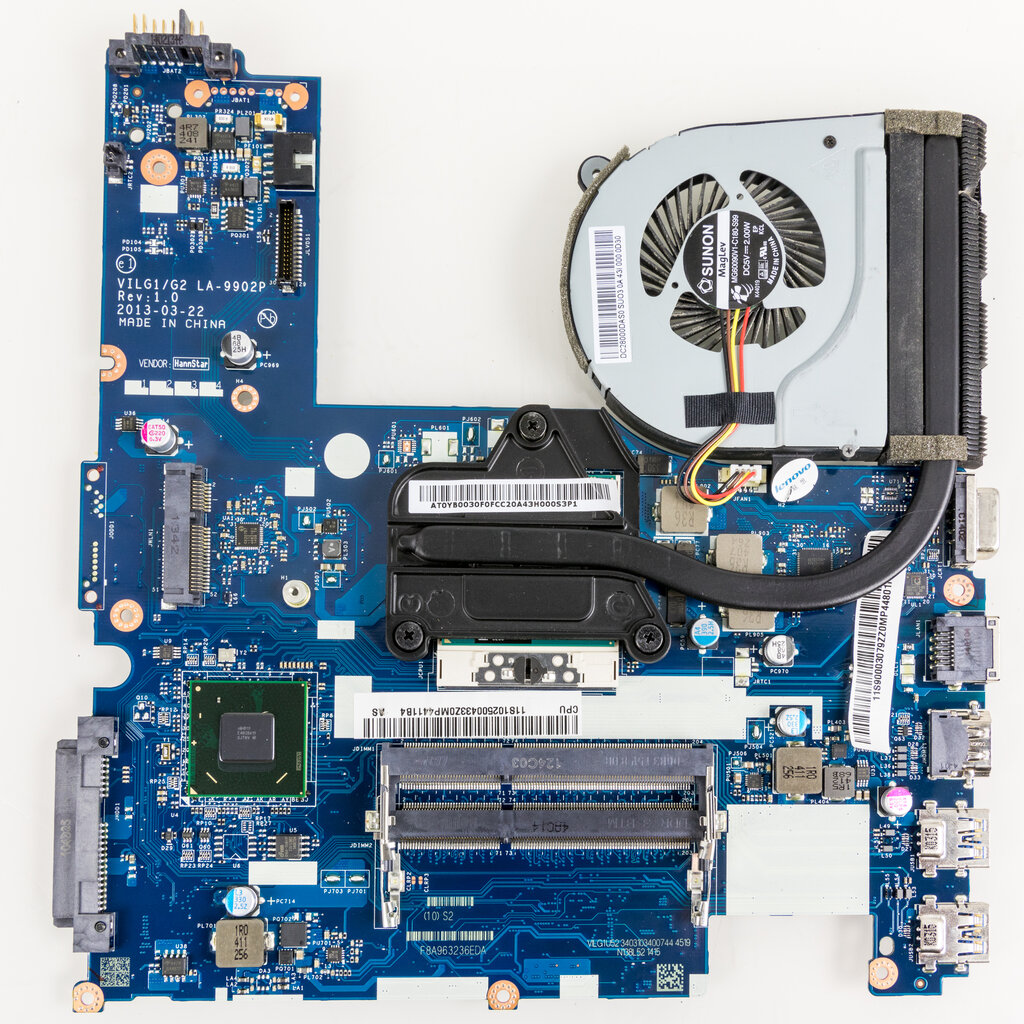
Every component plugs into the motherboard. It's a foundational piece that dictates the physical size of the laptop and what parts can be upgraded.
CPU
noun
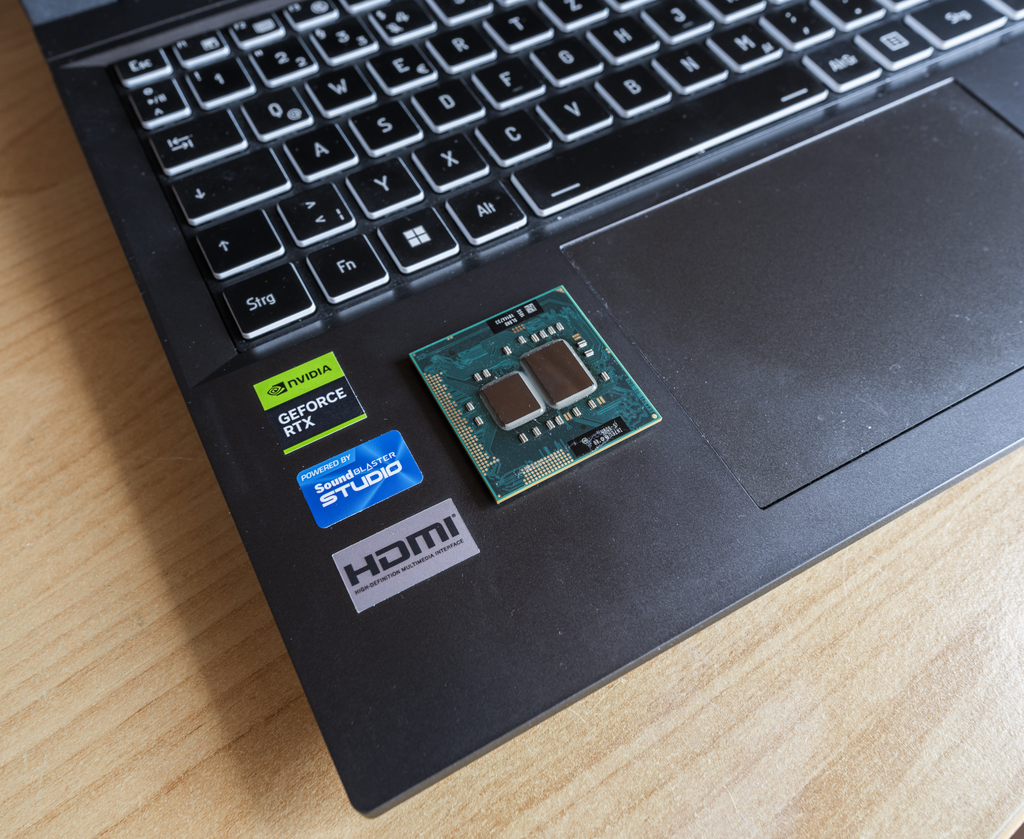
The Central Processing Unit is the primary component of a computer that executes instructions. It performs most of the processing inside a computer.
At the heart of the motherboard lies the Central Processing Unit, or CPU. This is the brain of the operation. It reads instructions from your software and executes them, performing billions of calculations per second. The faster the CPU, the more responsive your laptop will feel, especially when running complex programs or multitasking.
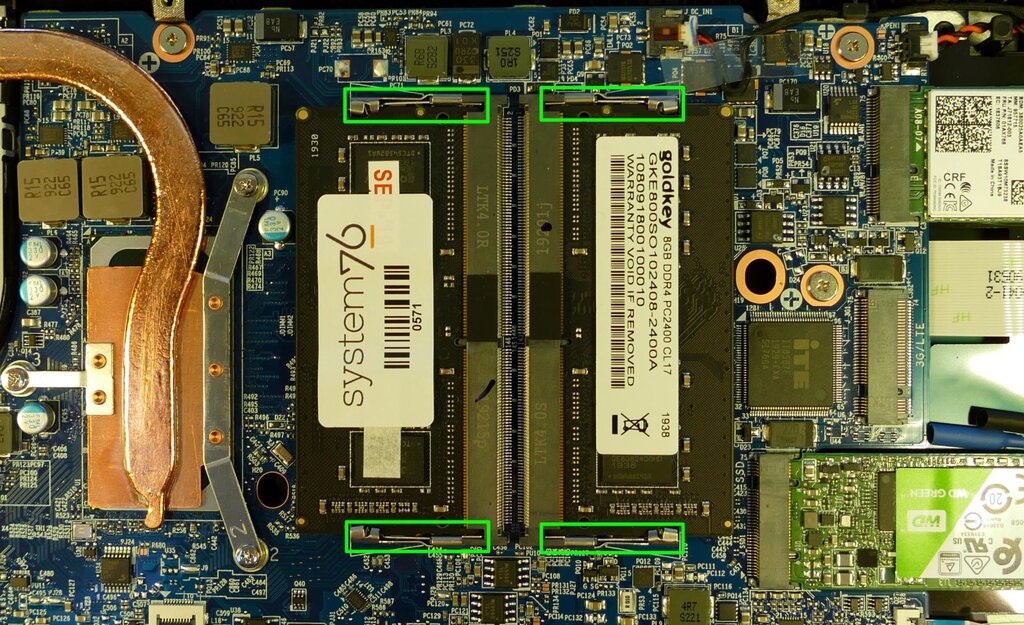
Next up is memory, also known as RAM (Random Access Memory). If the CPU is the brain, RAM is its short-term memory or workspace. When you open an application, it gets loaded from your storage into RAM so the CPU can access it quickly. The more RAM you have, the more applications you can run smoothly at the same time without the system slowing down.
RAM
noun
Random Access Memory is a form of computer memory that can be read and changed in any order, typically used to store working data and machine code.
RAM is volatile, meaning it forgets everything when the power is turned off. For long-term safekeeping, your laptop uses storage devices.
Storage is where your operating system, applications, and personal files are permanently saved. Laptops typically use one of two types of storage drives.
- Hard Disk Drives (HDDs) use spinning magnetic platters to store data. They offer large amounts of storage for a lower cost but are slower and more fragile.
- Solid-State Drives (SSDs) use flash memory, similar to a USB drive. SSDs are much faster, more durable, and quieter than HDDs because they have no moving parts. Most modern laptops use SSDs for their speed, which makes the computer boot up and launch programs in seconds.
How You Interact
Of course, all that internal hardware wouldn't be very useful without ways to interact with it. The most obvious components are the display, keyboard, and touchpad.
The display is your window into the computer's operations. Screen quality is determined by its resolution (how many pixels it has), brightness, and color accuracy.
The keyboard and touchpad are your primary input devices. They let you type commands, write documents, and navigate the user interface. While they seem simple, the feel of the keys and the responsiveness of the touchpad are crucial to the user experience.
Power and Ports
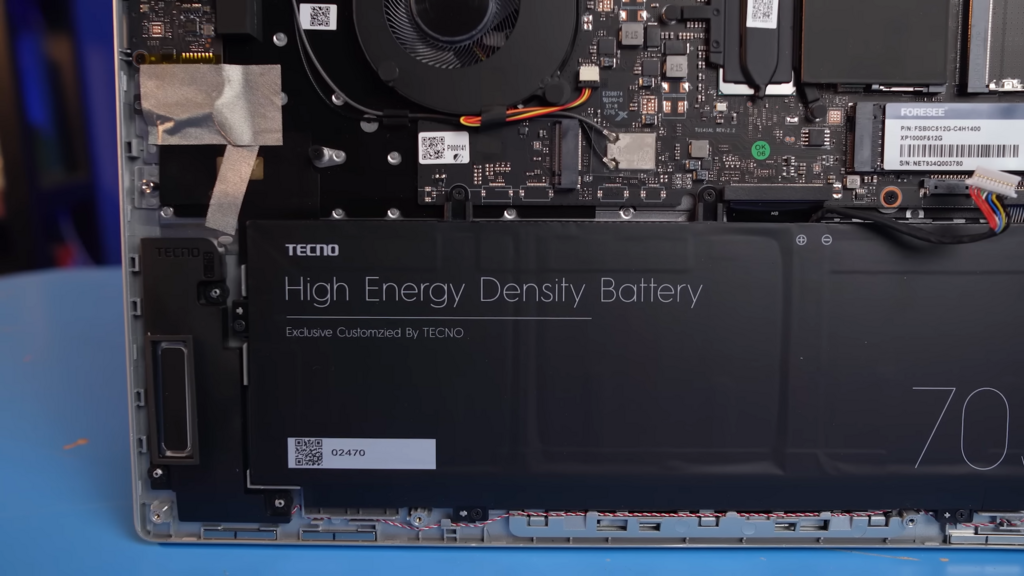
A laptop's defining feature is its portability, which is made possible by the battery. This rechargeable power pack allows you to work from anywhere without being tethered to a wall outlet. Battery life varies widely depending on the laptop's size, efficiency, and how you use it.
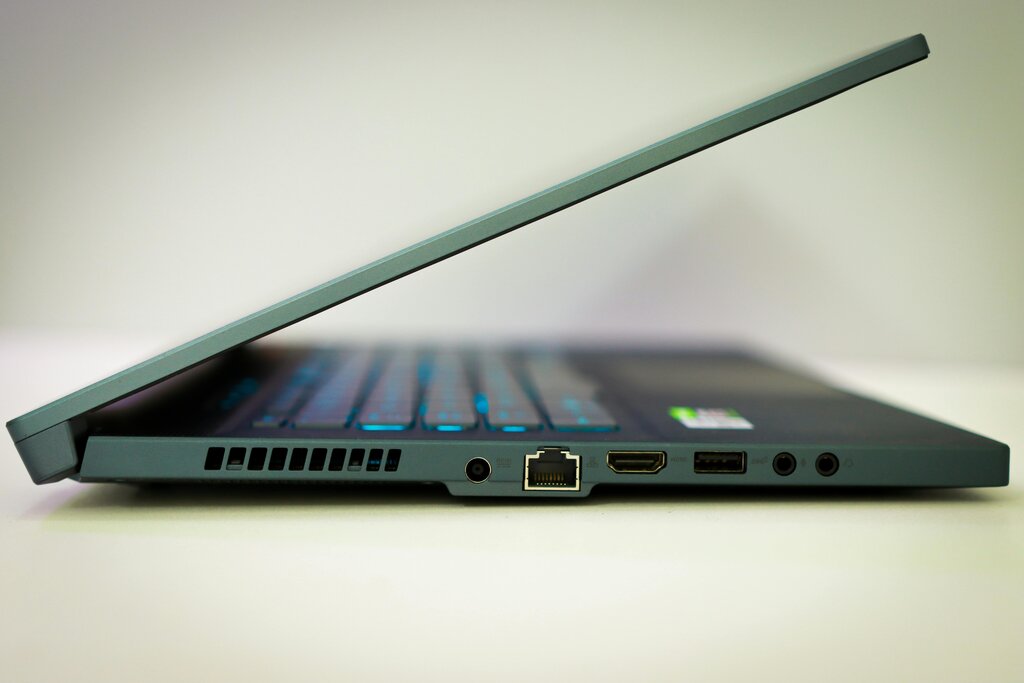
Finally, laptops connect to other devices using a variety of input/output (I/O) ports. These allow you to plug in everything from a mouse to an external monitor. Common ports include:
- USB (Universal Serial Bus): For connecting accessories like mice, keyboards, and external drives.
- HDMI: For connecting to external monitors, TVs, and projectors.
- Audio Jack: For headphones or speakers.
- Ethernet: For a wired internet connection.
Understanding these core components helps demystify how your laptop works. Each part has a specific job, and together they create a powerful, portable computing experience.
Which component in a laptop is responsible for connecting all the other parts and allowing them to communicate with each other?
If the CPU is the brain of the laptop, what is the best analogy for RAM (Random Access Memory)?