Kubernetes Mastery
Introduction to Kubernetes
From Containers to Orchestration
Imagine you're shipping goods across the world. Long ago, you'd have a chaotic mix of boxes, barrels, and sacks of all shapes and sizes. Loading and unloading was slow and inefficient. Then, the standardized shipping container was invented. Suddenly, everything fit together perfectly on ships, trains, and trucks. The process became fast, reliable, and predictable, no matter what was inside the box.
Software containers, like Docker, do the same thing for applications. A container packages up an application's code along with all its dependencies—libraries, settings, and other files—into a single, standardized unit. This
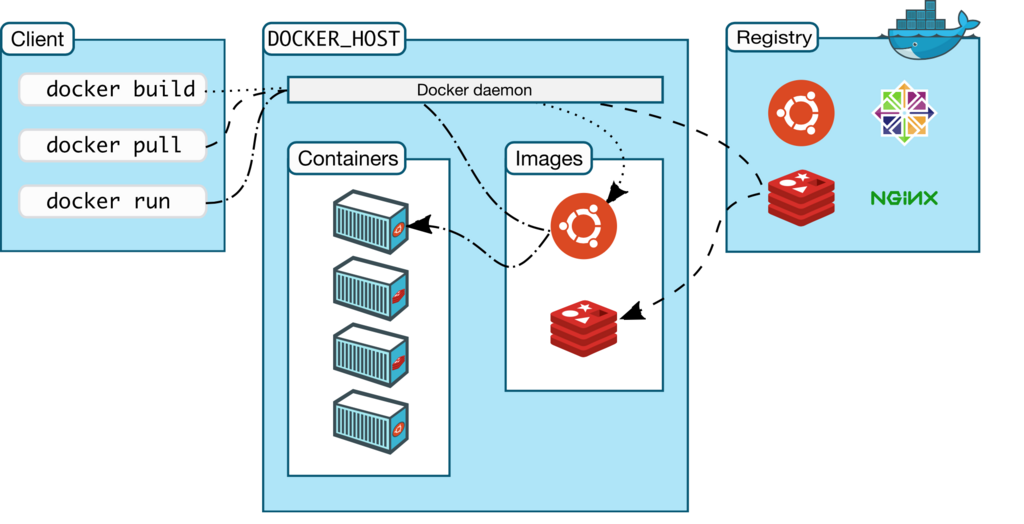
This solves a huge problem for developers. An application in a container runs the same way everywhere, whether it's on a developer's laptop, a testing server, or in the cloud. They are lightweight, isolated, and portable.
But what happens when your application becomes popular? You don't just need one container; you might need ten, a hundred, or even thousands. How do you manage them all? How do you update the application without taking it offline? If one container crashes, how do you replace it instantly? Managing a few containers by hand is possible, but managing them at scale is a massive challenge.
Kubernetes to the Rescue
This is where Kubernetes comes in. Think of it as the port authority for all your shipping containers. It doesn't build the containers, but it tells them where to go, makes sure they have enough resources, and replaces any that get lost or damaged. In technical terms, Kubernetes is a container orchestrator.
Kubernetes is an open source container orchestration platform that automates many of the manual processes involved in deploying, managing, and scaling containerized applications.
Instead of manually starting, stopping, and monitoring each container, you simply tell Kubernetes what you want your application to look like. This is called the "desired state." For example, you might say, "I want to run three copies of my web server container and make sure they are accessible to the internet."
Kubernetes then works tirelessly to make sure reality matches your desired state. This automation brings some powerful advantages:
| Feature | Description |
|---|---|
| Self-Healing | If a container fails, Kubernetes automatically restarts it or replaces it. |
| Automatic Scaling | Kubernetes can automatically increase or decrease the number of containers based on traffic or CPU usage. |
| Load Balancing | It distributes network traffic across multiple containers to ensure no single one is overloaded, keeping the application stable. |
| Automated Rollouts | When updating your application, Kubernetes can gradually roll out the changes, monitoring for issues and rolling back if something goes wrong, all with zero downtime. |
Essentially, Kubernetes acts as the brain for your distributed application, handling the complex logistics of running containers at scale so developers can focus on writing code.
By managing the underlying infrastructure, Kubernetes allows teams to build resilient, scalable applications that can run on any cloud provider or even on-premise servers. It has become the standard for modern cloud-native applications, providing a robust foundation for everything from simple websites to complex microservices architectures.
What is the primary problem that software containers like Docker are designed to solve?
In the analogy of global shipping, what role does Kubernetes play?