Jira for Project Management Mastery
Introduction to Jira
What is Jira?
Jira is a powerful tool designed to help teams plan, track, and manage their work. While it started as a bug tracker for software developers, its flexibility has made it a popular choice for all sorts of projects, from marketing campaigns to product launches.
Think of it as a central hub for your project. It’s where you can see every task that needs to be done, who is working on it, and what its status is. This transparency helps everyone on the team stay aligned and keeps the project moving forward.
Atlassian tools like Jira and Confluence allow you to manage projects, tasks, and workflows efficiently, ensuring all work is accurately tracked, organized, and delivered on time.
Core Capabilities
Jira’s power comes from a few key concepts. Understanding them is the first step to seeing how it can organize complex projects.
Issue
noun
In Jira, an 'issue' is the fundamental unit of work. It can represent a task, a bug, a new feature request, or any other piece of work that needs to be tracked.
Each issue is like a digital card that holds all the information about a specific task: a description of the work, who it's assigned to, its priority, and its current status. As work gets done, the issue is updated, providing a real-time record of progress.
Everything in Jira revolves around issues. They are the building blocks of any project.
Issues don't just sit there; they move through a workflow. A workflow is the path an issue follows from creation to completion. A very simple workflow might look like this: To Do -> In Progress -> Done. When a team member starts working on a task, they move the corresponding Jira issue from the 'To Do' column to 'In Progress'. When it's finished, it moves to 'Done'.
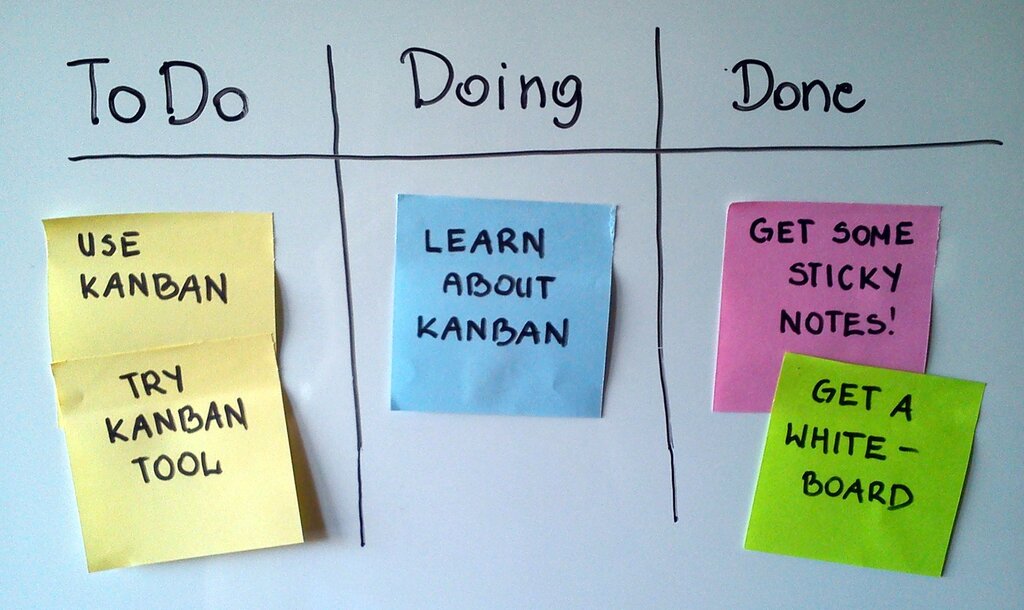
Jira is also built to support popular agile project management methodologies like Scrum and Kanban right out of the box. It provides specialized boards for each, helping teams manage sprints, visualize workflow, and limit work in progress. This makes it incredibly effective for teams that need to adapt to changing priorities.
Navigating the Interface
When you first open a Jira project, you'll typically land on a board. This is your main workspace and the visual heart of your project. It shows your workflow columns and all the issues currently being worked on.
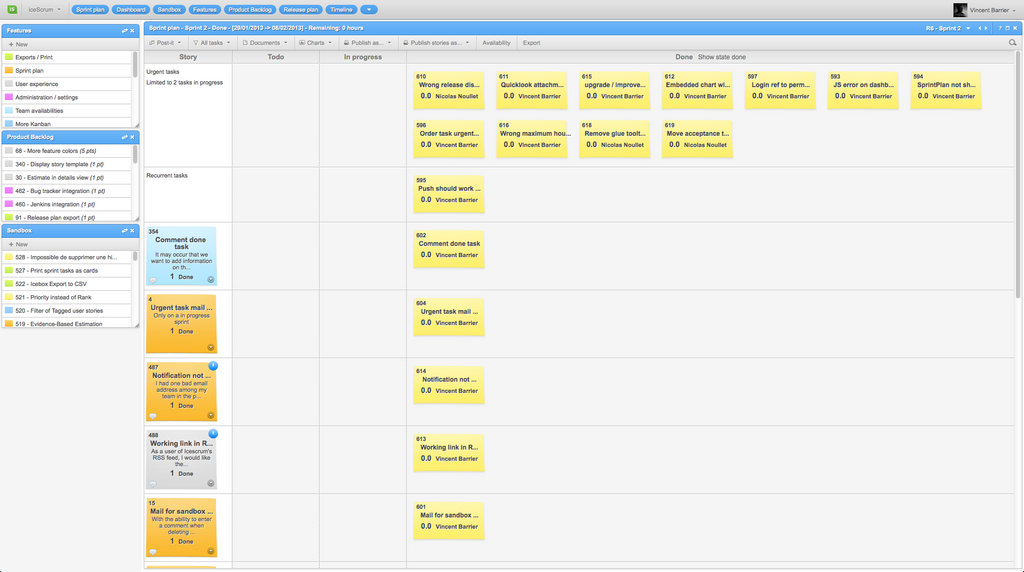
On the side, you'll find a navigation panel. This is your gateway to other key areas, like the Backlog, which is a prioritized list of all issues for the project that haven't been started yet. You can also access reports, settings, and other project pages from here.
Clicking on any issue card on the board or in the backlog will open up its detailed view. This is where you can find all the specifics about that piece of work.
By centralizing all tasks and conversations into issues and workflows, Jira creates a single source of truth for any project, making it easier for teams to collaborate and deliver great results.
What is the primary purpose of Jira in a project management context?
In Jira, a single piece of work, whether it's a task, a bug, or a user story, is referred to as a(n) ____.