Jira Essentials for Project Management
Introduction to Jira
What Is Jira?
Think of any project, from building a mobile app to planning a marketing campaign. It's made up of dozens, sometimes hundreds, of individual tasks. Keeping track of who is doing what, what's done, and what's next can get complicated quickly. That's where Jira comes in.
Developed by Atlassian, Jira is a project management tool designed to help teams plan, track, and manage their work. It acts as a central hub, a single source of truth where every task has a place and every team member knows their responsibilities. It’s particularly popular with software development teams, but its flexibility makes it useful for all kinds of projects, from HR to marketing.
Atlassian tools like Jira and Confluence allow you to manage projects, tasks, and workflows efficiently, ensuring all work is accurately tracked, organized, and delivered on time.
At its core, Jira is an issue-tracking tool. In Jira, an "issue" isn't necessarily a problem. It's simply a single unit of work. An issue could be a bug that needs fixing, a new feature to be developed, a blog post to be written, or just a simple to-do item. Each issue moves through a series of steps from creation to completion.
Key Features
Jira's power comes from a few core features that provide structure and visibility to your projects.
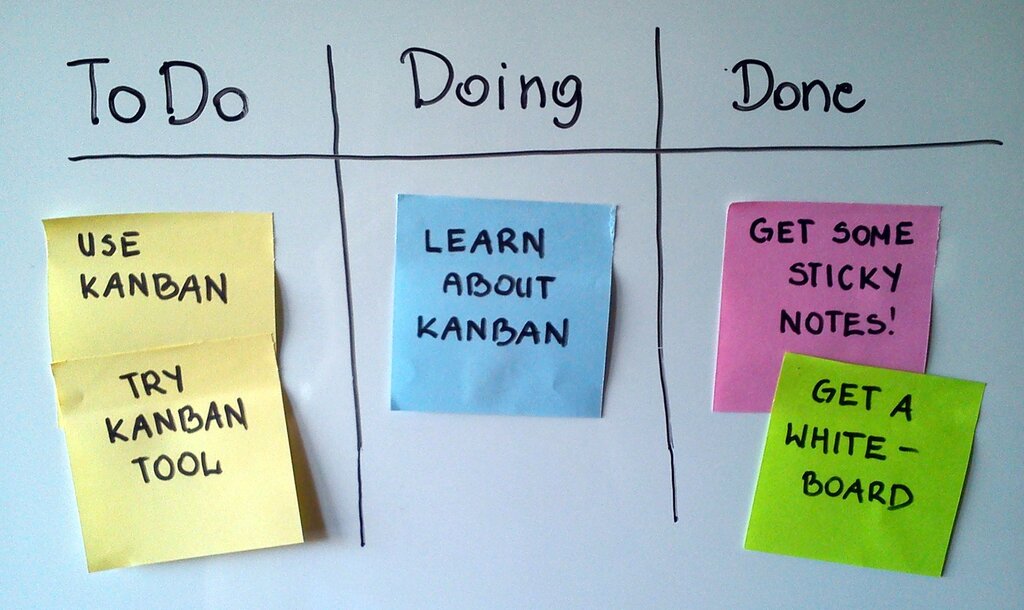
Workflows: A workflow is the path an issue takes from start to finish. A very simple workflow might be: To Do → In Progress → Done. Workflows are customizable, so you can create a process that perfectly matches how your team works. This ensures every task follows a consistent, predictable path.
Boards: Boards are the visual heart of Jira. They display your issues in columns that represent the stages of your workflow. This allows you to see the status of all work at a glance. The two most common types are Kanban and Scrum boards.
A Kanban board is focused on continuous flow, helping teams visualize their work, limit work-in-progress, and maximize efficiency. A Scrum board is designed for teams that work in sprints, which are fixed-length iterations of work.
Reporting: Jira generates reports and dashboards that give you insights into your team's performance. You can track progress over time, identify bottlenecks, and see how work is distributed across the team. These reports help you make informed decisions to keep your project on track.
Team-Managed vs. Company-Managed
When you create a project in Jira, you'll choose between two types: team-managed and company-managed. The choice affects how much control your team has over its own processes.
Team-managed projects are designed for autonomous teams who want to control their own working processes and practices in a self-contained space. They are quick to set up and easy to configure without needing a Jira administrator.
Company-managed projects, on the other hand, are set up and maintained by Jira administrators. They offer more robust, standardized control across multiple projects, which is ideal for larger organizations that need to maintain consistency in their workflows and permissions.
| Feature | Team-Managed | Company-Managed |
|---|---|---|
| Best For | Independent teams | Standardized processes |
| Configuration | Simple, controlled by the team | Advanced, controlled by admins |
| Workflows | Each project has its own | Shared across multiple projects |
| Permissions | Simplified roles | Granular, detailed permissions |
A Quick Tour of the Interface
Navigating Jira is straightforward. At the top of the screen, a main navigation bar lets you switch between your projects, view dashboards, and search for issues.
Once you're inside a project, a sidebar on the left gives you access to the project's key areas, like the board, the backlog (a prioritized list of tasks), and reports. The main area of the screen is where you'll spend most of your time, interacting with your board and moving issues through your workflow.
Understanding this basic layout is the first step to harnessing Jira's ability to bring clarity and organization to your work.