JavaScript Fundamentals for Beginners
Introduction to JavaScript
The Language of the Web
Think of a website as a house. HTML is the frame and the walls—the structure. CSS is the paint, furniture, and decorations—the style. But what makes the lights turn on, the doorbell ring, and the garage door open? That's JavaScript.
JavaScript is the programming language that brings websites to life. It handles interactivity, from simple animations and pop-up alerts to complex features like submitting forms, loading new content without refreshing the page, and creating games. It runs directly in your web browser, which is why it's called a "client-side" scripting language. It works on the user's (the client's) computer, not on a distant server.
A Quick History
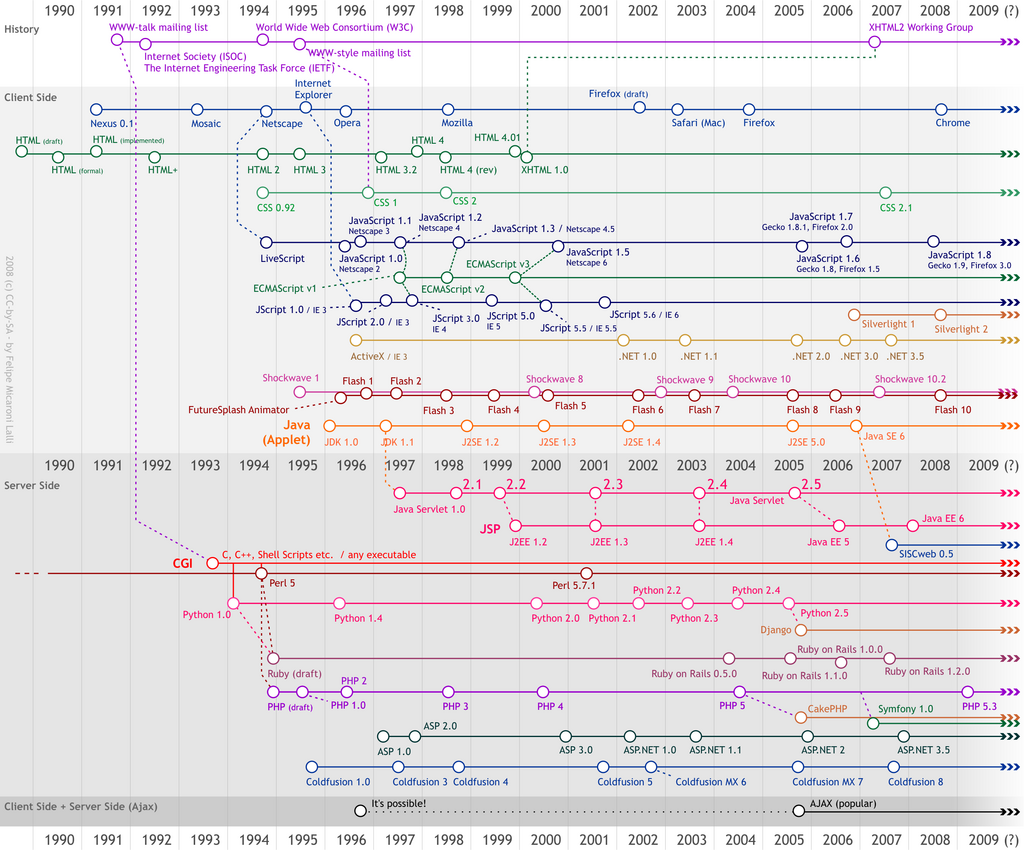
Back in 1995, the web was mostly static pages of text and images. A developer at Netscape named Brendan Eich was tasked with creating a simple language to add interactivity to their Navigator browser. He created the first version in just ten days. It was originally called Mocha, then LiveScript, and finally renamed JavaScript to capitalize on the popularity of another language at the time, Java. Despite the similar names, they are completely different languages.
JavaScript and Java are similar like car and carpet are similar.
To ensure JavaScript worked consistently across different browsers like Internet Explorer and Netscape Navigator, it was submitted to a standards organization, ECMA International. The standardized specification is called ECMAScript. Each year, a new version of ECMAScript is released with new features, and browser makers update their JavaScript engines to support them. This is why modern JavaScript is so powerful and consistent everywhere.
Setting Up Your Workspace
You don't need any fancy or expensive software to write JavaScript. All you need are two things you probably already have: a simple text editor and a web browser.
While you could use your computer's default notepad application, most developers use a specialized code editor. These editors offer helpful features like syntax highlighting (coloring your code to make it easier to read), auto-completion, and error detection. Some popular and free options include Visual Studio Code, Atom, and Sublime Text.

Your web browser (like Chrome, Firefox, or Safari) also has a crucial built-in feature for developers: the Developer Tools. The most important part for us is the console. The console lets you see error messages and print out information from your code, which is incredibly useful for testing and debugging. You can usually open the developer tools by right-clicking on a webpage and selecting "Inspect," or by pressing F12 or Ctrl+Shift+I (Cmd+Option+I on a Mac).
Writing Your First Script
Let's write a classic "Hello, World!" program. First, create a folder on your computer for your project. Inside that folder, create two files: index.html and script.js.
In your index.html file, put the following basic HTML structure. Notice the <script> tag just before the closing </body> tag. This tag tells the browser to load and run our JavaScript file.
<!DOCTYPE html>
<html>
<head>
  <title>My First JS</title>
</head>
<body>

  <h1>Welcome to my page</h1>

  <script src="script.js"></script>
</body>
</html>
Now, open your script.js file and add this single line of code:
// This sends a message to the browser's console
console.log("Hello, World!");
Save both files. Now, find the index.html file in your folder and double-click it to open it in your web browser. You'll see the heading "Welcome to my page." But where's the JavaScript? Open the developer console. You should see your message: "Hello, World!"
Congratulations! You've just written and executed your first JavaScript program.
The console.log() command is a fundamental tool for any JavaScript developer. It's like looking under the hood of your program to see what's happening. You'll use it constantly to check variable values and trace the flow of your code.
Ready to test your new knowledge?
What is the primary role of JavaScript in web development?
What is the relationship between JavaScript and ECMAScript?
You've taken your first step into a much larger world. Now you know what JavaScript is, where it came from, and how to run a basic script.