JavaScript Fundamentals
Introduction to JavaScript
The Spark of the Web
Think of a website as a house. HTML is the foundation and the walls—the basic structure. CSS is the paint, the wallpaper, and the furniture—it makes the house look good. But what about the electricity, the plumbing, and the doorbell? That's JavaScript.
JavaScript is the programming language that brings websites to life. It takes a static page of text and images and turns it into an interactive experience. When you click a button and a menu appears, that's JavaScript. When you see a social media feed update without reloading the page, that's JavaScript. It handles the logic, the actions, and the dynamic changes that happen in your browser.
Without JavaScript, the web would be a lot like a library of beautifully designed but non-interactive magazines. You could look at them, but you couldn't do much else. JavaScript provides the engine for almost every complex web application you use, from email clients to streaming services.
From 10 Days to Global Standard
The story of JavaScript begins in 1995 at a company called Netscape, which created one of the first popular web browsers, Netscape Navigator. A developer named Brendan Eich was tasked with creating a simple scripting language to run in the browser. The catch? He had only 10 days to do it.
What he created was originally named Mocha, then LiveScript, and finally, in a marketing move to align it with the popular Java language, it was renamed JavaScript. Despite the name, JavaScript has very little to do with Java. They are two completely different languages.
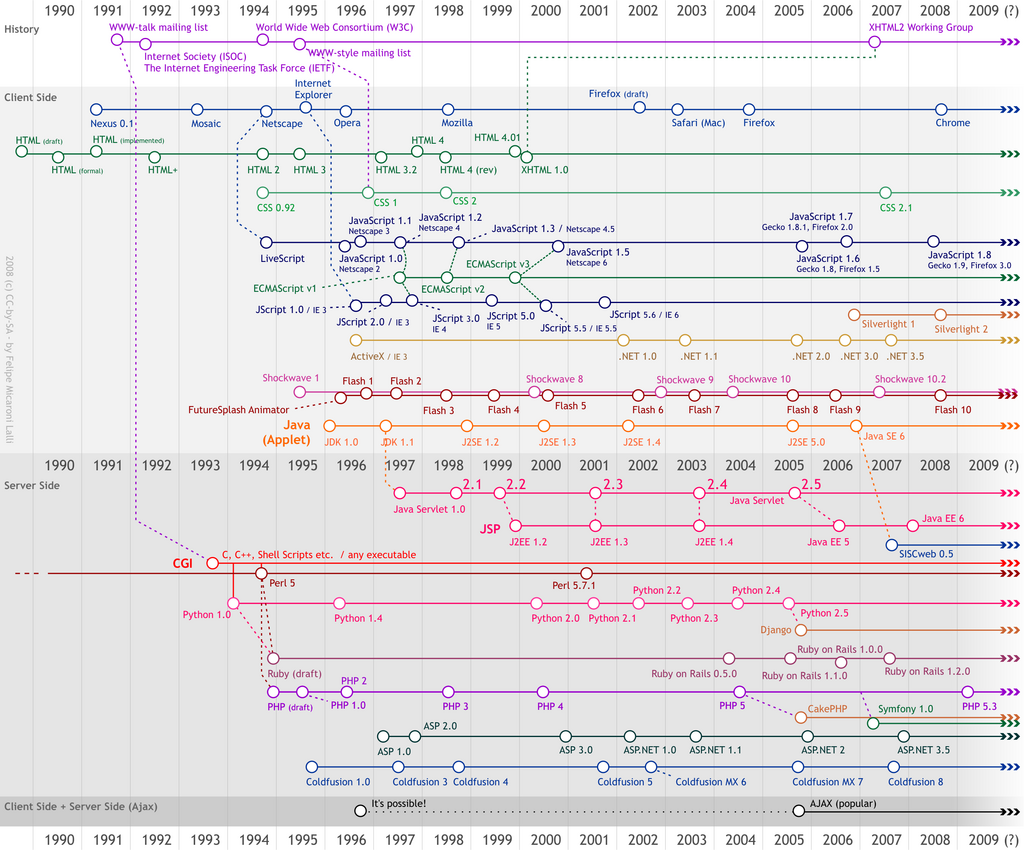
To prevent a single company from controlling the language, JavaScript was submitted to Ecma International, a standards organization. They created a standard specification called ECMAScript. This ensures that when you write JavaScript, it works consistently across different browsers like Chrome, Firefox, and Safari, as each one follows the ECMAScript standard to build its JavaScript engine.
How It Connects
So, how does JavaScript actually work with HTML and CSS? A typical website includes three types of files: .html, .css, and .js. The HTML file often links to the other two.
The HTML file provides the content and structure, the CSS file provides the styling, and the JavaScript file provides the interactivity.
JavaScript code is placed inside a <script> tag. This tag can either contain the code directly or, more commonly, it can link to an external .js file. When a browser loads an HTML page, it reads the content, applies the CSS styles, and then executes the JavaScript code. This code can then manipulate the HTML and CSS of the page dynamically, responding to user actions like clicks and keyboard presses.
<!DOCTYPE html>
<html>
<head>
  <title>My Interactive Page</title>
  <link rel="stylesheet" href="styles.css">
</head>
<body>

  <h1>Welcome!</h1>
  <button id="myButton">Click Me</button>

  <!-- Link to the JavaScript file just before the closing body tag -->
  <script src="app.js"></script>

</body>
</html>
In this example, the app.js file would contain the JavaScript code. That code could, for instance, wait for a user to click the button with the ID myButton and then change the text in the <h1> heading.
Getting Ready to Code
The best part about starting with JavaScript is that you don't need any special software. You already have everything you need: a web browser and a text editor.
- A Modern Web Browser: Google Chrome, Mozilla Firefox, or Microsoft Edge are all excellent choices. They come with built-in developer tools that are essential for testing and debugging your code.
- A Text Editor: While you could use a simple program like Notepad or TextEdit, a code editor will make your life much easier with features like syntax highlighting and autocompletion. Great free options include Visual Studio Code, Sublime Text, and Atom.

That's it. Once you have a text editor and a browser, you can create an HTML file, link a JavaScript file to it, and start writing code. You don't need to install compilers or configure complex environments. You can just open the HTML file in your browser to see your code in action.
Using the analogy of a website as a house, what does JavaScript represent?
Which of the following website features is a primary example of what JavaScript makes possible?