JavaScript Fundamentals
Introduction to JavaScript
What Is JavaScript?
JavaScript is the programming language that brings websites to life. Think of it this way: if a webpage were a house, HTML would be the foundation and walls. It provides the structure. CSS would be the paint, furniture, and decorations, handling the visual style. JavaScript is the electricity and plumbing—it makes things work. It handles everything from simple animations to complex features like interactive maps and online games.
Without JavaScript, the web would be a much more static place, like a world of digital brochures. With it, we get dynamic applications that respond to our clicks, keystrokes, and scrolls. It's the engine behind the modern, interactive web.
A Quick History Lesson
JavaScript was created in 1995 by Brendan Eich at Netscape, one of the early pioneers of the web browser. The goal was to create a simple scripting language that could run directly in the browser, allowing developers to add interactivity to their pages. It was originally named Mocha, then LiveScript, before being renamed JavaScript in a marketing move to capitalize on the popularity of another language, Java. Despite the similar names, JavaScript and Java are completely different languages.
To avoid a single company controlling the language, JavaScript was submitted to Ecma International, a standards organization. This led to the creation of the ECMAScript standard, which all modern browsers follow. JavaScript is simply the most popular implementation of the ECMAScript standard.
Working with HTML and CSS
JavaScript doesn't work in isolation. It's designed to interact with HTML and CSS. You can write JavaScript code directly inside your HTML file using the <script> tag. This allows your script to find HTML elements, read their content, change their styles, and react to user actions.

Here’s a simple example. Imagine you have an HTML file with a heading and a button. You can use JavaScript to change the heading's text when the button is clicked.
<!DOCTYPE html>
<html>
<head>
  <title>JS Example</title>
</head>
<body>

  <h1 id="greeting">Hello, World!</h1>
  <button onclick="changeText()">Click Me</button>

  <script>
    function changeText() {
      // Find the element with the id "greeting"
      var heading = document.getElementById('greeting');
      // Change its text content
      heading.textContent = 'You clicked the button!';
    }
  </script>

</body>
</html>
In this code, the onclick attribute on the button tells the browser to run our changeText() JavaScript function when it's clicked. The function then finds the <h1> element by its id and updates what it says.
Your Development Toolkit
To start writing JavaScript, you don't need much. Your computer, a web browser, and a text editor are all that's required. While you could use a basic notepad application, most developers use a specialized code editor.
Code editors offer features like syntax highlighting (coloring different parts of the code to make it easier to read), auto-completion, and error checking. Popular free options include Visual Studio Code, Atom, and Sublime Text.

Your web browser is also a powerful development tool. All modern browsers like Chrome, Firefox, and Edge come with built-in "Developer Tools." You can usually open them by right-clicking anywhere on a webpage and selecting "Inspect" or by pressing F12.
The developer tools let you see the page's HTML and CSS, and they include a JavaScript console. The console is where you can test out small snippets of code and see error messages, which is incredibly helpful for finding and fixing bugs in your scripts.
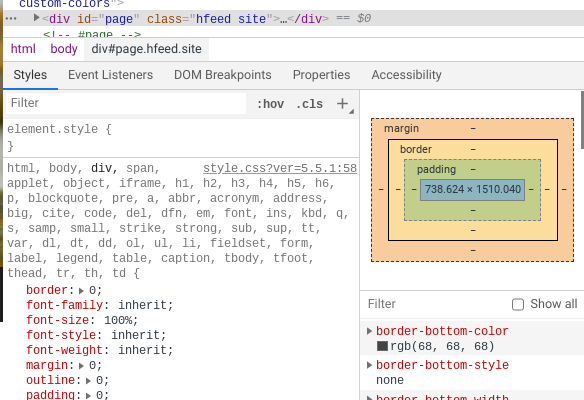
With a code editor to write your files and browser tools to test and debug them, you have a complete setup for building with JavaScript.