Java XML and XSLT Processing
Introduction to XML
What is XML?
XML, or Extensible Markup Language, isn't a programming language. It doesn't do anything on its own. Instead, it's a way to structure, store, and transport data in a format that's readable by both humans and machines.
Think of it like a set of labeled containers. You create your own labels (called tags) to describe your data. This makes it incredibly flexible. While HTML has predefined tags like <p> for paragraphs and <h1> for headers, XML lets you invent any tags you need to represent your information.
The main purpose of XML is to give data structure. It separates the data itself from how it's presented.
For example, you could use XML to describe a collection of books. Each book could have a title, author, and publication year. The structure would look something like this:
<collection>
  <book>
    <title>The Hitchhiker's Guide to the Galaxy</title>
    <author>Douglas Adams</author>
    <year>1979</year>
  </book>
  <book>
    <title>Dune</title>
    <author>Frank Herbert</author>
    <year>1965</year>
  </book>
</collection>
See how clear that is? The tags <title> and <author> tell you exactly what the data inside them means. This self-describing nature is what makes XML so useful for exchanging data between different systems that might not otherwise speak the same language.
Elements and Attributes
The fundamental building blocks of an XML document are elements. An element is everything from its start-tag to its end-tag. In the example above, <author>Frank Herbert</author> is an element.
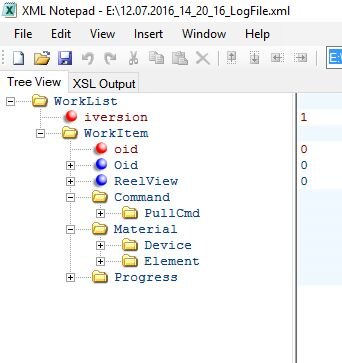
Elements can contain other elements, creating a tree-like structure. The outermost element is called the root element. Every XML document must have exactly one root element. In our example, <collection> is the root element.
Sometimes, you need to provide extra information about an element, rather than the content inside it. For this, you use attributes. Attributes are name-value pairs that live inside the start-tag of an element.
An element is the data itself (e.g., the title of a book). An attribute is metadata about that element (e.g., the book's unique ID).
Let's add an id attribute to our book elements:
<collection>
  <book id="978-0345391803">
    <title>The Hitchhiker's Guide to the Galaxy</title>
    <author>Douglas Adams</author>
    <year>1979</year>
  </book>
  <book id="978-0441013593">
    <title>Dune</title>
    <author>Frank Herbert</author>
    <year>1965</year>
  </book>
</collection>
Here, id is the attribute name and "978-0345391803" is the attribute value. Notice the value is always enclosed in quotes. Deciding whether to use an element or an attribute often comes down to what feels more natural for the data you're representing.
Keeping Things Organized
Imagine you're combining two different XML files. One describes a piece of furniture, and the other describes a data table for a report. Both might use a <table> element. When a program reads the combined file, how does it know which <table> is which?
This is where namespaces come in. A namespace is a way to avoid element name conflicts. It works by adding a unique identifier, usually a URL, to your elements. You can then assign a short prefix to that namespace to keep your code clean.
<root>

  <f:table xmlns:f="https://example.com/furniture">
    <f:name>Coffee Table</f:name>
    <f:width>120</f:width>
  </f:table>

  <d:table xmlns:d="https://example.com/data">
    <d:row>Cell 1</d:row>
    <d:row>Cell 2</d:row>
  </d:table>

</root>
In this example, xmlns:f defines a namespace with the prefix f. Now, <f:table> is clearly distinct from <d:table>. The program knows one is a piece of furniture and the other is a data table, even though they share a local name.
The Rules of the Road
For an XML document to be usable, it must follow certain rules. We can break these rules down into two levels of correctness: well-formed and valid.
Well-formed
adjective
An XML document that conforms to the basic XML syntax rules. This is a minimum requirement for any XML file.
For an XML document to be well-formed, it must:
- Have a single root element.
- Have a closing tag for every opening tag.
- Be properly nested (tags opened last must be closed first).
- Have attribute values enclosed in quotes.
If a document breaks any of these syntax rules, it's not well-formed and can't be processed.
Think of being well-formed as having correct grammar and spelling. It's the absolute baseline for communication.
A valid XML document takes it a step further. A document is valid if it is well-formed and it conforms to a predefined structure laid out in a separate file, such as a Document Type Definition (DTD) or an XML Schema Definition (XSD).
This schema acts like a blueprint or a contract. It defines which elements are allowed, what attributes they can have, and how they should be nested. For example, a schema for our book collection might require that every <book> element must have a <title> and <author> element inside it. If you tried to create a book entry without a title, the XML would be well-formed but not valid according to that schema.
Time to test your knowledge of these core XML concepts.
What is the primary purpose of XML (Extensible Markup Language)?
Which of the following is NOT a requirement for an XML document to be considered "well-formed"?
With these fundamentals, you have a solid grasp of how XML works. It's a powerful tool for structuring data in a clear, standardized way, forming the backbone of countless applications and data exchange formats.