Java Programming Fundamentals
Introduction to Java
What Is Java?
Java is a versatile programming language that has been a cornerstone of software development for decades. It was created in the early 1990s by a team at Sun Microsystems led by James Gosling. Originally named "Oak," the language was intended for interactive television, but it was ahead of its time. When the World Wide Web exploded in popularity, Java found its true calling. Its design was perfect for building applications that could run on the internet, regardless of the user's computer.
Today, Java powers everything from Android apps and large-scale enterprise systems to scientific supercomputers and smart gadgets.
Write Once, Run Anywhere
Java's most famous promise is "write once, run anywhere." This means a programmer can write Java code on one type of computer, say a Mac, and it will run on a completely different system, like a Windows PC or a Linux server, without any changes.
How is this possible? The magic lies with the Java Virtual Machine, or JVM. Think of the JVM as a universal translator. When you write Java code, it isn't converted directly into the native language of a specific computer. Instead, it's compiled into a special intermediate format called bytecode.
This bytecode is not tied to any specific hardware. The JVM on each machine then takes this universal bytecode and translates it into the specific machine code that the local computer can understand and execute. This brilliant design is what makes Java platform-independent.
Getting Your Tools Ready
To start programming in Java, you need two essential pieces of software: the Java Development Kit (JDK) and an Integrated Development Environment (IDE).
1. The Java Development Kit (JDK) The JDK is the core foundation. It includes all the tools necessary to turn your source code into a runnable program. Most importantly, it contains the Java compiler (to create bytecode) and the JVM (to run it). You can download the JDK directly from Oracle or choose an open-source alternative like OpenJDK.
2. An Integrated Development Environment (IDE) While you could write Java code in a simple text editor, it's not very efficient. An IDE is a specialized application that makes a programmer's life much easier. It's like a workshop for coders, providing a code editor, debugger, and build automation tools all in one place.
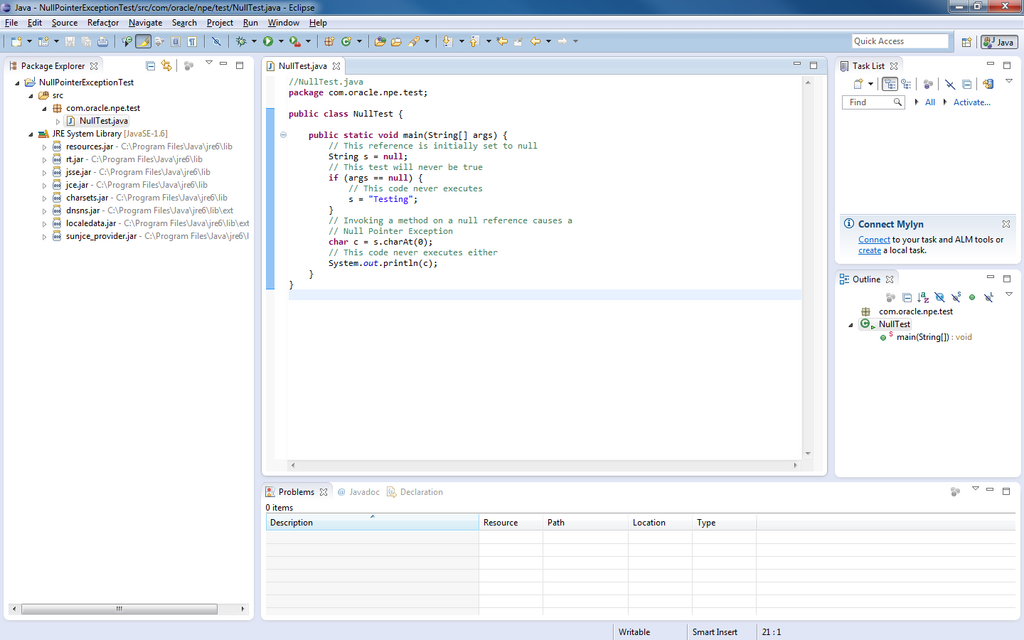
Popular IDEs for Java include Eclipse, IntelliJ IDEA, and Visual Studio Code (with Java extensions). They provide features like syntax highlighting, which colors your code to make it more readable, and code completion, which suggests code as you type. These tools help you write better code faster and catch mistakes early.
With these key concepts in mind, let's test your understanding.
What key component of the Java ecosystem allows for its 'write once, run anywhere' capability?
When you compile Java source code, what is it converted into?
Once you've installed a JDK and an IDE, your computer is fully equipped for Java development. You're now ready to write your first program.