Java Programming Fundamentals
Introduction to Java
What is Java?
Java is a popular and powerful programming language first released by Sun Microsystems in 1995. It was created with a simple goal in mind: to be a language that could run on any device, from servers to smart cards. This idea is captured in its famous slogan: "write once, run anywhere."
Unlike some languages that are compiled for a specific operating system, Java code is compiled into a special format called bytecode. This bytecode isn't tied to Windows, macOS, or Linux. Instead, it runs on a Java Virtual Machine (JVM).
Think of the JVM as a universal translator. As long as a device has a JVM installed, it can understand and execute Java bytecode, regardless of the underlying hardware or operating system. This portability is one of Java's biggest strengths.
Getting Set Up
Before you can start writing Java code, you need two key things: the Java Development Kit (JDK) and an Integrated Development Environment (IDE).
Java is a very popular, modern, general purpose, programming language.
1. The Java Development Kit (JDK)
The JDK is the engine of Java development. It includes the compiler (which turns your code into bytecode) and the JVM (which runs the bytecode), along with other essential tools. You can download the latest version from the Oracle website or choose an open-source distribution like OpenJDK.
2. An Integrated Development Environment (IDE)
An IDE is a software application that makes writing code much easier. It's like a word processor designed specifically for programmers, with features like syntax highlighting, code completion, and debugging tools. While you could write Java in a plain text editor, an IDE streamlines the entire process.
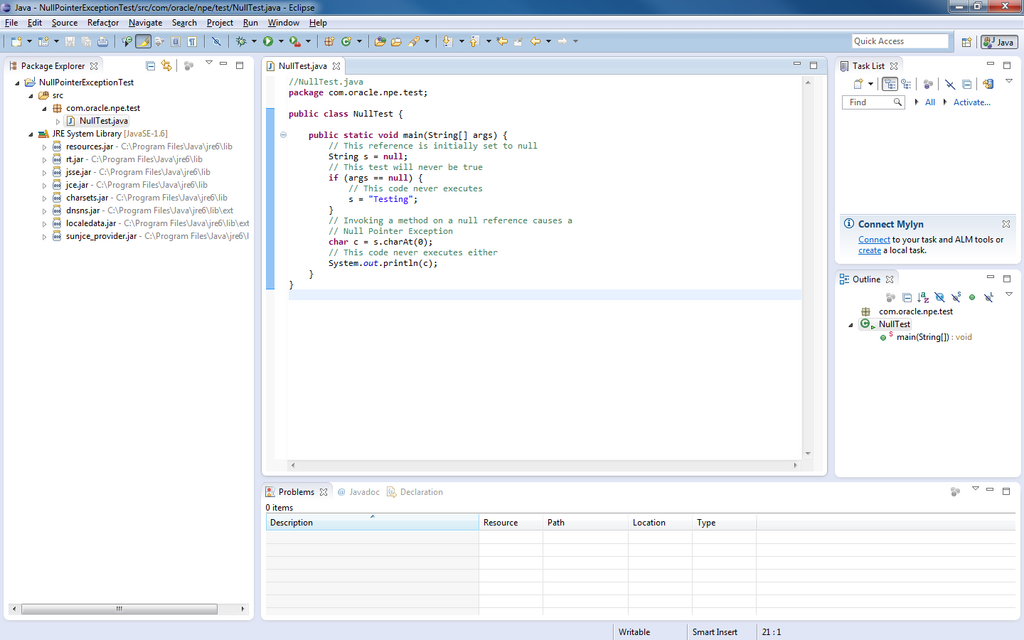
Some popular IDEs for Java include:
- Eclipse: A long-standing and powerful open-source IDE.
- IntelliJ IDEA: Known for its smart code assistance and developer-friendly tools.
- Visual Studio Code (VS Code): A lightweight but highly extensible editor that's great for Java with the right extensions.
For a beginner, any of these will work well. The installation process is usually straightforward. Just download the installer for your operating system and follow the on-screen instructions.
Your First Program
Once your JDK and IDE are installed, you're ready to write your first Java program. It's a tradition in programming to start with a simple program that just prints the message "Hello, World!" to the screen.
Here’s what the code looks like:
// This is a simple Java program.
// It will print "Hello, World!" to the screen.

public class HelloWorld {
    public static void main(String[] args) {
        // The println method prints a line of text.
        System.out.println("Hello, World!");
    }
}
Don't worry about understanding every single word right now. The key part is System.out.println("Hello, World!");. This is the command that tells Java to display the text inside the parentheses.
In your IDE, you'll typically create a new project, then a new file (called a class) named HelloWorld.java. You'll type or paste the code into this file, then click a "run" button. The IDE will handle compiling and executing the code, and you should see the output "Hello, World!" appear in a console window.
Let's check your understanding of these initial concepts.
What is the primary goal behind Java's "write once, run anywhere" slogan?
What is the role of the Java Development Kit (JDK)?
Getting your environment set up is the first big step. Now you're ready to dive deeper into the language itself.