Java Programming Fundamentals
Java Basics
Setting Up Your Workspace
Before you can write Java code, you need a couple of tools. The first is the Java Development Kit, or JDK. Think of it as your toolbox. It contains everything you need to build and run Java applications, including a compiler to translate your code into instructions a computer can understand.
You'll also want an Integrated Development Environment, or IDE. An IDE is like a powerful text editor designed specifically for coding. It helps you write code more efficiently by highlighting syntax, catching errors, and managing your files. It makes the whole process much smoother.
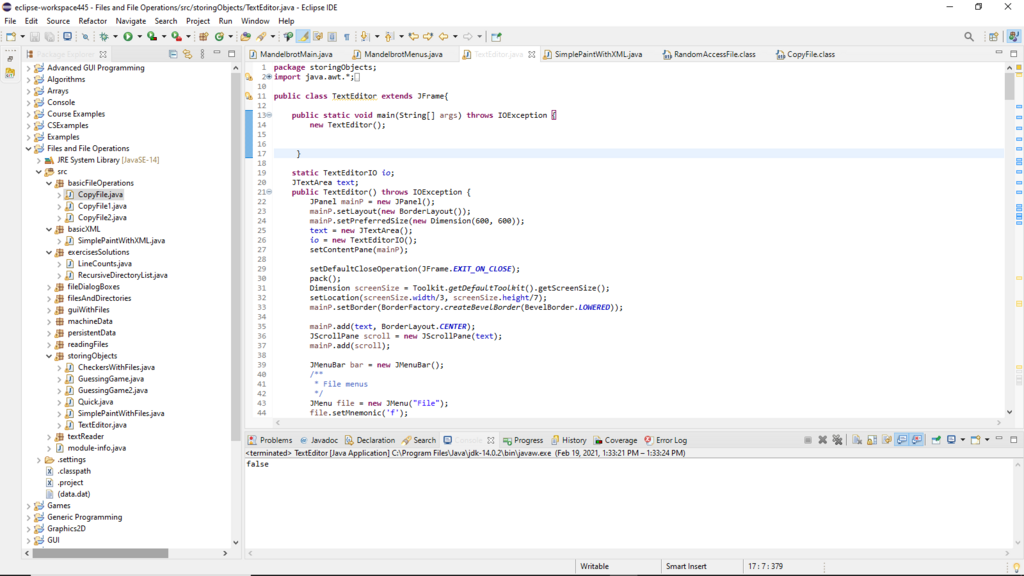
Popular IDEs for Java include Eclipse, IntelliJ IDEA, and Visual Studio Code with the right extensions. For beginners, any of these will work just fine. Most have installers that can help you download and set up the JDK automatically.
Your First Program
It's a tradition for new programmers to start with a program that prints "Hello, World!" to the screen. It's a simple way to confirm that your setup is working correctly.
Here’s what the code looks like. Don't worry about understanding every single word right now. Just focus on the overall structure.
public class HelloWorld {
    public static void main(String[] args) {
        // This line prints the text to the console
        System.out.println("Hello, World!");
    }
}
In your IDE, you'll create a new file, often called HelloWorld.java, and type or paste this code into it. Then, you'll find a "Run" button, which usually looks like a green play symbol. When you click it, the IDE will compile and execute your code. You should see the text "Hello, World!" appear in a window called the console or terminal.
How Java Works
Java was designed with a philosophy called "Write Once, Run Anywhere." This means that a Java program you write on a Windows computer can run without changes on a Mac or a Linux machine. This portability is one of Java's biggest strengths.
How does it achieve this? It uses a two-step process involving a special middleman: the Java Virtual Machine (JVM).
First, the Java compiler takes your human-readable source code (the .java file) and compiles it into a format called bytecode (the .class file). Bytecode isn't the native language of any specific computer; it's a universal, intermediate language.
Then, the JVM acts as a translator. When you run your program, the JVM on your machine reads the bytecode and translates it into the native machine code that your specific operating system and processor can understand and execute. Since every major platform has its own JVM, the same bytecode can run everywhere.
What is the primary role of the Java Development Kit (JDK)?
The Java compiler converts human-readable source code into an intermediate format called ______.
That's the basic setup. You now know what tools you need, how to write a simple program, and the core idea behind how Java runs on different computers.