Java Programming Fundamentals
Introduction to Java
What is Java?
Java is a programming language first released by Sun Microsystems in 1995. Think of it as a set of instructions a computer can understand. Programmers use it to create all sorts of software, from mobile apps and video games to large-scale business applications.
Java is a high-level, object-oriented programming language used to build web apps, mobile applications, and enterprise software systems.Known for its Write Once, Run Anywhere capability, which means code written in Java can run on any device that supports the Java Virtual Machine (JVM).
The secret to this flexibility is the Java Virtual Machine, or JVM. When you write Java code, it's compiled into a special format called bytecode. The JVM acts like a translator, converting this bytecode into instructions that the specific machine (whether it's running Windows, macOS, or Linux) can execute. This means you can write your program once and it can run almost anywhere without changes.
Setting Up Your Workspace
To start writing Java, you need two key things: a Java Development Kit (JDK) and an Integrated Development Environment (IDE).
JDK
noun
The Java Development Kit is a software development environment used for developing Java applications. It includes the Java compiler, the JVM, and other tools needed to write and run Java code.
First, you'll need to download and install the JDK, which is available from Oracle and other providers. This kit gives you the fundamental tools to build Java programs.
IDE
noun
An Integrated Development Environment is a software application that provides programmers with a comprehensive set of tools for software development in a single graphical user interface. It typically consists of a source code editor, build automation tools, and a debugger.
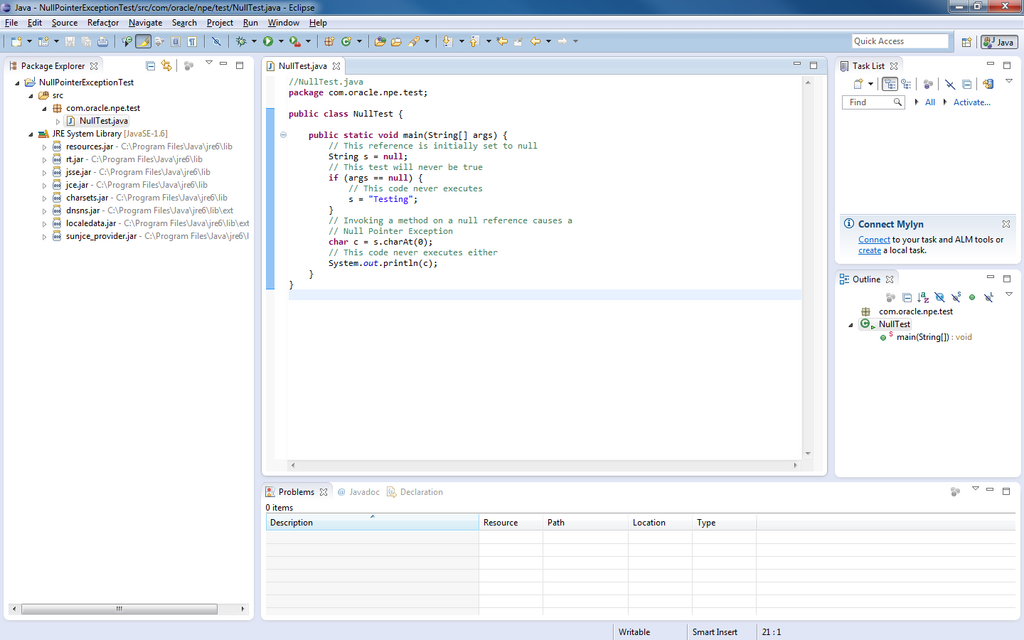
Next, you'll want an IDE. While you could write code in a simple text editor, an IDE makes your life much easier. It highlights syntax, points out errors, and helps you run and debug your code. Popular choices include IntelliJ IDEA, Eclipse, and Visual Studio Code with Java extensions. You can download these from their respective websites.
Your First Java Program
Once your JDK and IDE are installed, you can write your first program. By tradition, the first program you write in a new language is one that simply prints "Hello, World!" to the screen. It's a simple way to confirm that everything is set up correctly.
In your IDE, create a new project and a new file. Name the file HelloWorld.java. The name of the file must exactly match the name of the class inside it. Then, type the following code:
public class HelloWorld {
    public static void main(String[] args) {
        // This line prints text to the console.
        System.out.println("Hello, World!");
    }
}
Let's quickly break this down:
public class HelloWorld { ... }: This line declares a class namedHelloWorld. In Java, all code lives inside classes, which are like containers for your program's logic.public static void main(String[] args) { ... }: This is the main method. It's the starting point for any Java program. When you run your code, the JVM looks for this exact method and starts executing the instructions inside it.- `System.out.println(
Let's quickly break this down:
-
public class HelloWorld { ... }: This line declares a class namedHelloWorld. In Java, all code lives inside classes, which are like containers for your program's logic. -
public static void main(String[] args) { ... }: This is the main method. It's the starting point for any Java program. When you run your code, the JVM looks for this exact method and starts executing the instructions inside it. -
System.out.println("Hello, World!");: This is the instruction that does the work. It tells the system to print the text inside the parentheses to the console.
Most IDEs have a "run" button (often a green triangle) that will compile and execute your code. When you run this program, you should see Hello, World! appear in your IDE's output console. Congratulations, you've just run your first Java program!
What is the primary role of the Java Virtual Machine (JVM)?
True or False: An Integrated Development Environment (IDE) is absolutely required to write and compile Java code.
Now that you have the basics down, you're ready to explore more of what Java can do.