iPhone Repair Essentials
iPhone Hardware Basics
Inside Your iPhone
At a glance, an iPhone is a sleek piece of glass and metal. But inside, it's a bustling city of tiny, interconnected components. Understanding what these parts are and what they do is the first step to figuring out how they work together, and eventually, how to fix them when they don't.
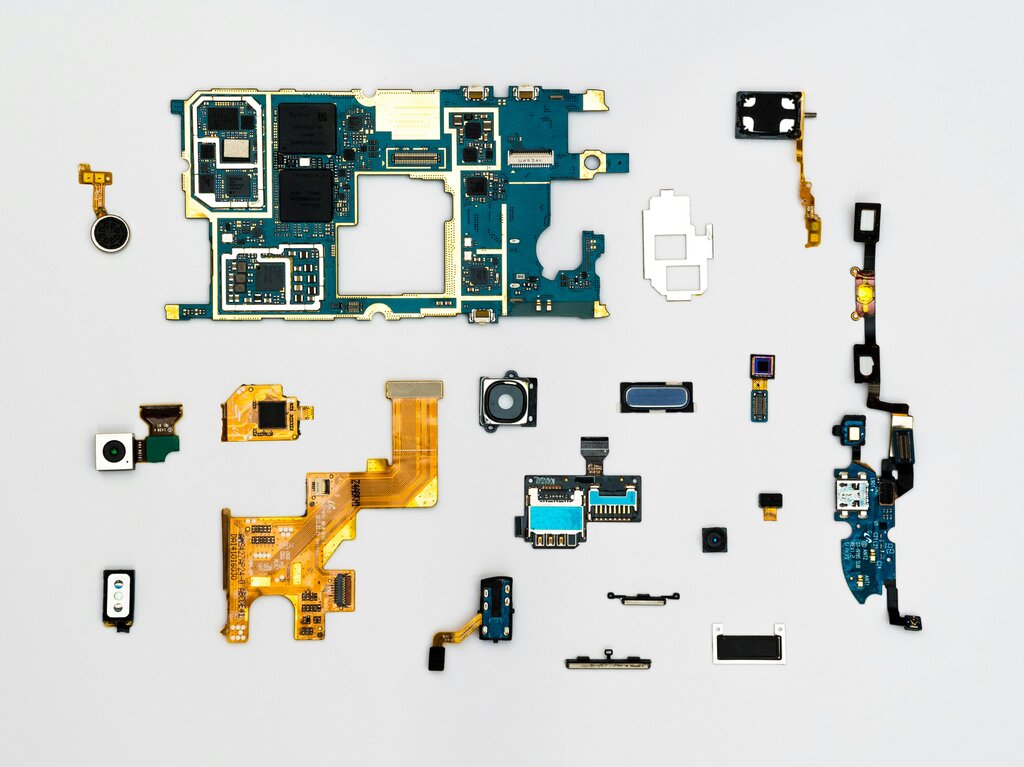
Think of it like a human body. There's a brain, a circulatory system, a skeleton, and a way to interact with the world. Your iPhone has its own versions of these, all packed into a space smaller than a wallet. We'll look at the four main players: the screen, the battery, the logic board, and the connectors that tie everything together.
The Screen Assembly
The screen is more than just a window into your phone; it's your primary way of interacting with it. It’s not just one layer of glass, but a sophisticated assembly of parts working in concert. This assembly typically includes the glass you touch, a digitizer that senses your finger's location, and the display itself (like an LCD or OLED panel) that creates the image.
When you crack your screen, you might damage just the top layer of glass, or you might harm the digitizer or display beneath it. This is why some cracked screens still work perfectly, while others become unresponsive to touch or show distorted colors.
The screen assembly also houses other important components. The front-facing camera, the ear speaker for phone calls, and the sensors that detect light or turn off the screen when you hold it to your face are all integrated into this single, replaceable part. Everything connects back to the main body of the phone with a few delicate, ribbon-like cables.
The Power Source and The Brain
No device works without power. The battery is the heart of the iPhone, pumping electrical energy to every other component. It's a lithium-ion battery, chosen for its ability to pack a lot of power into a small, lightweight package. Over time, like any battery, it degrades, holding less charge and delivering power less effectively. This is why an older iPhone might feel slow or shut down unexpectedly.
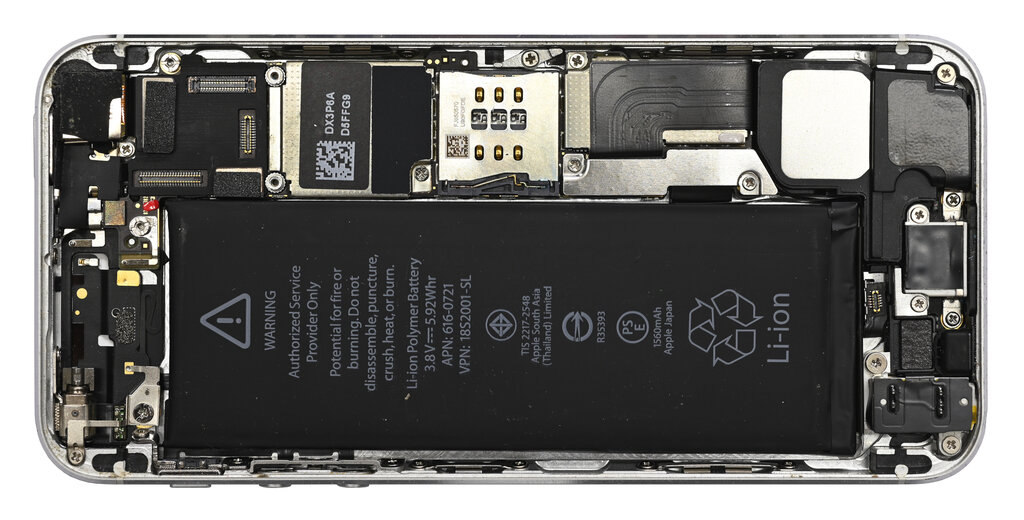
If the battery is the heart, the logic board is the brain. This is the main circuit board, and it's where the magic happens. It holds the central processing unit (CPU), the memory (RAM), and the storage where your apps and photos live. Every single component in the phone, from the cameras to the charging port, ultimately communicates through the logic board.
Logic Board
noun
The main printed circuit board containing the principal components of a computer or other device, with connectors for other circuit boards to be slotted into.
The logic board is incredibly dense, with thousands of microscopic connections. A tiny bit of damage here, perhaps from a drop or water exposure, can cause major problems that are very difficult to diagnose and repair.
Connectors and Other Parts
How do all these separate parts talk to each other? Through connectors. These are the physical points of contact that link components to the logic board. Most are small, press-fit connectors that snap into place, while others might be soldered. They look like tiny LEGO bricks attached to flexible, flat ribbon cables.
These ribbon cables are extremely fragile. During a repair, accidentally tearing a cable or damaging its connector is a common mistake that can turn a simple battery swap into a much bigger problem.
Besides the big three (screen, battery, logic board), an iPhone contains many other modular components. These include:
- Cameras: Both front and rear camera modules.
- Charging Port: The assembly at the bottom that also includes the primary microphone and sometimes a headphone jack on older models.
- Taptic Engine: A small motor that creates vibrations for alerts and haptic feedback.
- Speakers: Both the main loudspeaker and the smaller earpiece speaker.
These parts are all connected by those crucial flex cables, plugging into specific sockets on the logic board to create one functional device.
Now that you've been introduced to the key players inside your phone, let's review with some flashcards.
Ready to test your knowledge?
Which component is considered the 'brain' of the iPhone, housing the CPU, memory, and storage?
According to the text, which of these is NOT typically integrated into the main screen assembly?
Understanding these basic building blocks is the foundation for any work you might do on a device. It helps you diagnose a problem by thinking about which component is responsible for which function.