IP Addresses and the Internet Protocol
Introduction to IP Addresses
The Internet's Postal Service
Think about how mail gets to your house. You have a unique address: a street name and a house number. The postal service uses this address to deliver letters and packages right to your doorstep. Without it, your mail would never find you.
The internet works in a similar way. Every device connected to a network, whether it's your phone, laptop, or a giant server hosting a website, needs a unique address. This digital address is called an IP address.
IP Address
noun
A unique numerical label assigned to each device connected to a computer network that uses the Internet Protocol for communication.
IP stands for Internet Protocol, which is the set of rules that governs how data is sent over the internet. The IP address is the core component that allows these rules to work. It ensures that the data packets you send and receive find their way to the correct destination among billions of connected devices.
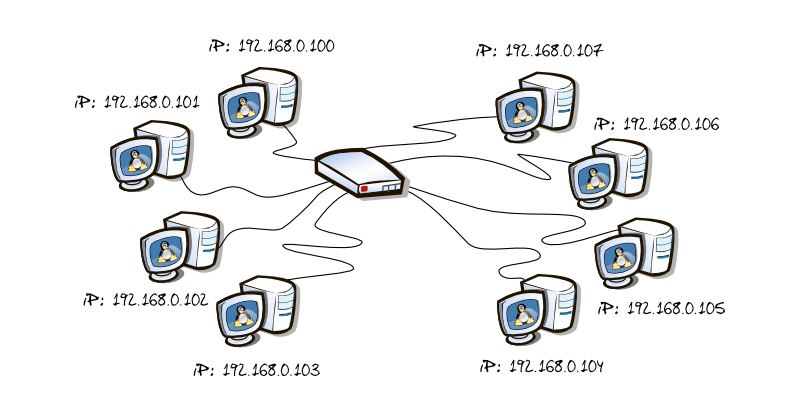
Anatomy of an Address
An IP address (specifically the common version, IPv4) looks like a set of four numbers separated by periods, like 172.16.254.1. Each of these numbers can range from 0 to 255. But this address isn't just a single identifier; it's split into two distinct parts.
An IP address has two parts: the Network Portion and the Host Portion.
Let’s go back to our mailing address analogy. If your address is "123 Main Street," "Main Street" is the network portion and "123" is the host portion.
- Network Portion: This identifies the specific network a device is on. All devices on the same local network share the same network portion. It's like all the houses on the same street.
- Host Portion: This identifies the specific device on that network. It's the unique house number that distinguishes your home from your neighbor's.
Routing Data Across Networks
So how does this two-part structure help get data where it needs to go? It's all about efficiency. Devices called routers act as the internet's traffic controllers.
When you send data to a device on your own local network (like sending a document to your printer), your router only needs to look at the host portion to find the right device. It's like delivering a letter to a neighbor on your own street; you don't need to think about the city or state.
But when you send data to a device on a different network (like visiting a website), your router looks at the network portion of the destination IP address. It doesn't need to know the exact device it's going to. It just needs to know which network to send the data packet to next. It forwards the packet to another router that's closer to the final network. This process repeats until the packet reaches a router on the destination network, which then uses the host portion to make the final delivery.
Routers use the network portion to send data between networks and the host portion to find specific devices within a network.
This division of labor is what makes the internet scalable. Routers don't need a map of every single device in the world. They just need to know how to reach different networks. It's a remarkably effective system for connecting billions of devices across the globe.