Introduction to UI/UX Design
Introduction to UI/UX Design
What Are UI and UX?
You’ve probably heard the terms UI and UX, often used together. They’re related, but they describe two different aspects of creating a digital product like an app or a website.
User Interface (UI)
noun
The visual elements of a product that a person interacts with. This includes everything from buttons and icons to typography and color schemes.
Think of UI as the look and feel. It’s the graphical layout of an application. It dictates how information is presented and what the user sees on the screen.
User Experience (UX)
noun
The overall feeling a person has while using a product, from their first impression to their last interaction. It's about how easy, efficient, and pleasant the product is to use.
UX is the internal experience a user has. Is the product logical? Does it solve their problem without causing friction? A good UX feels intuitive and seamless.
While UI is focused on how a product looks, UX is focused on how it works and feels. A product can have a beautiful UI but a terrible UX. Imagine a stunningly designed teapot that’s impossible to pour without spilling. That's great UI, but bad UX.
Putting the User First
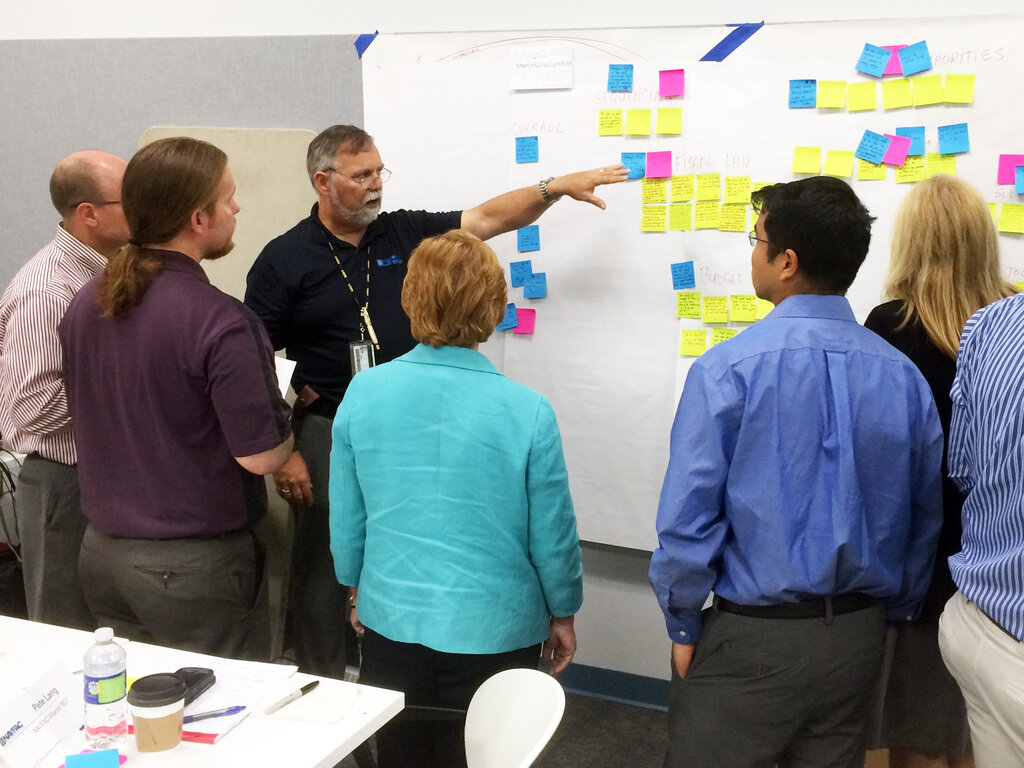
The most effective digital products are built with a clear focus on the people who will use them. This approach is called user-centered design (UCD). It’s a design philosophy that puts the user's needs, wants, and limitations at the center of every stage of the design and development process.
Why does this matter? When you design for the user, you create products that are not only functional but also intuitive and enjoyable. This leads to higher user satisfaction, better engagement, and ultimately, a more successful product. It's the difference between forcing users to adapt to a product and designing a product that adapts to its users.
User-centered design focuses on creating products and experiences that prioritize user needs and preferences.
This means designers don't just rely on their own assumptions. They actively seek to understand their audience through observation and feedback to make informed decisions.
Core Principles
To achieve a great user experience, designers are guided by a few core principles. Three of the most important are usability, accessibility, and engagement.
Usability: Can people use the product easily and effectively to achieve their goals? A usable product feels straightforward. You don't need a manual to figure out its basic functions.
Good usability means reducing the number of steps to complete a task, making navigation clear, and ensuring the interface is consistent.
Accessibility: Can people of all abilities use the product? Accessibility involves designing products that are usable by everyone, including people with disabilities such as visual, auditory, motor, or cognitive impairments. This could mean ensuring compatibility with screen readers, providing sufficient color contrast, or allowing navigation with a keyboard.
Designing for accessibility isn't just a legal or ethical requirement; it often improves the experience for all users.
Engagement: Is the product enjoyable and compelling to use? Engagement is about creating a connection with the user. An engaging product is one that people want to use and return to. This can be achieved through a beautiful visual design, satisfying interactions, and a clear, friendly tone of voice.
A Glimpse of the Design Process
Creating a great user experience doesn't happen by accident. It follows a structured process that, while varied, generally includes a few key phases. It’s an iterative cycle of learning, building, and testing.
-
Research: The first step is to understand the users and the problem you're trying to solve. Who are you designing for? What are their goals and pain points?
-
Design: Based on the research, designers brainstorm ideas and start shaping the solution. This involves creating user flows, sketching out interfaces, and defining the visual style.
-
Prototype: Designers create interactive mockups, or prototypes, that look and feel like the final product. This allows them to test their ideas without writing a single line of code.
-
Test: The prototype is put in front of real users to see how they interact with it. Feedback from testing is used to refine the design. This cycle of designing, prototyping, and testing is often repeated several times.
This process ensures that the final product is not only well-designed but also genuinely useful and usable for its intended audience.
A food delivery app has a beautiful, modern design with custom animations. However, users frequently complain that it takes too many steps to place an order. This is a classic example of:
What is the primary goal of the user-centered design (UCD) philosophy?