Introduction to Rust Programming
Introduction to Rust
What is Rust?
Rust is a programming language focused on three things: safety, speed, and concurrency. It was created by Mozilla Research and is designed for building reliable and efficient software. Think of it as having the power of languages like C++ but with guardrails that prevent common bugs.

Its main goal is to let you write code that is both fast and safe. In many languages, you have to choose one or the other. Fast code might be prone to errors that are hard to track down, while safe code might be slower because of extra checks happening behind the scenes. Rust's design aims to give you both without compromise.
Rust's key promise is memory safety without needing a garbage collector, a program that periodically cleans up unused memory.
Ownership: Rust's Superpower
The most unique feature of Rust is its ownership system. It's a set of rules the compiler checks at compile time. These rules ensure that your program manages memory safely, which helps prevent a whole class of bugs before your program even runs.
Here’s the basic idea:
- Each value in Rust has a variable that’s its owner.
- There can only be one owner at a time.
- When the owner goes out of scope, the value is dropped (and its memory is freed).
{
    let s = String::from("hello"); // s comes into scope and is the owner

    // do stuff with s

} // s goes out of scope, and the memory is automatically returned
When you assign one variable to another, ownership can be moved. In the example below, after s2 is created from s1, s1 is no longer valid. Rust prevents you from accidentally using s1 again.
let s1 = String::from("hello");
let s2 = s1;

// This next line would cause an error! s1's ownership was moved to s2.
// println!("{}", s1);
But what if you just want to let a function use a value without taking ownership? For that, Rust has a concept called borrowing. You can create a reference to a value, which allows you to access it without taking ownership. It's like letting a friend borrow a book. You still own it, but they can read it.
Setting Up Your Environment
Getting started with Rust is straightforward. The primary tool you'll use is rustup, which is the Rust installer and version manager. It manages different versions of the Rust toolchain.
To install it, open your terminal and run the following command. It will guide you through the installation process.
curl --proto '=https' --tlsv1.2 -sSf https://sh.rustup.rs | sh
This command installs rustc (the Rust compiler), cargo (the package manager and build system), and other useful tools.
Cargo is one of Rust's best features. It handles building your code, downloading the libraries your code depends on, and building those libraries.
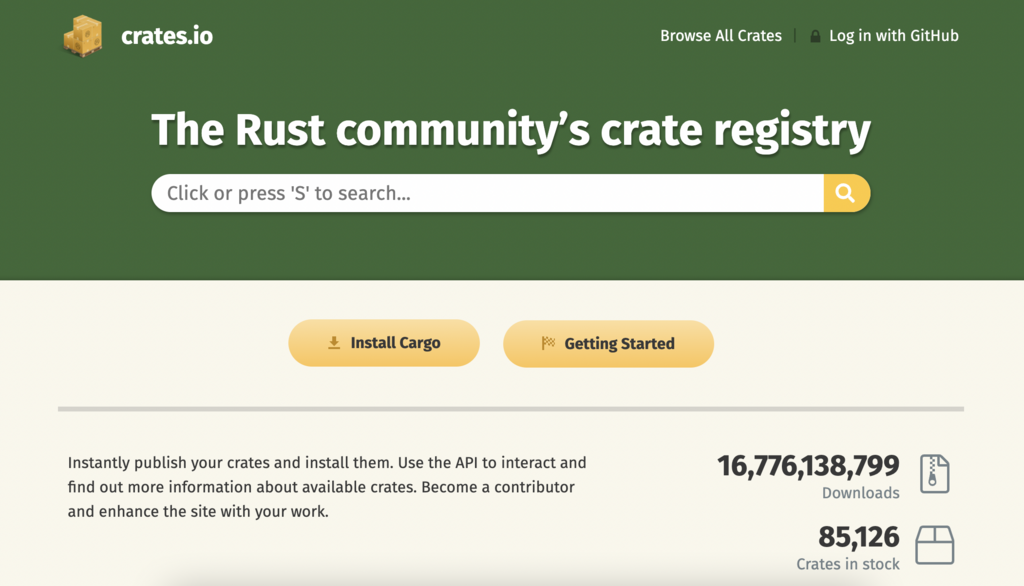
Libraries in Rust are called crates, and Cargo downloads them from the central repository, crates.io.
Let's create our first Rust project using Cargo. Navigate to the directory where you keep your projects and run:
cargo new hello_world
This creates a new directory called hello_world with the following structure:
hello_world/
├── Cargo.toml
└── src/
    └── main.rs
Cargo.toml is the manifest file for your project. It contains metadata and dependencies. src/main.rs is where you'll write your application code. Cargo has already generated a "Hello, world!" program for you in main.rs.
// src/main.rs

fn main() {
    println!("Hello, world!");
}
To compile and run your project, navigate into the new directory and use Cargo:
cd hello_world
cargo run
You should see Hello, world! printed to the terminal. The cargo run command first compiles your code (if it has changed) and then executes the result. You can also build it without running using cargo build. With these tools, you have a complete development environment ready to go.
What are the three primary goals of the Rust programming language?
What is the most unique feature of Rust that ensures memory safety without a garbage collector?