Introduction to Python Programming
Python Basics
Getting Python Ready
Before you can write Python code, you need to have the Python interpreter on your computer. Think of the interpreter as a translator that converts your Python commands into instructions the computer can understand. The best place to get it is from the official Python website, python.org.
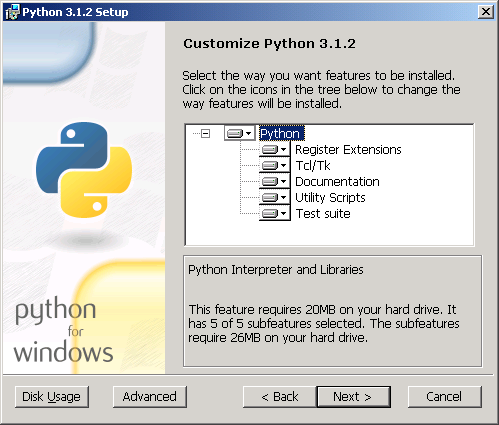
Once installed, you can write code in a simple text editor, but most developers use an Integrated Development Environment, or IDE. An IDE is software that combines a text editor with other helpful tools, like a debugger for finding errors and a shell for running code. Python comes with a simple IDE called IDLE, which is great for beginners.

Syntax and Indentation
Every programming language has its own set of rules, called syntax. Python is famous for its clean and readable syntax. One of its most distinctive features is its use of indentation—the spaces at the beginning of a line of code.
Unlike many other languages that use curly braces
{}to define blocks of code, Python uses whitespace. This forces code to be written in a structured, organized way, which makes it easier for anyone to read.
For example, code that is part of a function or a loop must be indented. This isn't just for looks; it's a strict rule. If you get the indentation wrong, your program won't run. A common convention is to use four spaces for each level of indentation.
Storing Information
In programming, we constantly need to store and manage information. We do this using variables. A variable is like a labeled container where you can store a value. You can give a variable a name and then refer to that value using the name.
# Assigning a value to a variable
message = "Hello, world!"

# 'message' is the variable name
# "Hello, world!" is the value
Python can handle different kinds of data. These are called data types. For now, we'll look at three of the most common ones.
| Data Type | Description | Example |
|---|---|---|
int | Integers, which are whole numbers. | age = 30 |
float | Floating-point numbers, which have a decimal. | price = 19.99 |
str | Strings, which are sequences of characters (text). | name = "Alice" |
Python is smart enough to figure out the data type on its own when you assign a value to a variable. This is called dynamic typing.
Input and Output
A program isn't very useful if it can't communicate with the user. The two most basic ways to do this are through output (displaying information) and input (getting information).
To display text or the value of a variable on the screen, you use the print() function. Whatever you put inside the parentheses will be shown to the user.
name = "Alex"
print("Hello there!")
print(name)
To get information from the user, you can use the input() function. This function displays a prompt to the user and waits for them to type something and press Enter. The text the user enters is then returned as a string, which you can store in a variable.
# Ask the user for their name and store it
user_name = input("What is your name? ")

# Greet the user by name
print("Welcome, " + user_name)
A quick note: The
input()function always gives you back a string. If you need to treat the input as a number, you'll have to convert it usingint()orfloat().
Now let's test your understanding of these core concepts.
What is the primary function of the Python interpreter?
In Python, the use of indentation to structure code is a strict rule, not just a style suggestion.
That covers the absolute essentials for getting started. You now know how to set up your environment, write simple commands, store data, and interact with a user.