Introduction to Python Programming
Introduction to Python
What is Python?
Python is a programming language known for its readability. Created in the late 1980s by Guido van Rossum, its design philosophy emphasizes code that's easy to write and understand. Think of it less like a rigid set of rules and more like a structured form of English.
This simplicity doesn't mean it's not powerful. Python is a high-level language, which means it handles a lot of complex computer operations behind the scenes, letting you focus on solving your problem. It's also an interpreted language, meaning you can run your code line by line, which makes finding and fixing errors much faster.
Key features include a simple syntax, a massive standard library (pre-written code for common tasks), and a vibrant community.
Because of its versatility, Python is used almost everywhere. It powers web applications, crunches data for scientific research, drives machine learning models, and automates repetitive tasks. From Netflix's recommendation engine to the software that controls robots, Python is a key player.

Getting Set Up
Before you can write any code, you need to install Python on your computer. The best place to get it is from the official website, python.org. You'll see options for different versions. Always go for the latest stable release of Python 3. Python 2 is older and no longer maintained.

Once Python is installed, you need a place to write your code. While you could use a basic text editor, most programmers use an Integrated Development Environment, or IDE. An IDE is like a specialized workshop for coding. It combines a text editor with other helpful tools, like a way to run your code easily and features that highlight errors as you type.
There are many IDEs to choose from. Some popular options for Python are Visual Studio Code (VS Code), PyCharm, and Spyder. Python also comes with its own simple IDE called IDLE, which is great for starting out.

Your First Program
It's a tradition in programming to make your first program in any new language display the text "Hello, World!" on the screen. It's a simple task that confirms everything is set up correctly.
In Python, this is incredibly straightforward. We use a built-in function called print(). A function is just a named block of code that performs a specific task. The print() function's task is to display whatever you put inside its parentheses.
print("Hello, World!")
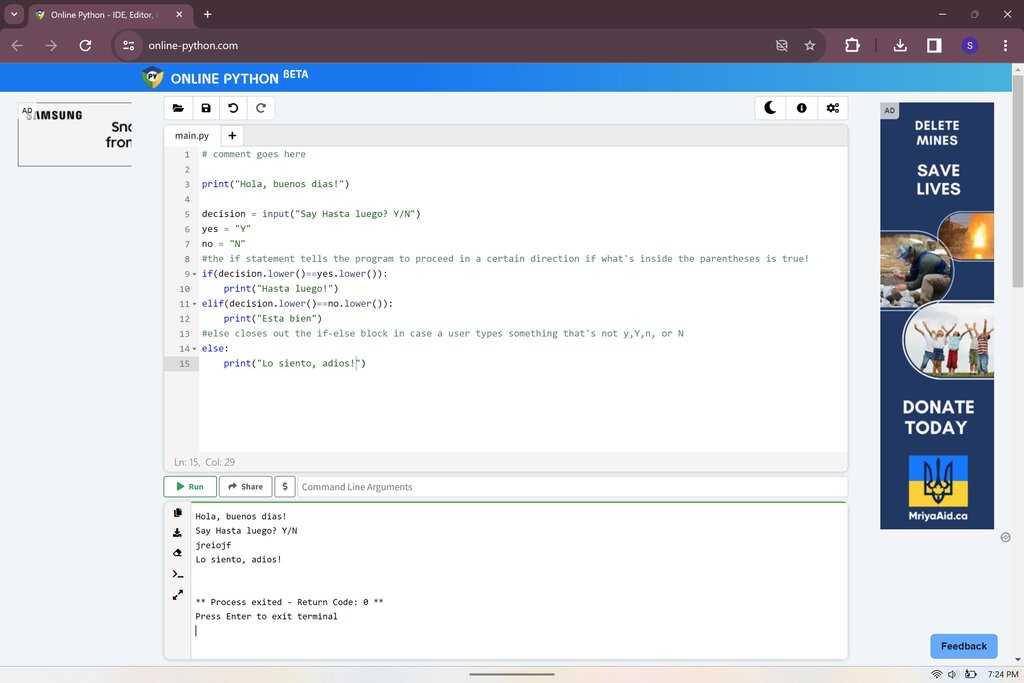
That's it. That's the entire program. Open your IDE, type that single line into a new file, and save it with a .py extension, like hello.py. Then, find the 'run' button in your IDE. When you run the file, you should see the text Hello, World! appear in an output window or terminal.
What is the primary design philosophy of the Python programming language?
Which of the following lines of code will correctly display the text "Hello, World!" on the screen in Python?
You've taken your first step into a larger world. You have Python installed, you know what an IDE is, and you've written and executed your first piece of code. Now you're ready to build on this foundation.