Introduction to Python Programming
Introduction to Python
What Is Python?
Python is a high-level programming language known for its simple, readable syntax. Think of it less like a rigid set of commands and more like a structured form of English. This design choice makes it one of the most popular languages for beginners to learn.

But its simplicity doesn't mean it's not powerful. Python is incredibly versatile and is used by companies like Google, Netflix, and NASA. Its applications are everywhere.
You can find Python powering web applications, analyzing scientific data, creating video games, and even automating tasks on your personal computer. Its large collection of pre-written code, called libraries, makes it easy to tackle complex problems without starting from scratch.

Getting Started
Before you can start writing Python code, you need to set it up on your computer. The first step is installing the Python interpreter, which is the program that understands and runs your Python code. You can download the official installer directly from the Python website, python.org.
The installation process is straightforward. Download the correct version for your operating system (Windows, macOS, or Linux) and follow the on-screen instructions. During installation on Windows, make sure to check the box that says "Add Python to PATH." This allows you to run Python from your computer's command line.

Once Python is installed, you need a place to write and manage your code. While you could use a basic text editor, most developers use an Integrated Development Environment, or IDE.
IDE
noun
An Integrated Development Environment is a software application that provides comprehensive facilities to computer programmers for software development. An IDE normally consists of at least a source code editor, build automation tools, and a debugger.
An IDE is like a supercharged text editor built specifically for programming. It often includes features like syntax highlighting, which colors your code to make it more readable, and code completion, which suggests code as you type. These tools help you write code faster and with fewer errors.
Choosing Your Tools
There are many IDEs to choose from, but two are particularly popular for Python beginners.
Thonny is an IDE designed for learning. It has a very simple interface and comes with Python built-in, so there's no complex setup. It provides a step-by-step view of how your program runs, which is great for understanding what's happening behind the scenes.

PyCharm is a more powerful, professional-grade IDE. It has a vast number of features that are useful for large projects. While it can seem a bit intimidating at first, its "Community Edition" is free and is an excellent tool to grow into as your skills advance.
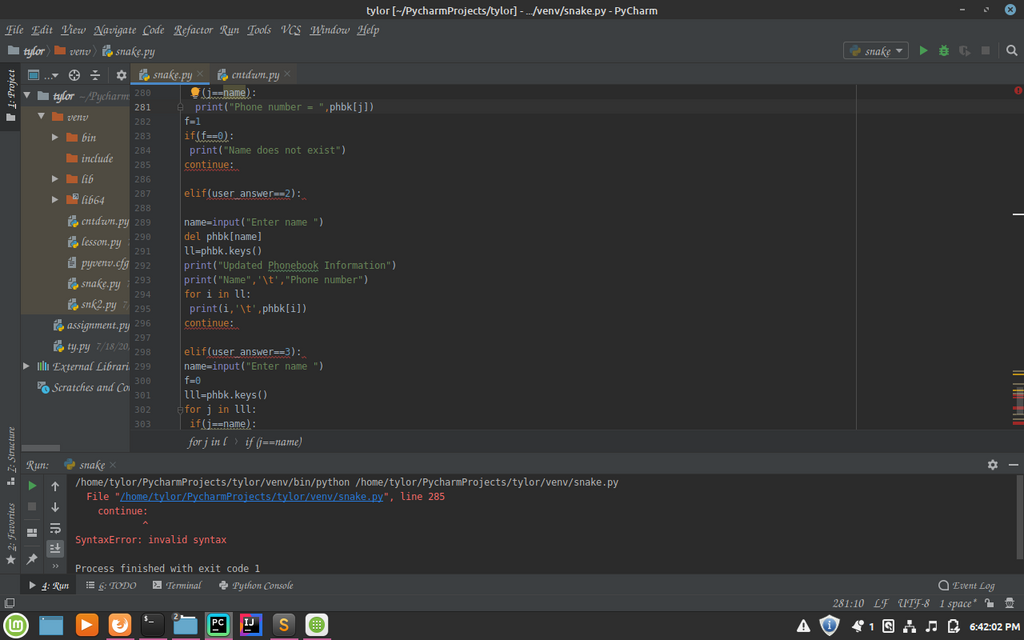
For your first steps, Thonny is a fantastic choice. Once you feel comfortable with the basics, you can always transition to a more advanced tool like PyCharm. The most important thing is to pick one and start writing code.
Let's review what you've learned.
Which of the following best describes Python as a programming language?
What is the primary purpose of an Integrated Development Environment (IDE)?
Now that you have your environment set up, you're ready to write your first program.