Introduction to Python Programming
Python Basics
Getting Started with Python
Python is a popular programming language known for its clear, readable syntax. It's a great choice for beginners because it lets you write powerful programs with very few lines of code. The first step is to get Python set up on your computer.
You'll need to install the Python interpreter, which is the program that understands and runs your Python code. You can download it for free from the official Python website, python.org. The installation process is straightforward, much like installing any other software.
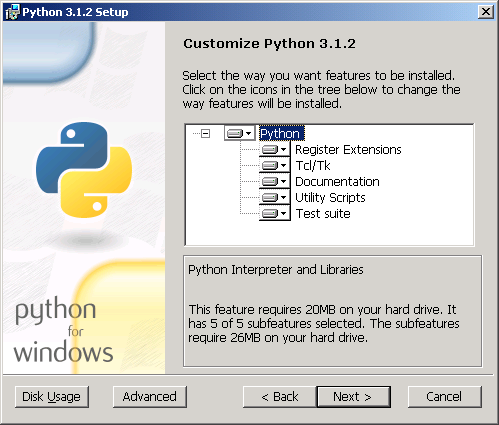
Once Python is installed, you need a place to write your code. You can use a simple text editor, but most programmers use an Integrated Development Environment, or IDE. An IDE is a special text editor with helpful tools like syntax highlighting and debugging. Python's default installation comes with its own simple IDE called IDLE, which is perfect for starting out.

Your First Program
Let's write your first program. It's a tradition in programming to start with a program that just displays "Hello, World!" on the screen. In Python, this is incredibly simple. This is an example of an output operation, where the program produces an output.
print("Hello, World!")
That's it! The print() command is a built-in Python function that tells the computer to display whatever you put inside the parentheses. Since we wanted to display text, we put it inside double quotes.
We can also get information from the user. This is called an input operation. The input() function pauses the program and waits for the user to type something and press Enter.
# The text inside input() is the prompt shown to the user
user_name = input("What is your name? ")

# Now we can use the user's input
print("Hello, " + user_name + "!")
When you run this code, it will first ask for your name. If you type "Alex" and press Enter, the program will then print "Hello, Alex!". The input() function captures your text, which we then store and use.
Storing Information
In the last example, we used user_name to hold the text the user typed. This is called a variable. Think of a variable as a labeled box where you can store a piece of information. You give the box a name (the variable name) and put something inside it (the value).
A variable is a name that refers to a value.
You create a variable by choosing a name and using the equals sign (=) to assign it a value.
age = 30
price = 19.95
greeting = "Welcome to Python!"
The information you store in variables can be of different types. Python automatically figures out the type based on the value you assign.
| Data Type | Description | Example Code |
|---|---|---|
String (str) | A sequence of characters (text) | name = "Alice" |
Integer (int) | A whole number | score = 100 |
Float (float) | A number with a decimal point | pi = 3.14159 |
Boolean (bool) | Represents truth values | is_active = True |
These basic data types are the building blocks for handling almost any kind of information in your programs.
Working with Operators
Once you have data, you need to be able to work with it. Operators are special symbols that perform computations. The most familiar are arithmetic operators.
| Operator | Name | Example | Result |
|---|---|---|---|
+ | Addition | 5 + 3 | 8 |
- | Subtraction | 5 - 3 | 2 |
* | Multiplication | 5 * 3 | 15 |
/ | Division | 15 / 3 | 5.0 |
** | Exponent | 5 ** 2 | 25 |
Notice that division (/) always results in a float, even if the result is a whole number. You can use these operators with variables, too.
item_price = 10
tax_rate = 0.05
tax_amount = item_price * tax_rate

total_cost = item_price + tax_amount

print(total_cost) # This will print 10.5
Besides doing math, we often need to compare values. Logical operators are used to check if a condition is true or false. The result of a logical comparison is always a Boolean value (True or False).
| Operator | Meaning | Example | Result |
|---|---|---|---|
== | Equal to | 5 == 5 | True |
!= | Not equal to | 5 != 3 | True |
> | Greater than | 5 > 3 | True |
< | Less than | 5 < 3 | False |
>= | Greater than or equal to | 5 >= 5 | True |
<= | Less than or equal to | 5 <= 3 | False |
Pay close attention to the equals operator. A single equals sign (
=) is for assignment (storing a value), while a double equals sign (==) is for comparison (checking if two values are the same).
What is the primary program needed to understand and run Python code on a computer?
Which line of Python code will display the text "Hello, World!" on the screen?
These are the fundamental concepts of Python. With variables, data types, and operators, you have the basic tools to start writing simple but useful programs.