Introduction to Python Programming
Python Basics
Getting Started with Python
Python is a popular, versatile programming language known for its clear and readable syntax. It's often recommended for beginners because it reads a bit like plain English, which lets you focus on learning programming concepts rather than getting tangled up in complex rules.
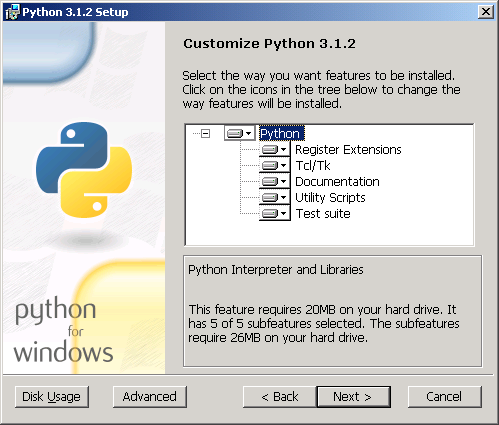
First things first, you'll need Python on your computer. You can download the latest version from the official website, python.org. The installation is straightforward for Windows, macOS, and Linux. When you install Python, it comes with a simple program called IDLE (Integrated Development and Learning Environment), which is a great place to start writing your first lines of code.
Syntax and Indentation
Every language has its grammar, and in programming, this is called syntax. Python's syntax is minimal and clean. One of its most unique features is how it uses indentation—the spaces at the beginning of a line.
While other languages might use curly braces {} to group blocks of code, Python uses whitespace. This isn't just for looks; it's a strict rule. If your indentation is wrong, your program won't run. This forces you to write code that's visually organized and easy to read.
A good rule of thumb is to use four spaces for each level of indentation.
Storing Information
In programming, we need a way to store and manage data. We do this using variables. Think of a variable as a labeled box where you can put information. You give the box a name and place a value inside it. You can change the value later if you need to.
# Assigning a value to a variable
user_age = 25

# The variable 'user_name' holds the text "Alice"
user_name = "Alice"

# You can update the value of a variable
user_age = 26
Variables can hold different kinds of data. These categories are called data types. For now, let's focus on four fundamental types.
| Data Type | Description | Example |
|---|---|---|
| Integer | Whole numbers, without decimals. | 10, -5, 0 |
| Float | Numbers with decimals. | 3.14, -0.5, 2.0 |
| String | A sequence of characters, like text. | "Hello, world!", 'Python' |
| Boolean | Represents truth values. | True, False |
Python automatically figures out the data type when you assign a value. You can check the type of any variable using the type() function.
current_year = 2024
pi_value = 3.14159

print(type(current_year))  # Output: <class 'int'>
print(type(pi_value))      # Output: <class 'float'>
Working with Data
Once you have data stored in variables, you can perform operations on it. Python has different operators for different tasks.
Arithmetic operators are for mathematical calculations.
a = 10
b = 3

print(a + b)   # Addition: 13
print(a - b)   # Subtraction: 7
print(a * b)   # Multiplication: 30
print(a / b)   # Division: 3.333...
print(a // b)  # Floor Division (discards remainder): 3
print(a % b)   # Modulus (returns remainder): 1
print(a ** b)  # Exponent: 1000
Comparison operators are used to compare two values. These operations always result in a Boolean value: True or False.
x = 5
y = 8

print(x == y)  # Equal to: False
print(x != y)  # Not equal to: True
print(x < y)   # Less than: True
print(x > y)   # Greater than: False
print(x <= 5)  # Less than or equal to: True
Basic Input and Output
A program isn't very useful if it can't communicate with the user. Python provides simple functions for input and output.
The print() function displays information to the screen. You can pass it strings, numbers, or variables.
print("Hello from Python!")

pet_name = "Fido"
print("My dog's name is", pet_name)
To get information from the user, you use the input() function. It shows a prompt to the user and waits for them to type something and press Enter. The function then returns the user's entry as a string.
# Ask the user for their name
name = input("What is your name? ")

# Create a greeting and print it
greeting = "Nice to meet you, " + name + "!"
print(greeting)
Remember,
input()always gives you a string. If you need a number, you'll have to convert it using functions likeint()orfloat().
Let's check your understanding of these core concepts.
What is the primary purpose of indentation in Python?
By default, what is the data type of the value returned by the input() function?
You've now covered the essential building blocks of Python: setting up your environment, understanding syntax, working with variables and data types, using operators, and handling basic input and output. With these fundamentals, you're ready to start building more complex programs.