Introduction to Programming Concepts
Introduction to Programming
What Is Programming?
At its heart, programming is simply telling a computer what to do. Computers are powerful, but they don't understand human languages like English or Spanish. They only understand a very precise set of instructions. Programming is the art of writing those instructions in a way a computer can follow.
Think of it like writing a recipe. A good recipe lists every ingredient and every step in the correct order. If you miss a step or use the wrong ingredient, you won't get the cake you wanted. Programming is the same, but the steps lead to an app, a website, or a game.
These instructions are written in a special language called a programming language. There are thousands of them, each with its own strengths. Some are great for building websites, others for analyzing data, and some for controlling robots. But they all share a common purpose: to bridge the gap between human ideas and computer actions.
From Human to Machine
So how does a computer understand the code we write? It can't read a programming language directly. Our human-readable code must be translated into machine code, which is a series of ones and zeros that the computer's processor can execute.
This translation is handled by special programs called compilers and interpreters. They act as the go-between, ensuring our instructions are perfectly translated for the machine.
A compiler reads your entire program at once, translates it all into machine code, and saves it as a separate, executable file. You then run that file to make the program work. It's like translating a whole book and then giving it to someone to read.
An interpreter, on the other hand, translates and runs your code one line at a time. It reads a line, translates it, the computer runs it, and then the interpreter moves to the next line. This is more like having a live translator who translates a conversation sentence by sentence.
| Type | Process | Output |
|---|---|---|
| Compiler | Translates entire program at once | A separate executable file |
| Interpreter | Translates and runs line-by-line | Immediate execution, no separate file |
The Structure of a Program
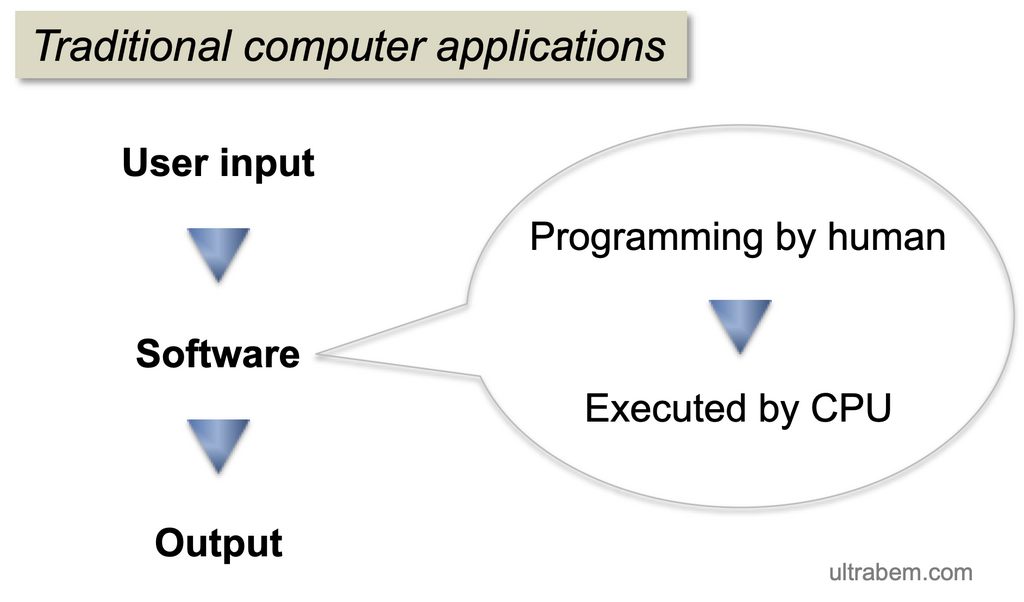
Regardless of the language, most programs share a basic structure. They take some input, perform some processing, and then produce some output. This is often called the IPO (Input, Process, Output) model.
Input: Data the program receives (e.g., a user clicking a button, text typed into a box). Process: The instructions that manipulate the input (e.g., adding two numbers, sorting a list). Output: The result the program produces (e.g., showing a message on screen, saving a file).
Let's look at one of the simplest programs imaginable, the classic "Hello, World!". Its only job is to display that phrase on the screen.
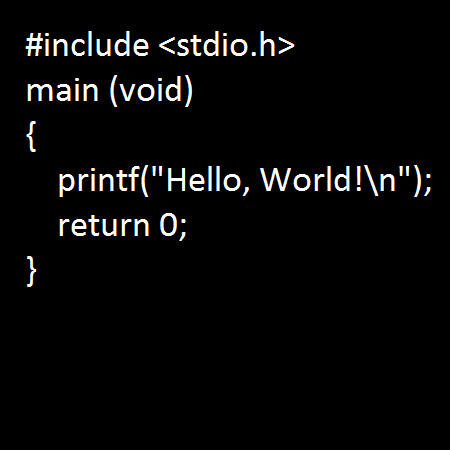
In this example, there's no real input from a user. The processing is the command to print something. The output is the text "Hello, World!" appearing on the user's screen. Even in this tiny program, the basic structure holds true.
Learning to code is learning how to think in this structured way: breaking down a problem into small, logical steps that a computer can execute. It’s a powerful skill that teaches you how to solve problems with precision and creativity.
What is the primary role of a programming language?
Which type of program translates and runs code one line at a time, like a live conversation translator?