Introduction to PHP
PHP Syntax
Embedding PHP in HTML
PHP is a server-side scripting language, which means its code runs on the web server before a page is sent to your browser. Unlike HTML, which just describes the structure of a page, PHP can perform tasks, make decisions, and generate dynamic content.
Because of this, PHP code doesn't live in its own separate world. Instead, you embed it directly inside your HTML files. The server looks for special tags, executes any PHP code it finds between them, and then sends the final result—plain HTML—to the user. The user's browser never sees the PHP code itself, only its output.
<!DOCTYPE html>
<html>
<head>
    <title>PHP and HTML</title>
</head>
<body>
    <h1>This is an HTML heading.</h1>

    <?php
        // PHP code lives here!
    ?>

    <p>This is an HTML paragraph.</p>
</body>
</html>
In the example above, the server would process the HTML as usual. When it encounters the PHP block, it executes the code inside. Since there's only a comment, nothing is outputted, and the server continues on to the final paragraph tag.
PHP Tags and Statements
The server knows where PHP code begins and ends thanks to special opening and closing tags. All of your PHP code must be wrapped in these tags.
The standard opening tag is
<?php, and the closing tag is?>.
Anything outside of these tags is treated as regular HTML and is ignored by the PHP processor. Inside the tags, you write PHP statements. A statement is a single instruction, like telling the server to print some text. Every PHP statement must end with a semicolon (;). This is how PHP knows one instruction has ended and the next one is about to begin.
<?php
    echo "Hello from PHP!";
?>
In this snippet, echo "Hello from PHP!"; is a single statement. The echo command is a basic way to output text. The server executes this and replaces the entire <?php ... ?> block with the string Hello from PHP!. Think of it as a dynamic piece of content inserted right into your HTML.
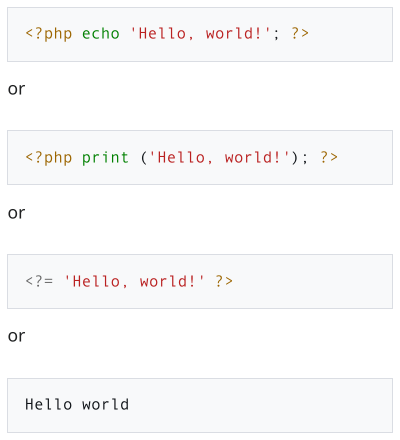
Anatomy of a Simple Script
Let's combine these ideas into a full, working example. Here’s a PHP script that outputs a heading and a paragraph to the browser.
<!DOCTYPE html>
<html>
<head>
    <title>My First PHP Script</title>
</head>
<body>
    <?php
        echo "<h1>Welcome to My Page!</h1>";
        echo "<p>This text was generated by PHP.</p>";
    ?>
</body>
</html>
When the server processes this file, it executes the two echo statements. The first one outputs an <h1> tag with some text, and the second outputs a <p> tag. The final HTML sent to the browser would look like this:
<!DOCTYPE html>
<html>
<head>
    <title>My First PHP Script</title>
</head>
<body>
    <h1>Welcome to My Page!</h1>
    <p>This text was generated by PHP.</p>
</body>
</html>
Notice how the PHP code is gone. It was replaced by its output. This is the core concept of server-side scripting: the server does the work, and the browser gets a standard HTML page. You can place PHP blocks anywhere in your HTML document, allowing you to dynamically generate any part of your webpage.
One last thing: if a file contains only PHP code, the closing tag ?> is often omitted. This is a common practice to prevent accidental whitespace from being added to the end of the file, which can sometimes cause issues.
What is the primary role of PHP in web development?
When a user requests a page containing PHP code, what does their web browser ultimately receive?