Introduction to n8n Workflow Automation
Introduction to Workflow Automation
What is Workflow Automation?
Think about the small, repetitive tasks you do every day. Maybe you save email attachments to a specific folder, copy data from a form into a spreadsheet, or send a welcome message to a new customer. Each task is simple, but they add up.
Workflow automation is the process of setting up technology to handle these tasks for you. It's like creating a digital assembly line where different apps and services work together automatically, following a set of rules you define. Instead of you manually moving information from point A to point B, the system does it instantly.
Workflow
noun
A sequence of connected steps or tasks performed in a specific order to achieve a particular goal.
At its core, every automated workflow has two key parts: a trigger and an action.
- Trigger: This is the event that kicks off the workflow. It's the starting signal. It could be receiving a new email, a customer filling out a form, or a specific time of day.
- Action: This is the task that is performed automatically after the trigger occurs. An action could be anything from sending a text message to creating an entry in a database.
A simple workflow might have one trigger and one action. More complex ones can chain multiple actions together, creating a sequence of automated steps.
Why Bother Automating?
The main benefit of automation is efficiency. It frees up your time and mental energy from boring, manual work so you can focus on tasks that require creativity, strategy, and human connection. By letting software handle the repetitive stuff, you and your team can be more productive.
Automation also improves consistency and reduces errors. When a human copies and pastes information all day, mistakes are inevitable. A well-designed workflow performs the same task perfectly every single time, ensuring data is accurate and processes are followed consistently. This leads to higher quality work and more reliable outcomes.
Think of automation as a way to give your most tedious tasks to a robot that never gets tired, never makes typos, and never forgets a step.
Common Automation Examples
Workflow automation isn't just for large corporations or technical experts. It can be applied to countless scenarios in both business and personal life. Here are a few common use cases.
| Category | Example Use Case |
|---|---|
| Sales | When a new lead is added to a spreadsheet, automatically create a contact in the CRM and assign a task for a salesperson to follow up. |
| Marketing | When someone subscribes to a newsletter, automatically add them to an email list and send a personalized welcome message. |
| Customer Support | When a new support ticket is created, automatically send an acknowledgement to the customer and notify the support team in a chat channel. |
| Personal Productivity | Every Friday at 5 PM, automatically compile a list of completed tasks from a project management tool and email it as a weekly summary. |
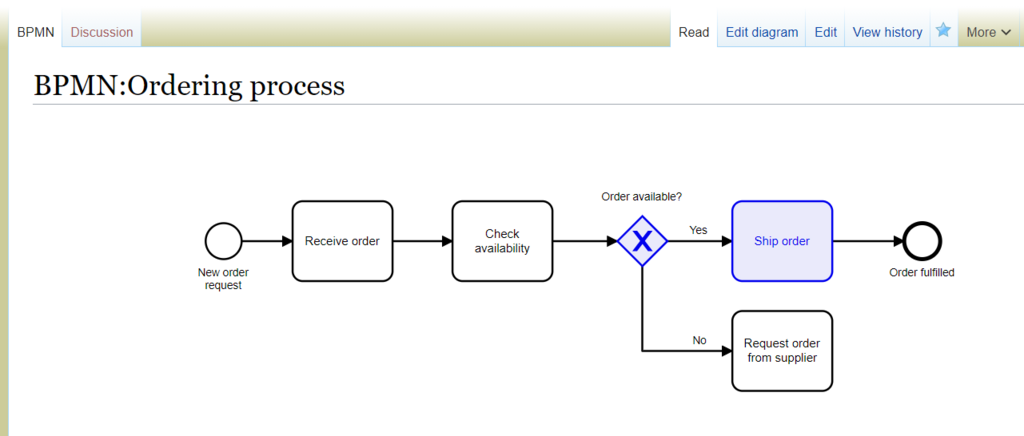
Each of these examples saves time, prevents things from falling through the cracks, and allows people to focus on more important work. This is the fundamental goal of workflow automation: to make processes smoother, faster, and more reliable.
What is the primary goal of workflow automation?
Every automated workflow consists of two fundamental parts. What are they?