Introduction to LaTeX for Document Creation
Introduction to LaTeX
What is LaTeX?
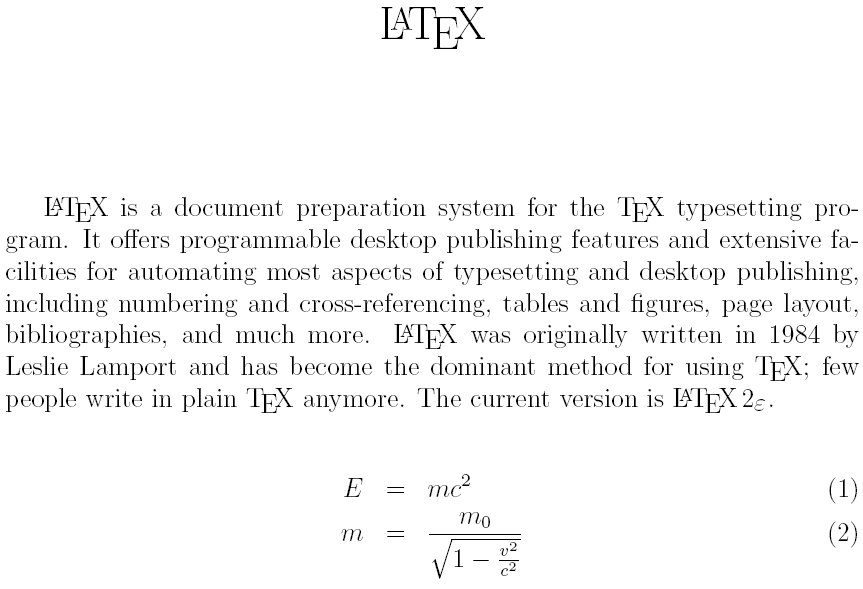
LaTeX (pronounced LAH-tek or LAY-tek) is not a word processor like Microsoft Word or Google Docs. It’s a typesetting system. Instead of directly manipulating fonts and margins, you write plain text and use commands to describe your document's structure.
With LaTeX, you focus on the content. The system takes care of making it look beautiful and professional.
Think of it like this: a word processor is “What You See Is What You Get” (WYSIWYG). You click buttons to bold text or change the font size, and you see the result immediately. LaTeX is “What You See Is What You Mean” (WYSIWYM). You tell LaTeX, “This is a section heading,” or “This is a mathematical equation,” and it handles the formatting for you based on a consistent, professional design. This separation of content from style is its superpower, especially for complex documents in academic and technical fields.
Why Bother?
Learning LaTeX takes a little more upfront effort than using a word processor, but the payoff is huge.
- Superior Typesetting: LaTeX produces exceptionally high-quality documents. Its handling of mathematical formulas is the gold standard, which is why it's so popular in science, technology, engineering, and math (STEM).
- Focus: You write in a simple text editor, free from the distractions of endless formatting menus. This lets you concentrate on what you're actually writing.
- Automation: LaTeX automates tedious tasks like numbering sections, figures, equations, and creating a table of contents. Cross-referencing is simple and always accurate.
- Stability: It can handle massive documents with thousands of pages, countless images, and extensive bibliographies without slowing down or crashing.
- Plain Text: LaTeX files are just plain text, making them small, portable, and perfect for version control systems like Git.
Unlike word processors like Microsoft Word or Google Docs, where you often spend time adjusting margins, fonts, and spacing, LaTeX allows you to focus on the content.
Getting Set Up
You have two main paths for using LaTeX: working online or installing it on your own computer.
For beginners, we strongly recommend starting with an online platform. It's the fastest and easiest way to get started.
The most popular online option is Overleaf. It’s a full-featured LaTeX editor that runs in your web browser. There's nothing to install, and it allows for real-time collaboration, much like Google Docs. You can sign up for a free account and start your first document in minutes.
If you prefer to work offline, you'll need to set up a local environment. This involves two components:
| Component | Description |
|---|---|
| TeX Distribution | The engine that compiles your LaTeX code into a finished document (like a PDF). |
| LaTeX Editor | A specialized text editor for writing LaTeX code, often with features like syntax highlighting and command completion. |
Here are the most common TeX distributions:
- TeX Live: The standard for Linux and also works on Windows and macOS.
- MiKTeX: A popular choice for Windows, known for installing new packages automatically as you need them.
- MacTeX: A version of TeX Live specifically for macOS.
Once you have a distribution, you can use a dedicated LaTeX editor like TeXstudio or Visual Studio Code with the LaTeX Workshop extension. These editors provide helpful tools that make writing LaTeX code much smoother.
Now that you know what LaTeX is and how to get set up, you're ready to create your first document.
What is the core philosophy behind LaTeX's approach to document creation?
Which of the following is considered a major strength of LaTeX, particularly in academic and technical fields?