Introduction to LaTeX
Introduction to LaTeX
What Is LaTeX?
LaTeX (pronounced LAH-tek or LAY-tek) is not a word processor like Microsoft Word or Google Docs. It's a typesetting system. Instead of directly manipulating text on a screen, you write code that describes how your document should look. Then, a program compiles this code into a perfectly formatted document, usually a PDF.
Think of it like this: a word processor is like painting a picture yourself. You choose the brushes and colors and apply them directly. LaTeX is like giving precise instructions to a master painter who then creates a flawless artwork for you.
This approach is why LaTeX is the standard for academic and scientific papers, books, and other technical documents. It produces beautiful, professional-looking results with incredible consistency. You focus on the content—your words—and let LaTeX handle the complex formatting.
Why Bother with Code?
Writing code to create a document might sound like extra work, but it has huge advantages.
First, there's consistency. In a word processor, you might manually make one heading bold and 16-point font, then forget and make the next one 15-point. With LaTeX, you define what a "heading" is once. Every heading you create will then look identical, automatically.
Second is the separation of content and style. You write your text without worrying about fonts, margins, or spacing. This lets you concentrate purely on your ideas. When you're done, the compiler applies all your predefined styles perfectly.
Finally, LaTeX excels at handling complex structures. It automates things that are often frustrating in word processors, like creating a table of contents, managing bibliographies, cross-referencing figures, and typesetting complex mathematical equations. It handles the tedious work for you.
Setting Up Your Environment
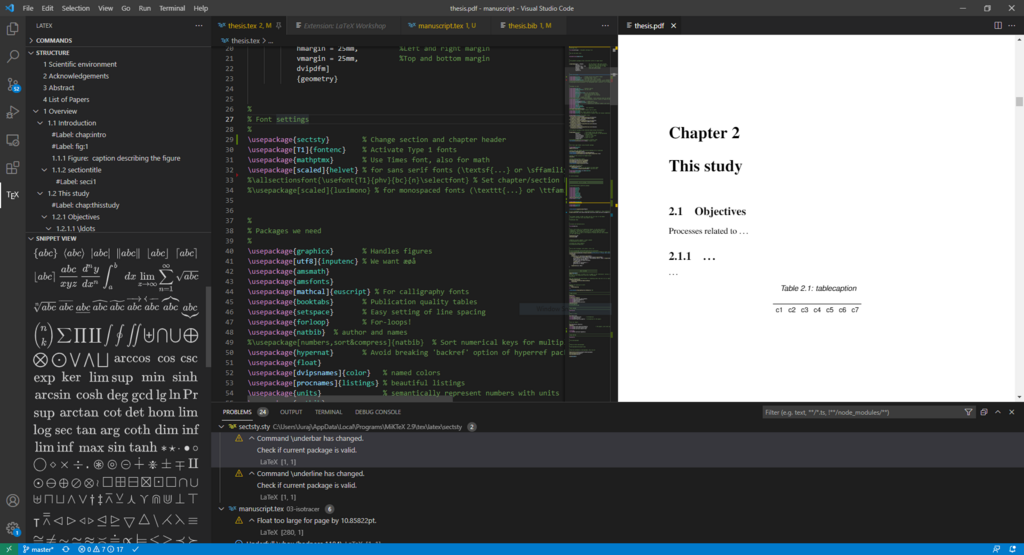
To start using LaTeX, you need two things: a distribution and an editor.
-
A LaTeX Distribution: This is the backend engine that takes your code and turns it into a document. It contains all the necessary compilers, fonts, and packages. The most common distributions are TeX Live (for Mac and Linux) and MiKTeX (for Windows).
-
A LaTeX Editor: This is the software where you'll write and manage your LaTeX code. Some editors are simple text editors, while others offer helpful features like syntax highlighting, auto-completion, and built-in PDF viewers.
You have two main options for your setup: a desktop application or an online service.
| Setup | Pros | Cons |
|---|---|---|
| Online (e.g., Overleaf) | No installation needed. Collaborative. Access from anywhere. | Requires an internet connection. Less control over packages. |
| Desktop (e.g., TeXmaker) | Works offline. Full control over your setup. | Requires manual installation and updates. |
For beginners, we recommend starting with an online editor like Overleaf. It's the quickest way to get started without any installation headaches.
Here’s a quick peek at what LaTeX code looks like. Don't worry about understanding it all right now; this is just to show you the basic structure.
\documentclass{article}

\title{My First Document}
\author{Your Name}
\date{\today}

\begin{document}

\maketitle

Hello, world!

\end{document}
This simple code creates a document with a title, author, date, and the text "Hello, world!" The commands starting with a backslash (\) tell LaTeX what to do.
What is the primary function of LaTeX?
According to the text, what are the two essential components needed to use LaTeX on a desktop computer?
Now that you know what LaTeX is and what you need to get started, you're ready to create your first document from scratch.