Introduction to JavaScript
Introduction to JavaScript
What Is JavaScript?
Think of a website as a house. HTML is the frame and the walls—the basic structure. CSS is the paint, the furniture, and the decorations that give it style. But what makes the house come alive? What happens when you flip a light switch, turn on a faucet, or open a garage door? That's JavaScript.
JavaScript is the programming language that makes websites interactive. It takes a static page and adds behavior to it.
Without JavaScript, you could read an article or look at pictures, but you couldn't play a game, see a pop-up alert, or watch a map update in real time. It's the engine that powers the dynamic, responsive experiences we expect from the modern web.
A Quick Trip Back in Time
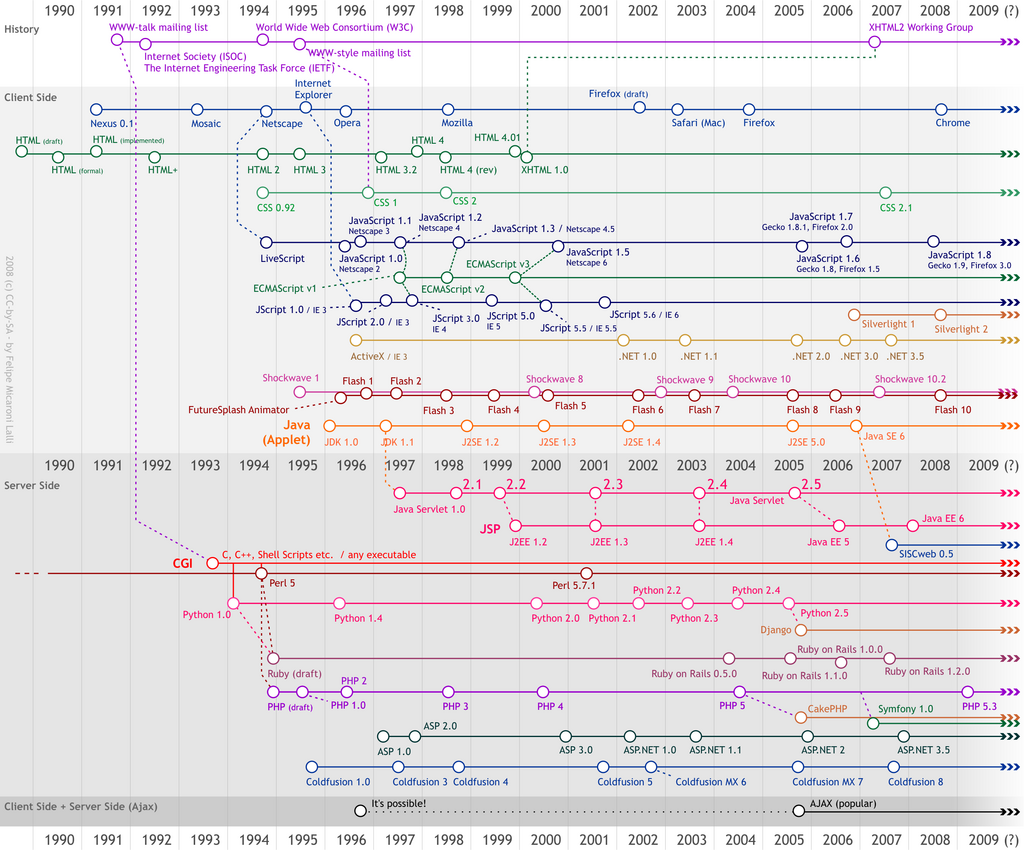
JavaScript was created in 1995 by Brendan Eich at Netscape, the company behind one of the first popular web browsers. The web was mostly static back then, a collection of digital documents. Netscape wanted a way to make websites more dynamic, and Eich built the first version of JavaScript in just 10 days.
It was originally named Mocha, then LiveScript, before being renamed JavaScript. This was a marketing move to align it with the popular programming language Java, even though the two are completely different.
To prevent a single company from controlling the language, JavaScript was submitted to ECMA International, a standards organization. They now manage the official standard, called ECMAScript. This ensures that when you write JavaScript, it works consistently across different browsers like Chrome, Firefox, and Safari.
How It Works with HTML and CSS
JavaScript code lives inside an HTML document. You embed it using the <script> tag. The browser reads the HTML file from top to bottom. When it encounters a <script> tag, it stops reading the HTML and executes the JavaScript code.
This code can then manipulate the HTML and CSS of the page. It can add new elements, remove existing ones, change text, and modify styles. This is how websites can respond to your actions without needing to load a whole new page.
<!DOCTYPE html>
<html>
<head>
  <title>My First JS Page</title>
</head>
<body>

  <h1 id="greeting">Hello!</h1>
  <button onclick="changeText()">Click Me</button>

  <script>
    // This is JavaScript code
    function changeText() {
      document.getElementById("greeting").innerHTML = "Hello, JavaScript!";
    }
  </script>

</body>
</html>
In this example, when you click the button, the changeText() function runs. This JavaScript function finds the <h1> element with the ID "greeting" and changes its content. It's a simple demonstration, but it shows the core power of JavaScript: modifying a webpage in response to user events.
Your First Look at JavaScript
At its heart, JavaScript is a list of instructions, or statements, that the browser executes in order. Just like sentences in English end with a period, JavaScript statements often end with a semicolon ;.
One of the most common statements for beginners is console.log(). This command prints a message to the developer console, a special panel in your browser that helps you debug code. It's like having a scratchpad to check your work as you go.
// This statement prints a message to the console.
console.log("Hello, World!");
JavaScript also uses variables to store information. Think of a variable as a labeled box where you can put data. You create a variable using a keyword like let, followed by the variable's name.
// Declare a variable named 'message'
let message;

// Assign a value to the variable
message = "Welcome to JavaScript!";

// You can also do this in one line
let anotherMessage = "This is fun!";

// Print the contents of the variable to the console
console.log(message);
console.log(anotherMessage);
Finally, JavaScript uses comments to let developers leave notes in the code that the browser ignores. A single-line comment starts with //. This helps make your code easier to understand for yourself and others.
If HTML is the structure of a house and CSS is the paint and furniture, what role does JavaScript play in this analogy?
What is the name of the official, standardized specification that JavaScript is based on?
That's a brief introduction to what JavaScript is, where it came from, and how it works. It's the key to unlocking interactive and dynamic web experiences.