Introduction to Java Programming
Java Basics
Setting Up Your Workspace
Before you can write a single line of Java, you need to set up your digital workshop. This involves two key components: the Java Development Kit (JDK) and an Integrated Development Environment (IDE).
Think of the JDK as your toolbox. It contains the compiler, which translates your human-readable code into instructions the computer understands, and the Java Virtual Machine (JVM), which actually runs your program. The IDE is your workbench. It’s a software application that provides a code editor, debugging tools, and other features to make writing code much easier. Popular choices include IntelliJ IDEA, Eclipse, and Visual Studio Code with Java extensions.
You'll need to download and install the JDK first, then install the IDE of your choice. Most IDEs will automatically detect your JDK installation, making the setup process smooth.
Your First Java Program
It's a tradition in programming to start with a program that simply displays "Hello, World!" on the screen. It's a small victory that proves your setup is working correctly. Let's look at the code.
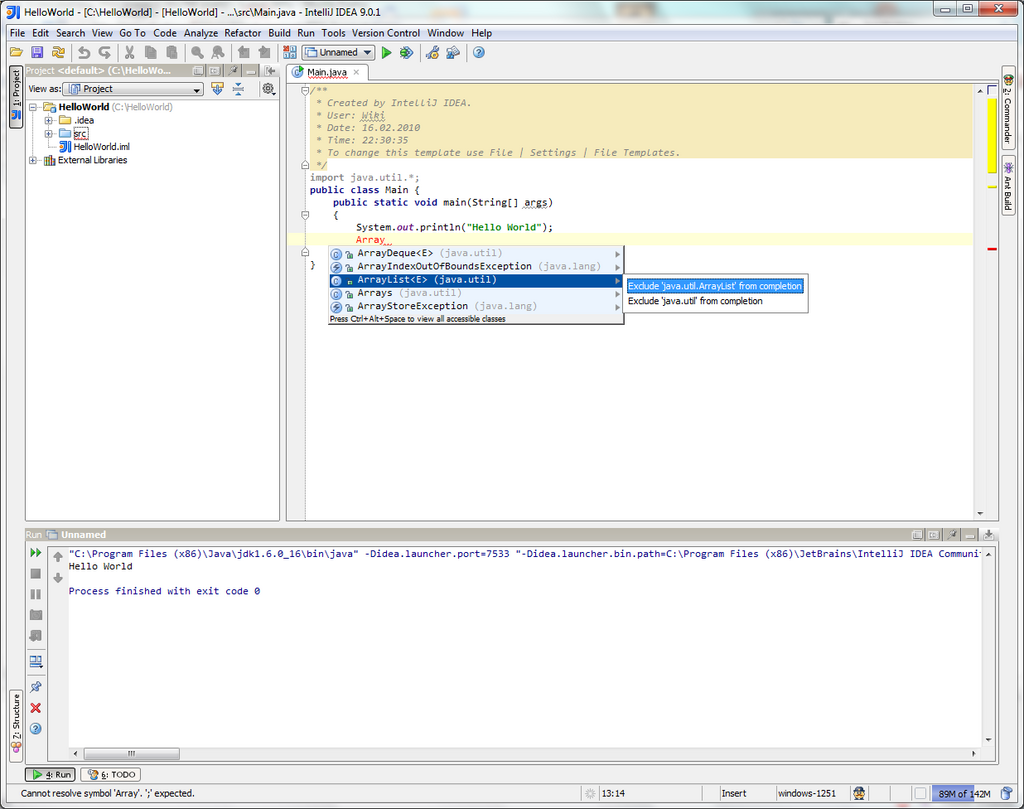
public class HelloWorld {
    public static void main(String[] args) {
        // This line prints text to the console
        System.out.println("Hello, World!");
    }
}
Let's break that down. Every Java application has at least one class, which acts as a container for your code. Here, our class is named HelloWorld.
Inside the class is a main method. This is the special entry point for any Java program; it's the first thing that runs. The line System.out.println("Hello, World!"); is the instruction that does the work. It tells the system to print the text inside the parentheses to the console, and then move to a new line.
Building Blocks and Operators
Programs work by manipulating data. To store data, we use variables. A variable is just a named spot in memory that holds a value. In Java, every variable must have a specific data type, which tells the computer what kind of information it will hold.
Java has several built-in, or primitive, data types for storing simple values like numbers, characters, and true/false states.
| Data Type | Description | Example |
|---|---|---|
int | Whole numbers (integers) | int age = 30; |
double | Numbers with decimal points | double price = 19.99; |
char | A single character | char grade = 'A'; |
boolean | A true or false value | boolean isOpen = true; |
Once you have variables, you can perform operations on them using operators. You're already familiar with many of these from basic math.
Arithmetic operators include
+(addition),-(subtraction),*(multiplication), and/(division). Relational operators like>(greater than) and==(equal to) are used to compare values, typically resulting in aboolean.
int score = 100;
double bonus = 0.1;
double totalScore = score + (score * bonus); // totalScore is 110.0

boolean isPassing = totalScore > 60; // isPassing is true
Controlling the Flow
A program rarely runs straight from top to bottom. Often, you need it to make decisions or repeat actions. This is handled with control structures.
The if statement allows your program to execute a block of code only if a certain condition is true.
int temperature = 25;

if (temperature > 30) {
    System.out.println("It's a hot day!");
} else {
    System.out.println("It's a pleasant day.");
}
Loops are used to repeat a block of code multiple times. A for loop is great when you know exactly how many times you want to repeat an action.
// This loop will print numbers 1 through 5
for (int i = 1; i <= 5; i++) {
    System.out.println(i);
}
A while loop is used when you want to repeat an action as long as a condition remains true.
int countdown = 3;

while (countdown > 0) {
    System.out.println(countdown);
    countdown = countdown - 1; // Decrease countdown by 1
}
System.out.println("Liftoff!");
Basic Input and Output
We've already seen how to output text with System.out.println(). To make programs interactive, we also need to get input from the user. One common way to do this is with the Scanner class.
import java.util.Scanner; // Import the Scanner class

public class UserInput {
    public static void main(String[] args) {
        Scanner myScanner = new Scanner(System.in);

        System.out.println("Enter your name:");
        String userName = myScanner.nextLine(); // Read user input

        System.out.println("Hello, " + userName + "!");
    }
}
First, we must import the Scanner class to make it available. Then, we create a Scanner object that reads from the standard system input (the keyboard). The myScanner.nextLine() method pauses the program and waits for the user to type something and press Enter. The entered text is then stored in the userName variable.
Time to test your understanding of these core concepts.
What is the primary role of the Java Virtual Machine (JVM)?
Which line of code represents the mandatory entry point for any Java application?
These fundamentals are the bedrock of all Java programming. Mastering them will set you up for tackling more complex and interesting challenges.