Introduction to Java Programming
Java Basics
Getting Started with Java
Before you can write Java, you need two key things: the Java Development Kit (JDK) and an Integrated Development Environment (IDE). The JDK is a software package that contains the tools needed to compile your Java code into a format the computer can understand. Think of it as the engine and toolset for building with Java.
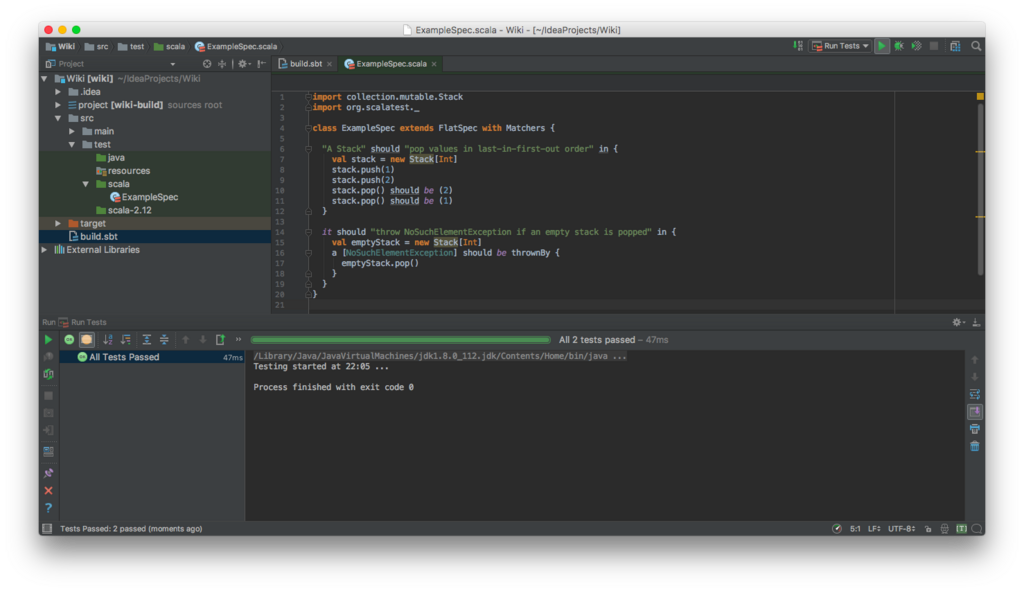
An IDE is a program that makes writing code much easier. It's a specialized text editor with features like code completion, debugging tools, and project management. Popular choices for Java include IntelliJ IDEA, Eclipse, and Visual Studio Code with the right extensions. For our examples, we'll assume you have an IDE set up and ready to go.
Your First Java Program
Let's start with a classic: a program that prints "Hello, World!" to the screen. This simple task introduces the basic structure of a Java application. In your IDE, create a new file named HelloWorld.java.
Every Java application needs a starting point. In Java, that's a special method called main. A method is just a block of code that performs a specific task. The main method is where your program's execution begins. The command to print text to the console is System.out.println().
public class HelloWorld {
    public static void main(String[] args) {
        // This line prints text to the console
        System.out.println("Hello, World!");
    }
}
When you run this program, the text "Hello, World!" will appear in your IDE's output window. Notice the curly braces {} that define code blocks and the semicolon ; at the end of the statement. These are essential parts of Java's syntax.
Java's Building Blocks
Programs work with data, and in Java, that data comes in different forms called types. Primitive data types are the most basic types available.
| Data Type | Purpose | Example |
|---|---|---|
int | Stores whole numbers | int age = 30; |
double | Stores decimal numbers | double price = 19.99; |
char | Stores a single character | char grade = 'A'; |
boolean | Stores true or false values | boolean isValid = true; |
You store data in variables, which are like labeled containers. You declare a variable by stating its type and giving it a name. You can then use operators to perform calculations or comparisons.
int score = 100;
int bonus = 25;
int totalScore = score + bonus; // totalScore is now 125

double items = 10.0;
double people = 4.0;
double share = items / people; // share is now 2.5
Controlling the Flow
Programs often need to make decisions or repeat actions. This is handled with control structures. The if statement runs a block of code only if a certain condition is true.
int temperature = 25; // Temperature in Celsius

if (temperature > 30) {
    System.out.println("It's a hot day!");
} else {
    System.out.println("It's not too hot.");
}
To repeat an action multiple times, you use a loop. A for loop is great when you know exactly how many times you want to repeat something.
// This loop prints numbers 1 through 5
for (int i = 1; i <= 5; i++) {
    System.out.println(i);
}
A while loop is useful when you want to keep repeating an action as long as a condition remains true.
int countdown = 3;

while (countdown > 0) {
    System.out.println(countdown);
    countdown = countdown - 1; // Decrease countdown by 1
}

System.out.println("Blast off!");
When you have multiple options to choose from based on a single value, a switch statement can be cleaner than a series of if-else statements.
int dayOfWeek = 4;
String dayName;

switch (dayOfWeek) {
    case 1:
        dayName = "Monday";
        break;
    case 2:
        dayName = "Tuesday";
        break;
    case 3:
        dayName = "Wednesday";
        break;
    case 4:
        dayName = "Thursday";
        break;
    // ... and so on for other days
    default:
        dayName = "Invalid day";
        break;
}

System.out.println(dayName); // Prints "Thursday"
Write Once, Run Anywhere
One of Java's most famous features is its platform independence. What does this mean? When you compile your Java code, it isn't turned into machine code for a specific operating system like Windows or macOS. Instead, it's compiled into an intermediate format called bytecode.
This bytecode can run on any device that has a Java Virtual Machine (JVM) installed.
The JVM acts as a translator, converting the universal bytecode into the specific machine code that the host computer can execute. This is why Java's slogan is "write once, run anywhere." A Java program you write on a laptop can run on a server, a smartphone, or an embedded system, as long as a JVM is present. This portability is a key reason for Java's enduring popularity.
Now it's time to check your understanding of these core concepts.
What is the primary role of the Java Development Kit (JDK)?
What is the name of the special method that serves as the starting point for every Java application?
With these fundamentals, you're ready to start building more complex and interesting programs in Java.