Introduction to Java Programming
Java Basics
What is Java?
In the early 1990s, a team at Sun Microsystems set out to create a programming language for smart devices like interactive TVs. They needed a language that could run on any type of hardware, regardless of the manufacturer. The project, codenamed "Oak," eventually became Java.
The core idea behind Java is "write once, run anywhere." This means you can write a Java program on a Mac, and it will run on a Windows PC or a Linux server without any changes. Think of it like writing a letter in a universal language. As long as each recipient has a translator, they can understand your message perfectly, no matter what their native tongue is.
Java's power comes from its platform independence. You write the code once, and it can run across different operating systems.
How does this work? The magic is in the Java Virtual Machine, or JVM. When you write Java code, it isn't compiled directly into instructions for a specific computer chip. Instead, it's compiled into an intermediate format called bytecode. The JVM is a piece of software that acts as that universal translator. It takes the bytecode and translates it into the specific instructions that the local machine understands. Since there's a JVM for Windows, one for macOS, and one for Linux, your single bytecode file can run on all of them.
Setting Up Your Environment
To start writing Java, you need a toolbox called the Java Development Kit (JDK). It contains everything you need to compile and run your programs. The two most important tools in the JDK are:
javac: The Java compiler. It takes your human-readable source code and turns it into bytecode.java: The Java runtime. This is the command that launches the JVM to run your compiled bytecode.
To install the JDK, you'll need to download it from the official Oracle website or an alternative provider like Adoptium. The process is straightforward: just download the installer for your operating system and follow the on-screen instructions. Once it's installed, you'll be able to use the javac and java commands from your computer's terminal or command prompt.
Your First Java Program
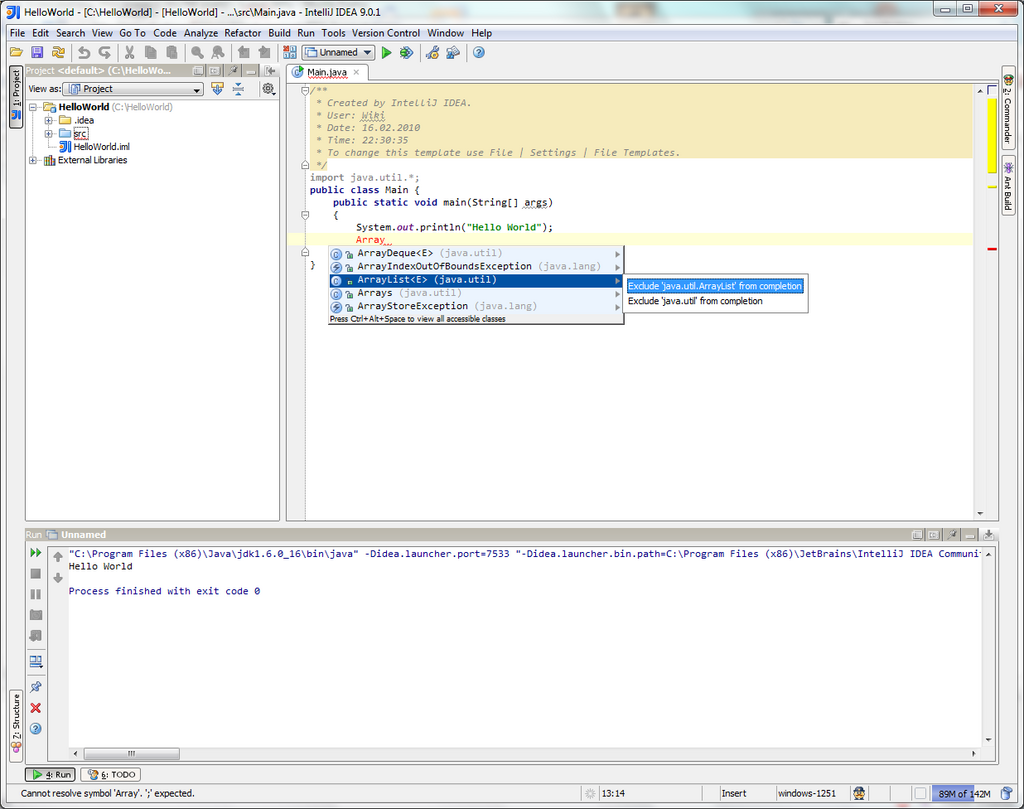
It's a tradition in programming to start by making the computer say "Hello, World!". This simple program confirms that your setup is working correctly. Here's what the code looks like:
// A Java program starts with a class definition.
// Think of a class as a container for your code.
public class HelloWorld {

    // The 'main' method is the entry point of your program.
    // The JVM looks for this specific method to start running code.
    public static void main(String[] args) {

        // This line prints the text "Hello, World!" to the console.
        System.out.println("Hello, World!");
    }

}
Let's break that down. The class HelloWorld line declares a container for our code. Inside it, the public static void main(String[] args) is the special method that the JVM looks for to begin execution. Finally, System.out.println("Hello, World!"); is the command that actually prints the message to the screen.
To run this program, you would first save the code in a file named HelloWorld.java. The file name must match the class name exactly. Then, open your terminal and navigate to the directory where you saved the file. You'll run two commands:
javac HelloWorld.java- This compiles your source code into bytecode, creating a new file calledHelloWorld.class.java HelloWorld- This tells the JVM to run the bytecode in yourHelloWorld.classfile.
If everything is set up correctly, you'll see the text Hello, World! printed in your terminal. You've just written and run your first Java program.
What was the primary motivation for the creation of Java?
What is the role of the Java Virtual Machine (JVM)?
That's the basic workflow for any Java program. You write the code, compile it into bytecode, and then run it on the JVM. With these fundamentals in place, you're ready to explore more of what Java has to offer.