Introduction to Information Technology
Introduction to IT
What Is Information Technology?
Information Technology, or IT, is a broad term for the technology we use to manage information. Think about how you listen to music, talk to friends, or buy something online. All of that is powered by IT.
Information Technology (IT) typically refers to the set of tools, processes, and infrastructure—both hardware and software—that support the creation, storage, exchange, and usage of data or information.
At its core, IT helps us do things faster and more efficiently. From the smartphone in your pocket to the complex systems that run banks and hospitals, IT is woven into the fabric of modern life. It's about using computers and networks to solve problems, entertain ourselves, and connect with others.
The Two Sides of Computing
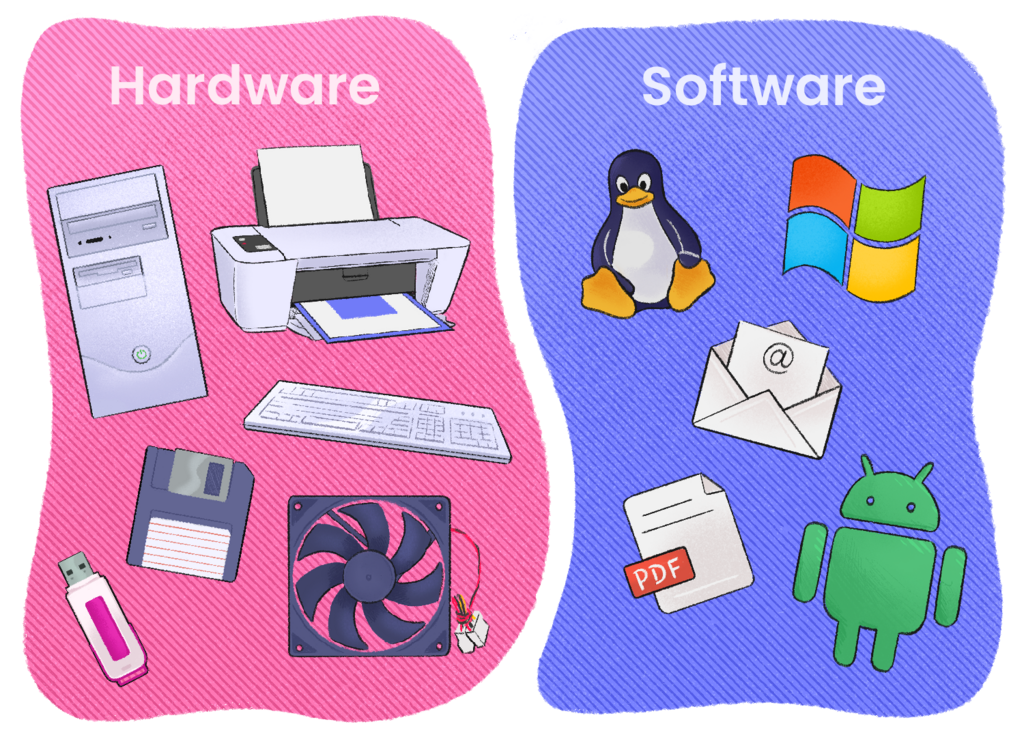
Every computing device, whether it's a laptop, a gaming console, or a smart thermostat, has two fundamental parts: hardware and software. They are two sides of the same coin and can't work without each other.
Hardware refers to the physical components you can touch. It's the screen, the keyboard, the chips inside—anything with a physical presence.
Software is the set of instructions that tells the hardware what to do. You can't touch software, but you interact with it constantly. It's the app that lets you order food or the operating system that boots up your computer.
Think of it like a piano. The piano itself is the hardware. The sheet music, which contains the instructions for playing a song, is the software. You need both to make music.
Meet the Components
Let's break down the basic components. Hardware includes several key parts that work together.
| Component | What It Does |
|---|---|
| CPU (Central Processing Unit) | The 'brain' of the computer. It performs calculations and executes commands. |
| Memory (RAM) | Short-term storage for data the computer is actively using. It's fast but volatile, meaning it clears when the power is off. |
| Storage (Hard Drive/SSD) | Long-term storage for your files and programs. This is where your data stays even when the device is turned off. |
| Input Devices | How you give information to the computer. Examples include a keyboard, mouse, and microphone. |
| Output Devices | How the computer gives information back to you. Examples include a monitor, speakers, and a printer. |
Software also comes in two main flavors.
System Software manages the computer's resources. The most important piece of system software is the operating system (OS), like Windows, macOS, or Android. It acts as the intermediary between you and the hardware.
Application Software is designed to perform specific tasks for the user. This includes everything from web browsers and video games to word processors and photo editors. We usually just call these 'apps'.
Now that you've got the basics, let's build your IT vocabulary.
Think you have it all down? Test your knowledge.
What is the primary purpose of Information Technology (IT)?
The physical components of a computer that you can touch, like the screen and keyboard, are referred to as software.
Understanding these core concepts is the first step into the world of IT. Every complex system is built from these simple building blocks of hardware and software working together.