Introduction to Frontend Development
HTML Basics
The Skeleton of the Web
Every website you visit, from a simple blog to a complex news site, is built on a foundation of HTML. HTML stands for HyperText Markup Language, and it's the standard language used to create and structure the content on a web page.
HTML, or HyperText Markup Language, provides the skeleton for your web content.
Think of it like the frame of a house. Before you can paint the walls or hang pictures, you need the basic structure in place. HTML provides that structure by using a system of tags. Most tags come in pairs: an opening tag and a closing tag. For example, to create a paragraph, you'd wrap your text in <p> and </p> tags. Everything between them is considered part of that paragraph.
Anatomy of an HTML Page
Every HTML document follows a standard structure. It tells the browser what kind of document it is and how to display it. At a minimum, a webpage needs these four elements:
<!DOCTYPE html>
<html>
  <head>
    <!-- Metadata goes here -->
  </head>
  <body>
    <!-- Visible content goes here -->
  </body>
</html>
<!DOCTYPE html>: This is the very first thing in your document. It declares that the document is an HTML5 page. It’s a simple instruction for the web browser.<html>: This is the root element. All other elements are nested inside it.<head>: This section contains meta-information about the page, like the title that appears in the browser tab, links to stylesheets (which we'll cover later), and other data not visible on the page itself.<body>: This is where all the visible content goes, such as headings, paragraphs, images, and links.
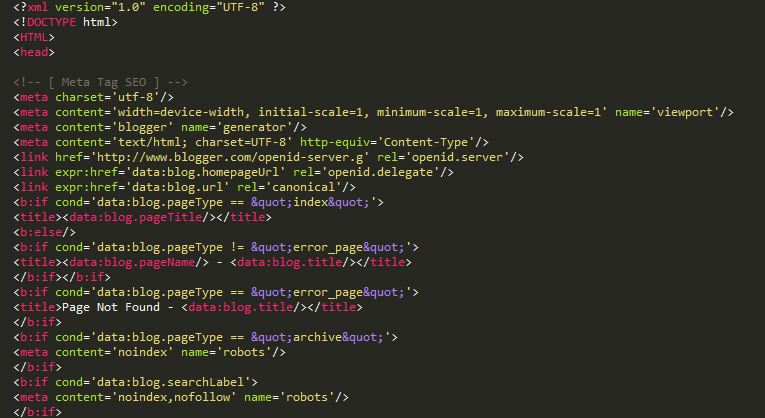
Many tags can also have attributes, which provide extra information about an element. Attributes are always specified in the opening tag and usually come in name/value pairs like name="value". For instance, the <a> tag, used for links, needs an href attribute to know where the link should go.
<a href="https://www.example.com">Visit Example</a>
Building with Blocks
With the basic structure in place, you can start adding content using common HTML elements.
Headings structure your content and are defined with <h1> through <h6> tags. <h1> is the most important heading, typically the main title of the page, while <h6> is the least important.
<h1>This is a main heading</h1>
<h2>This is a subheading</h2>
Paragraphs are the most common text element, created with the <p> tag.
<p>This is a paragraph of text. It can contain multiple sentences.</p>

Lists help organize information. You can create an unordered (bulleted) list with <ul> and a nested <li> for each item, or an ordered (numbered) list with <ol>.
<ul>
  <li>First item</li>
  <li>Second item</li>
</ul>

<ol>
  <li>First step</li>
  <li>Second step</li>
</ol>
Semantic HTML
Early on, web developers often used generic tags like <div> and <span> for everything. A <div> is just a block-level container, and a <span> is an inline container. While useful, they don't describe the content inside them.
Semantic HTML solves this by introducing tags that describe their meaning. Using them makes your code easier to read and maintain. More importantly, it improves accessibility for people using screen readers and helps search engines (like Google) understand your content, which is great for SEO (Search Engine Optimization).
Semantic HTML not only improves the readability of your code but also enhances accessibility and SEO.
Instead of using <div> for everything, you can use tags that clearly define the structure of your page:
| Tag | Purpose |
|---|---|
<header> | Introductory content for a page or section. |
<nav> | Contains navigation links. |
<main> | The main, unique content of the page. |
<article> | A self-contained piece of content (e.g., a blog post). |
<section> | A thematic grouping of content. |
<aside> | Content indirectly related to the main content (e.g., a sidebar). |
<footer> | The footer for a page or section, often containing copyright info. |
Using these tags gives your document a clear, logical structure that both humans and machines can understand.
What does HTML stand for?
Which HTML element is the root of the document, containing all other elements?