Introduction to Front-End Coding
Introduction to HTML
The Skeleton of the Web
Every webpage you visit, from a simple blog to a complex news site, is built on a foundation of HTML. HTML stands for HyperText Markup Language, and it's the standard language used to create and structure the content you see online.
Think of HTML as the skeleton of a webpage. Just like a skeleton gives a body its shape, HTML gives a webpage its structure. It tells the browser where to put headings, paragraphs, images, and links. Without it, a webpage would just be a jumble of text and media with no organization.
HTML isn't a programming language. It's a markup language, which means it uses tags to annotate content and tell the browser how to display it.
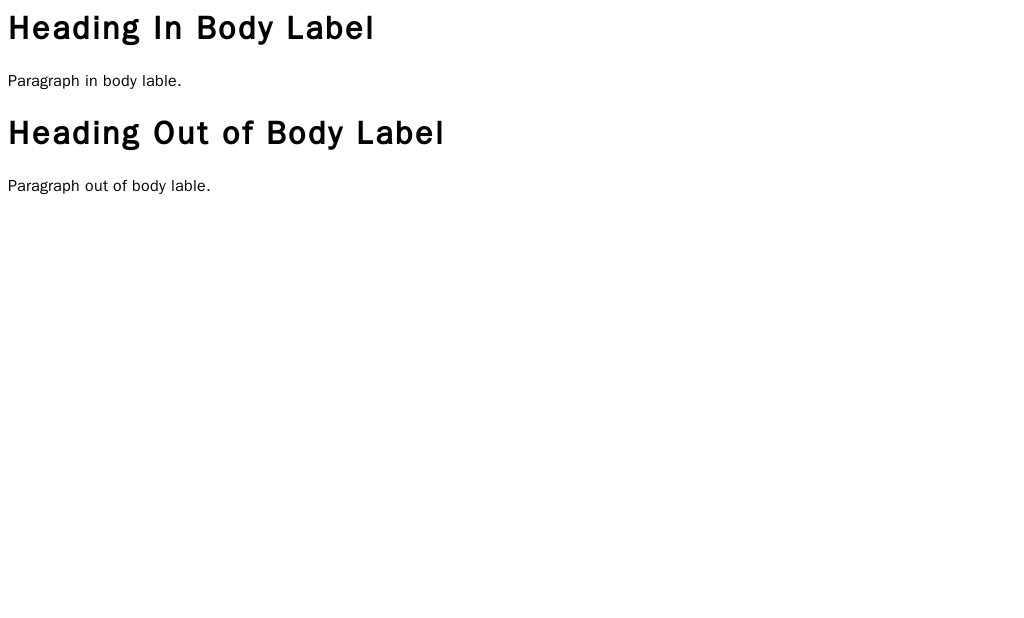
Every HTML document follows a basic structure. It starts with a declaration that tells the browser it's an HTML document, followed by <html> tags that wrap everything. Inside, you'll find a <head> section for metadata (like the page title) and a <body> section for the actual content that users see.
<!DOCTYPE html>
<html>
  <head>
    <title>My First Web Page</title>
  </head>
  <body>
    <!-- Content for the page goes here -->
  </body>
</html>
The browser reads this structure to render the page. Anything you put inside the <body> tags will appear in the main browser window.
Adding Content with Tags
HTML uses elements, or tags, to define different types of content. Most tags come in pairs: an opening tag like <p> and a closing tag like </p>. The content goes between them.
Headings are used to structure your content hierarchically. There are six levels, from <h1> (the most important) to <h6> (the least important). Using headings correctly helps people and search engines understand the layout of your page.

For regular text, you'll use the paragraph tag, <p>. Each paragraph should be wrapped in its own <p> tags. Lists are another common way to organize information. You can create an unordered (bulleted) list with <ul> or an ordered (numbered) list with <ol>. Each item in the list is then wrapped in a <li> tag.
<h1>A Great Headline</h1>
<p>This is a paragraph introducing a topic.</p>

<h2>A Sub-headline</h2>
<p>Here's some more detailed information.</p>

<h3>Key Points</h3>
<ul>
  <li>Point one</li>
  <li>Point two</li>
  <li>Point three</li>
</ul>
Connecting Pages and Media
The web wouldn't be a web without links. The anchor tag, <a>, allows you to create hyperlinks to other pages. The href attribute specifies the destination URL.
<a href="https://en.wikipedia.org">Go to Wikipedia</a>
To embed an image, you use the <img> tag. This is a self-closing tag, meaning it doesn't need a separate closing tag. It requires two main attributes: src for the image source (the URL or file path) and alt for alternative text. The alt text is crucial for accessibility; it describes the image for screen readers and displays if the image fails to load.
<img src="images/cat.jpg" alt="A fluffy orange cat sleeping on a rug">
Forms are another essential part of the web, allowing users to input information. The <form> tag contains various input elements. You can create text fields, password fields, radio buttons, and checkboxes using the <input> tag, which has a type attribute to define what kind of input it is.
<form>
  <label for="username">Username:</label><br>
  <input type="text" id="username" name="username"><br>
  <label for="password">Password:</label><br>
  <input type="password" id="password" name="password"><br>
  <input type="submit" value="Log In">
</form>
Writing Meaningful HTML
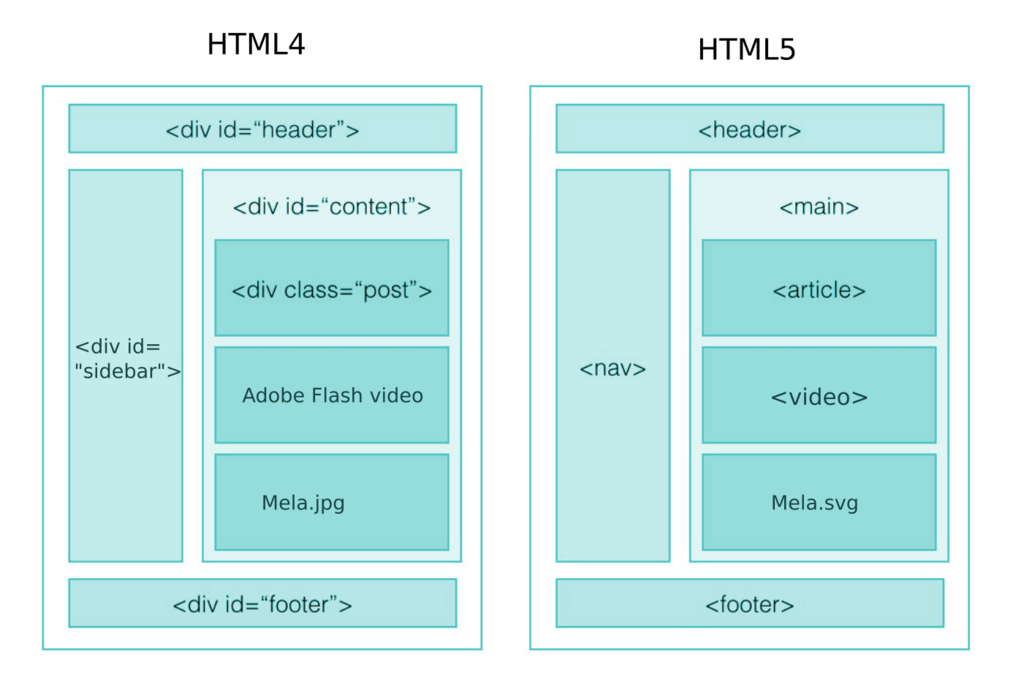
You could build a whole website using only <div> tags for structure, but that wouldn't be very meaningful. Modern HTML includes semantic tags that describe the content within them. This helps browsers, search engines, and assistive technologies understand the purpose of different parts of your page.
Instead of a generic <div>, you can use tags like <header>, <footer>, <nav> (for navigation links), <main> (for the main content), and <article> (for a self-contained piece of content).
Semantic HTML is the use of HTML tags that clearly define the purpose of the content they enclose to make your website code more understandable for both developers and search engines.
Using semantic tags not only makes your code easier to read and maintain but also improves accessibility. A screen reader, for example, can use the <nav> tag to quickly find and read out the navigation links, allowing a visually impaired user to easily navigate the site. This meaningful structure is a cornerstone of modern web development.
Now that you've got the basics, let's test your knowledge.
What does HTML stand for?
In a standard HTML document, the visible content that appears in the browser window is placed inside which pair of tags?
By understanding these fundamental building blocks, you're well on your way to creating well-structured, accessible, and meaningful web pages.