Introduction to Fortran Programming
Introduction to Fortran
The Original Scientific Language
Long before Python or C++, there was Fortran. Developed in the 1950s by a team at IBM led by John Backus, its name is short for "Formula Translation." This gives you a big clue about its purpose: it was designed from the ground up to make it easier for scientists and engineers to translate mathematical formulas into computer code.
At the time, programming was a tedious process involving low-level assembly languages. Fortran was revolutionary because it was a high-level language, allowing programmers to write code that was much closer to standard mathematical notation. This made complex numerical computations accessible to a much wider audience of technical professionals.
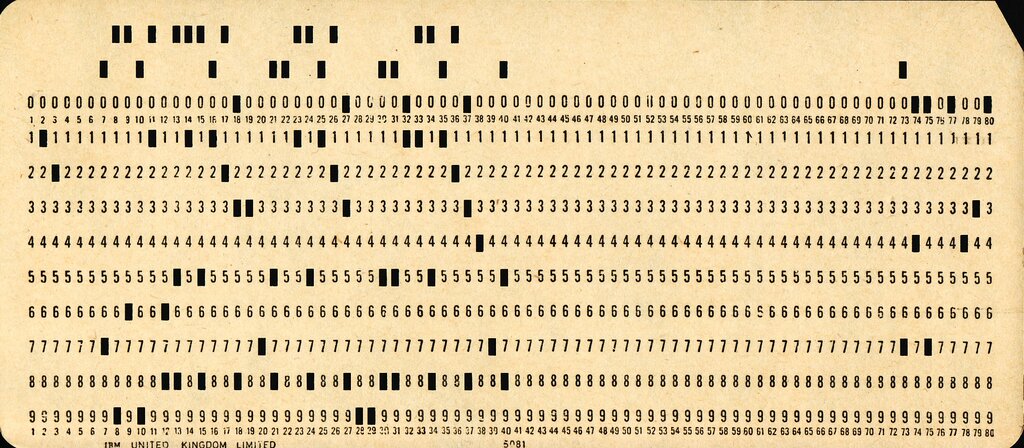
Like any living language, Fortran has evolved. It has been periodically updated by standards committees to incorporate modern programming features. You might hear people mention older versions like FORTRAN 77 (often written in all caps) or more modern ones like Fortran 90, Fortran 2003, and the latest standard, Fortran 2023. Each new standard added features to keep the language relevant, such as dynamic memory allocation, object-oriented concepts, and better ways to handle parallel processing.
Why Still Use Fortran?
You might wonder why a language from the 1950s is still in use. The answer is performance. Fortran is a compiled language, meaning the human-readable code is translated directly into machine code that a computer's processor can execute very quickly. For massive, number-crunching tasks like weather forecasting, fluid dynamics, and astrophysics simulations, speed is critical.
Fortran's design allows compilers to heavily optimize mathematical calculations, often resulting in faster execution speeds than other popular languages for the same tasks.
Furthermore, decades of scientific and engineering work have produced vast libraries of highly reliable and optimized Fortran code. Rewriting these massive, battle-tested libraries in another language would be a colossal undertaking with few tangible benefits. It's often easier and more efficient to build upon the existing foundation.
Getting Started
To start writing and running Fortran, you need a compiler. A compiler is a program that translates your Fortran code into an executable file your computer can run. There are several excellent options available, many of them free.
| Compiler | Developer | Notes |
|---|---|---|
gfortran | GNU Project | Free, open-source, and part of the popular GCC (GNU Compiler Collection). A great choice for beginners. |
ifort / ifx | Intel | A commercial compiler known for generating highly optimized code, especially on Intel processors. Free versions are often available. |
Installing gfortran is usually straightforward. On Linux, you can use your package manager (e.g., sudo apt-get install gfortran). On macOS, it comes with the Xcode command-line tools. On Windows, you can install it as part of toolchains like MinGW-w64.
Once you have a compiler, you can write your first program. It's a tradition in programming to start with a "Hello, World!" program. Create a file named hello.f90 and type the following code into it.
program hello
  ! This is a comment line
  print *, 'Hello, World!'
end program hello
To compile this program, open a terminal, navigate to the directory where you saved hello.f90, and run the following command:
gfortran hello.f90 -o hello
This command tells gfortran to compile hello.f90 and create an executable file named hello. To run your program, simply type:
./hello
If everything is set up correctly, you'll see Hello, World! printed on your screen. You've just compiled and run your first Fortran program.